Working from home should mean productivity, comfort, and focus—not distractions, back pain, or clutter. Yet without a proper setup, your kitchen table or couch can quickly become a recipe for burnout. With remote work now a long-term reality for millions, creating a dedicated, well-designed home office is no longer a luxury. It’s a necessity.
The good news? You don’t need a spare room or a big budget to build an effective workspace. What matters most is intentionality: choosing the right location, investing in ergonomic essentials, minimizing distractions, and designing for focus. Whether you’re working full-time remotely or just a few days a week, this guide will walk you through every step of setting up a home office that supports your health, efficiency, and peace of mind.
Choose the Best Spot in Your Home for Remote Work
Your workspace location directly affects concentration, energy levels, and mental separation between work and personal life. A thoughtful choice ensures you stay focused and avoid burnout.
How to Find a Quiet, Low-Traffic Area
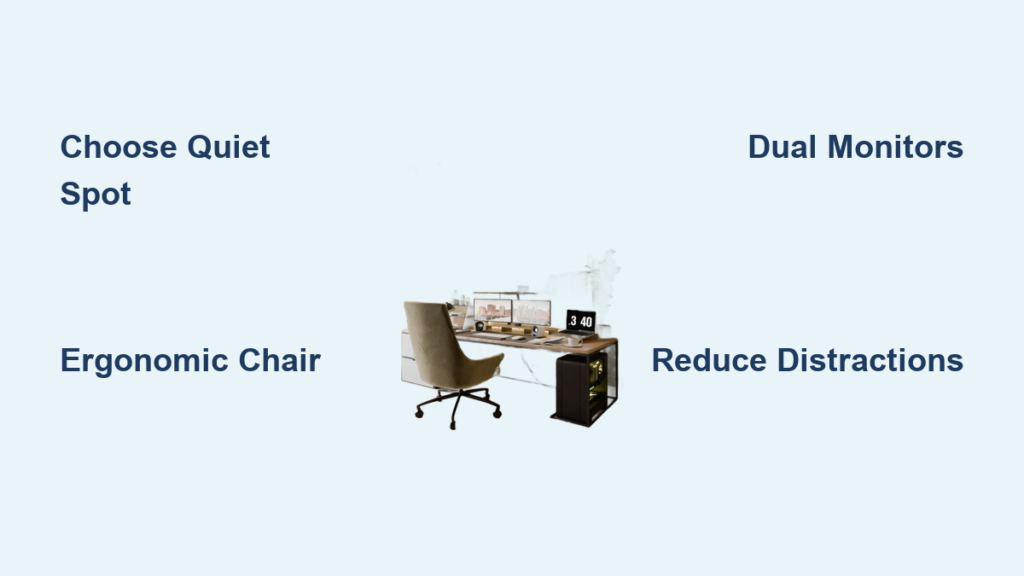
Avoid placing your desk in high-activity zones like the living room or kitchen. Instead, look for a corner with minimal foot traffic. Even a converted closet, alcove, or space behind a bookshelf can serve as a functional office. If noise from family or roommates is unavoidable, use a room divider or play white noise to create auditory boundaries.
Why Natural Light Matters for Focus and Mood
Natural light helps regulate your circadian rhythm, boosting alertness and reducing eye strain. Position your desk near a window—but not directly facing it—to prevent screen glare. North-facing windows offer steady, indirect light, while east-facing ones provide gentle morning brightness. Use sheer curtains or adjustable blinds to manage intensity throughout the day.
How to Create a Psychological Work-Life Boundary
A clear separation between work and relaxation spaces improves mental well-being. If possible, use a spare room with a closable door. When space is limited, define your office with a foldable desk, area rug, or room divider. Physically “leaving” your workspace at the end of the day signals your brain that work is over.
Fix Your Posture with Ergonomic Furniture
Poor ergonomics lead to back pain, neck strain, and fatigue. Investing in the right furniture keeps you comfortable and productive over long workdays.
How to Pick an Adjustable Chair That Supports Your Back
Your chair should support your lower back, keep your feet flat on the floor, and allow your arms to form 90-degree angles while typing. Choose one with adjustable height, lumbar support, and breathable fabric. For long-term comfort, consider models with adjustable armrests and seat depth.
What Desk Height Prevents Shoulder and Wrist Strain
Your desk should let your elbows rest at a 90-degree angle when typing. Standard desks are 29–30 inches high, but if you’re shorter or taller, opt for an adjustable or sit-stand desk. Alternating between sitting and standing every 30–60 minutes reduces sedentary risks and boosts circulation.
How to Position Your Monitor to Avoid Neck Pain
Place your monitor at eye level and about an arm’s length away. The top of the screen should align with or sit slightly below your eye level. Use a monitor stand or stack of books to raise it. If using a laptop, connect an external keyboard and mouse so you can elevate the screen without hunching.
Boost Productivity with a Reliable Tech Setup
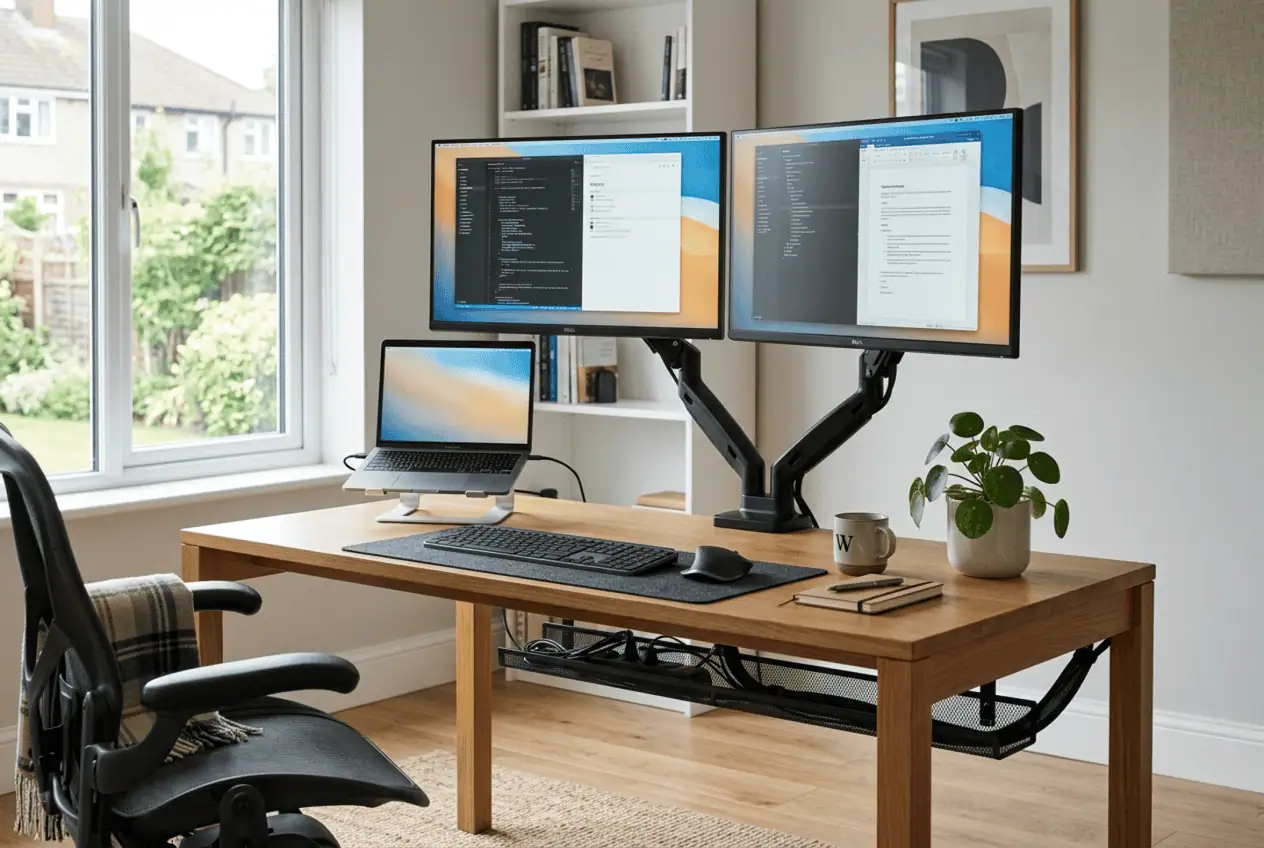
A smooth tech setup prevents frustration and downtime. Small upgrades can make a big difference in your daily workflow.
How to Test and Improve Your Internet Speed for Video Calls
Run a speed test using Speedtest.net. For seamless video conferencing and file sharing, aim for at least 25 Mbps download and 3 Mbps upload. If your Wi-Fi is weak, reposition your router, use a Wi-Fi extender, or connect via Ethernet cable for a more stable connection.
Why a Second Monitor Increases Efficiency
Dual screens let you multitask without constant tab-switching. Even pairing your laptop with one external monitor can improve focus and output. Position both displays side by side at equal height and distance from your eyes.
How to Keep Cables Tidy and Power Accessible
Tangled cords create clutter and safety hazards. Use cable clips, sleeves, or a management box to organize wires. Place a labeled power strip within reach and group cords by device. Always use a surge protector to shield your equipment from power spikes.
Design Lighting That Reduces Eye Strain

Poor lighting causes headaches and fatigue. A balanced mix of natural and artificial light keeps you alert and comfortable.
What Type of Desk Lamp Helps You Focus
Use an adjustable desk lamp with variable brightness and color temperature. Cool white light (5000–6500K) enhances concentration, while warm light (2700–3000K) is better for relaxation. Position the lamp to the side of your monitor to prevent glare.
How to Stop Screen Glare from Windows or Lights
Avoid placing your monitor directly opposite a window or bright overhead light. Close blinds during peak sunlight or use an anti-glare screen filter. Adjust your screen brightness to match the room’s lighting—too bright strains your eyes.
What Room Temperature Keeps You Alert and Comfortable
Aim to keep your office between 68–72°F (20–22°C). Use a small fan, space heater, or smart thermostat to maintain a steady climate. Dress in layers so you can adapt quickly to temperature changes.
Eliminate Distractions That Break Your Focus
A cluttered or noisy environment disrupts deep work. A clean, quiet space helps you stay in the zone.
How to Keep Your Desk Minimal and Functional
Only keep essentials on your desk: computer, notebook, pen, and water bottle. Store supplies in drawers or shelves. Use trays or organizers for papers and small items to prevent visual clutter.
How to Silence Phone and App Notifications
Turn off non-essential alerts on your phone and computer. Use focus tools like Freedom, Focus@Will, or built-in “Do Not Disturb” modes during work blocks. Schedule specific times to check email and messages instead of reacting constantly.
How to Set House Rules for Family and Roommates
Communicate your work hours clearly. Use a “Do Not Disturb” sign, closed door, or noise-canceling headphones as visual cues. Let others know when you’re unavailable to minimize interruptions.
Make Your Workspace Feel Inspiring and Calm

Your environment shapes your mindset. A personalized, pleasant space boosts motivation and reduces stress.
Which Low-Maintenance Plants Improve Air and Mood
Snake plants, pothos, and ZZ plants purify air and require little care. Place them where they won’t obstruct your view or take up desk space. Just avoid overwatering or choosing high-maintenance varieties.
What Personal Items Boost Motivation Without Causing Clutter
Display a framed quote, vision board, or photo of loved ones to stay inspired. Keep decorations minimal—too many items create visual noise and distract from work.
How Calming Colors Influence Focus and Energy
Paint your walls or add decor in soft blues, greens, or neutral tones to promote calm and concentration. Avoid overly bright or bold colors unless they energize you. Even small touches like a blue notebook or gray mousepad can make a difference.
Build Daily Habits That Sustain Productivity
Even the best home office fails without consistent routines. Structure your day to stay focused and avoid burnout.
Why a Fixed Schedule Improves Work-Life Balance
Treat remote work like an office job. Start and end at the same time each day to create rhythm. Use calendar alerts or a timer to mark transitions and protect personal time.
How to Use the 20-20-20 Rule to Protect Your Eyes
Every 20 minutes, look at something 20 feet away for 20 seconds. This reduces eye strain from prolonged screen use. Pair it with hourly 5–10 minute breaks to stretch, walk, or hydrate.
How a 5-Minute Daily Cleanup Sets You Up for Success
Spend the last few minutes of your workday clearing your desk, organizing files, and preparing for tomorrow. A tidy workspace makes it easier to start fresh and stay focused the next morning.
Key Takeaways for Setting Up a Home Office for Remote Work
Creating a home office for remote work isn’t about having the fanciest gear or a dedicated room. It’s about making smart, intentional choices that support your health, focus, and productivity. Start by choosing a quiet, well-lit spot with clear boundaries. Invest in an ergonomic chair, proper desk height, and correctly positioned monitor to prevent strain. Optimize your tech with strong internet, dual monitors, and organized cables. Layer natural and task lighting to reduce eye fatigue, and keep distractions at bay with a clean desk and clear house rules. Finally, personalize your space with plants and meaningful items, and pair your setup with strong daily habits like fixed hours, regular breaks, and a quick nightly cleanup. Begin with one or two changes, then refine over time. Your ideal home office evolves with you—design it to work for your life, not against it.
Frequently Asked Questions About Setting Up a Home Office for Remote Work
What is the best location for a home office in a small apartment?
Choose a quiet corner away from high-traffic areas. Use room dividers, foldable desks, or a designated rug to define your workspace. Prioritize natural light and proximity to power outlets.
How much should I spend on a home office chair?
Aim for $150–$300 for a quality ergonomic chair. Look for adjustable height, lumbar support, and breathable material. It’s a long-term investment in your health and comfort.
Can I use my laptop as my main work device?
Yes, but pair it with an external keyboard, mouse, and monitor to maintain proper posture. Elevate the laptop screen to eye level to avoid neck strain.
How do I reduce background noise during video calls?
Use noise-canceling headphones or a directional microphone. Close windows, use rugs or curtains to absorb sound, and inform others in your home when you’re on calls.
What are the most common home office mistakes to avoid?
Working from bed or the couch, ignoring ergonomics, skipping breaks, and letting clutter build up. Also, failing to set boundaries with family or roommates disrupts focus.
How can I make a shared space feel like a real office?
Use a portable desk, noise-canceling headphones, and a “Do Not Disturb” sign. Keep supplies in a rolling cart or storage bin for easy setup and takedown.