You love your home office—clean lines, curated décor, and a calm space to focus. Then there’s the printer: bulky, beige, and always out of place. If you’re wondering how to hide a printer in a home office without sacrificing function, you’re not alone. Thousands of remote workers and hybrid professionals face the same challenge: keeping essential tech out of sight while maintaining easy access. The good news? With smart storage solutions, thoughtful design, and a few clever tricks, you can seamlessly conceal your printer and preserve a polished, clutter-free workspace.
This guide delivers practical, stylish, and functional ways to hide your printer—backed by expert design principles and real-world usability tips. From built-in cabinets to mobile carts and hidden wall compartments, you’ll learn how to blend your printer into your décor while ensuring proper ventilation, cable management, and quick access when needed. Whether you’re working with a tight budget or planning a full office renovation, these solutions fit every space, style, and lifestyle.
Install a Built-In Cabinet With Matching Doors
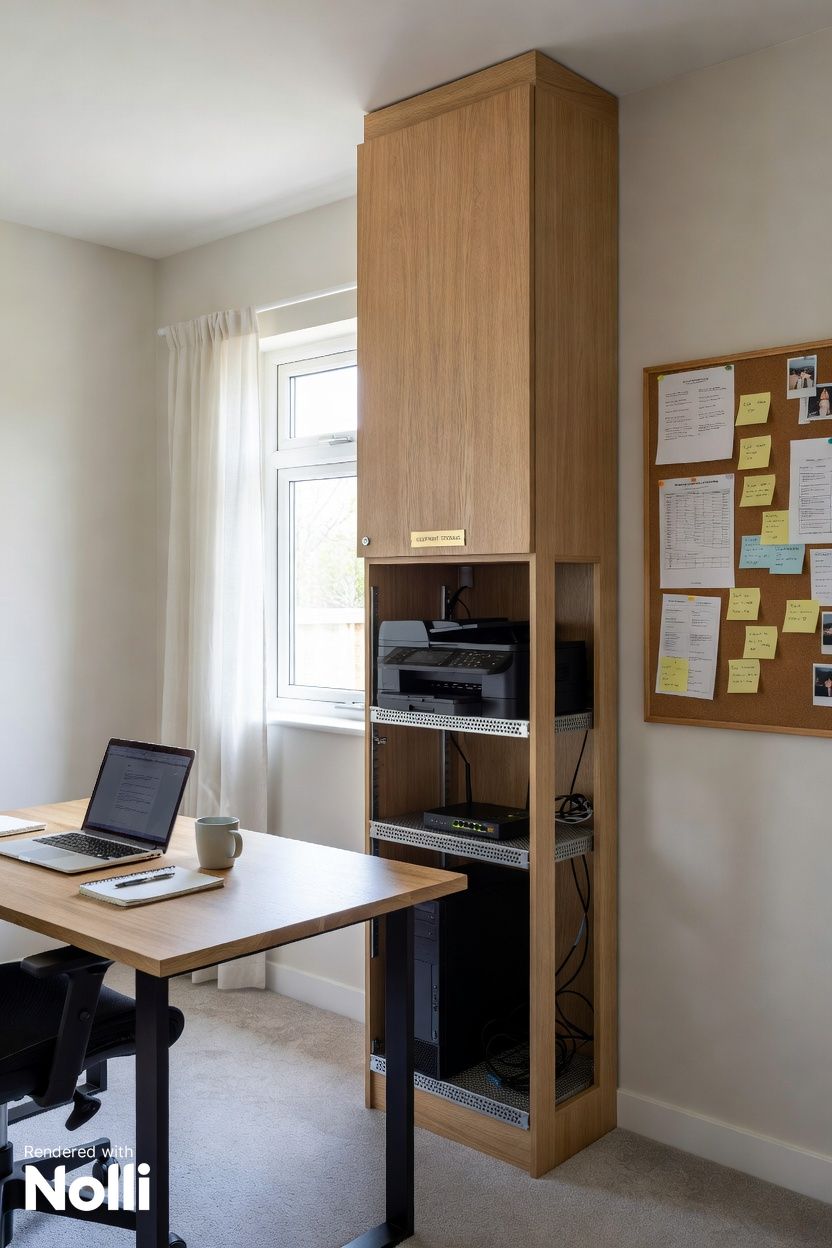
Integrating your printer into cabinetry that matches your office design is one of the most effective ways to hide it completely.
Use Soft-Close Doors for a Seamless Look
Choose a cabinet with doors that match your room’s color and finish. Soft-close hinges prevent slamming and give a high-end feel. When closed, the printer disappears entirely—ideal for maintaining a minimalist aesthetic. Repurpose an existing bookshelf or entertainment unit with added doors for a budget-friendly upgrade.
Add Ventilation Holes and Interior Lighting
Never seal the printer in an airtight space. Drill small ventilation holes in the back or sides of the cabinet to allow airflow. Maintain at least 6 inches of clearance around the unit. For a modern touch, install LED strip lighting inside. The soft glow activates when you open the door, making it easier to load paper or clear jams.
Mount on a Sliding Shelf for Easy Access
Attach the printer to a pull-out shelf with smooth-gliding drawer tracks. This lets you slide the printer forward without fully opening the cabinet, simplifying maintenance. Look for heavy-duty tracks rated for the printer’s weight to ensure long-term durability.
Conceal Under the Desk With a Pull-Out Tray
Maximize unused space beneath your desk with a low-profile, accessible setup.
Install a Sliding Shelf for Quick Access
Many desks include a keyboard tray that can double as a printer shelf. If yours doesn’t, add an aftermarket sliding shelf under the desk. Position it so the printer slides out smoothly and tucks away when not in use. This keeps the device within reach but out of sight.
Build a Custom Under-Desk Enclosure
Construct a wooden or acrylic box under your desk to hide the printer. Paint or stain it to match your desk for a built-in look. Add a fabric front panel for noise reduction and soft aesthetics. Ensure the enclosure has open sides or mesh panels for ventilation.
Choose a Compact or All-in-One Printer
Opt for a low-profile model that fits under most desks. Measure your under-desk clearance—typically 12 to 18 inches—before purchasing. Smaller printers reduce visual clutter and make concealment easier, especially in tight spaces.
Convert a Closet or Pantry Into a Printer Station
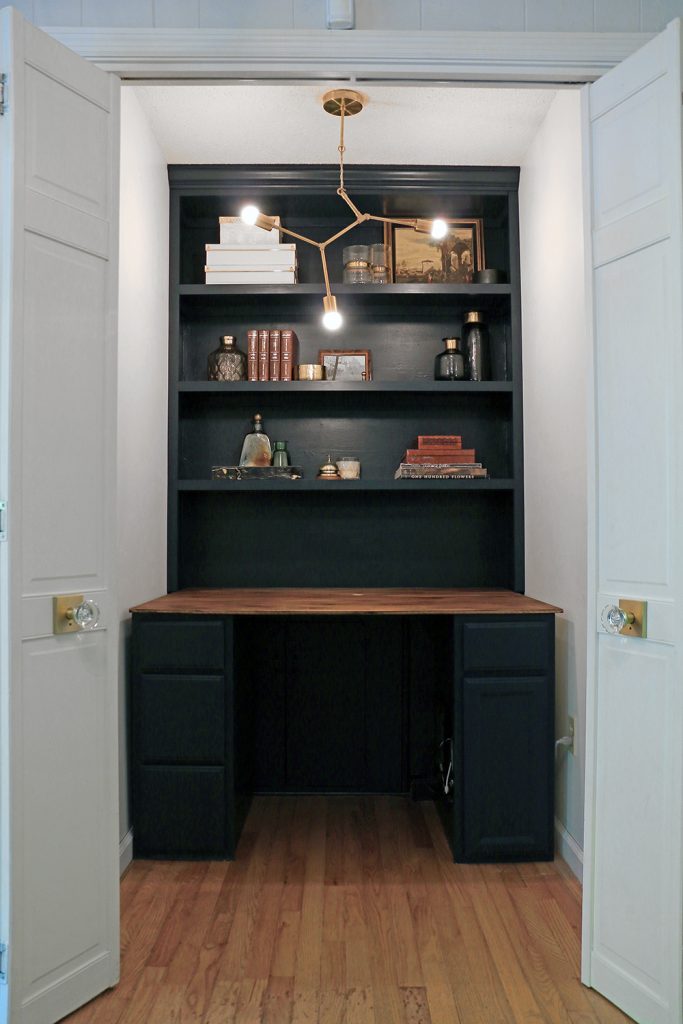
Turn an underused room into a dedicated, hidden printing zone.
Transform a Spare Closet Into a Printing Nook
Repurpose a small closet or pantry by installing a shelf at a comfortable height. Add a sliding barn door or curtain for instant concealment. This is perfect for shared homes where office gear should stay out of sight when not in use.
Ensure Power Access and Airflow
Place the shelf near an existing outlet to avoid exposed cords. Never cram the printer into a tight space—leave room on all sides for heat to escape. Consider adding a small vented panel or quiet fan to prevent overheating in enclosed areas.
Use a Rolling Cart for On-Demand Access
Place the printer on a mobile cart inside the closet. When you need to print, roll it out, use it, and tuck it back. Choose a cart with enclosed sides and lockable casters to keep it stable and hidden. Store paper and ink in the cart’s drawers for total organization.
Create a Recessed Wall Niche for Invisible Storage
 is the most relevant to “recessed wall niche for printer storage home office design,” but I cannot confidently map it to a URL from the list, since the image files were not paired with their URLs in the input.
The only URL that appears to correspond to a recessed niche office design is:
https://harmonyhome-design.com/wp-content/uploads/2026/01/Wood-wall-with-recessed-farmhouse-office-niche-idea-lit-stone-back-panel-and-tidy-drawers.jpg)
Save floor space and achieve a sleek, built-in look with wall-integrated storage.
Build a Hidden Wall Compartment
Recess a section of drywall to fit your printer snugly. Install a hinged or sliding panel that matches your wall’s paint or texture. When closed, the printer is completely invisible. This works best during renovations but can be adapted with prefab wall units.
Install a Motorized Panel for High-Tech Concealment
For a luxury upgrade, use a motorized panel that opens with a button or voice command. The printer rises into view when needed and disappears when done. While expensive, this solution offers maximum concealment and a futuristic aesthetic.
Mount Behind a Decorative Wall Panel
Attach a removable panel—wood, fabric, or metal—to the wall, hiding the printer behind it. Use lightweight materials for easy access. When closed, the panel doubles as wall art, blending function with design.
Hide Behind a Room Divider or Bookcase

Use furniture to conceal your printer while enhancing your office layout.
Place Behind a Stylish Folding Screen
Set the printer behind a decorative room divider made of wood, fabric, or metal. This hides the machine and defines your workspace in open-plan areas. Choose a design that complements your office style for a cohesive look.
Conceal Inside a Bookcase With Partial Cover
Use a freestanding or wall-mounted bookcase with a mix of open and closed shelves. Place the printer on a lower shelf and surround it with books, baskets, or plants. For full concealment, add a louvered door or fabric curtain to the front.
Maintain Ventilation and Easy Access
Avoid blocking vents with books or décor. Leave space around the printer and ensure you can reach it easily for jams or refills. Position the bookcase near a power outlet and use cord clips to manage cables neatly.
Use a Mobile Printer Cart for Flexible Storage
Ideal for small spaces or multi-purpose rooms.
Choose a Cart With Enclosed Sides and Locking Casters
Pick a rolling cart with fabric panels, cabinets, or retractable covers. This hides the printer when stored and allows you to move it to a printing station when needed. Locking wheels prevent accidental movement during use.
Store Supplies in Built-In Drawers
Select a cart with shelves or drawers to keep paper, ink, and labels organized. This eliminates extra storage needs and keeps everything in one place. A minimalist design in black, white, or wood tone blends into most décors.
Roll Into a Closet or Corner When Not in Use
When printing is done, roll the cart into a closet, behind a door, or into a corner. This is perfect for guest rooms, living areas, or hybrid workspaces where office gear shouldn’t dominate the space.
Integrate the Printer Into Multi-Functional Furniture
Combine storage and style with furniture that hides your printer in plain sight.
Use a Lift-Top Desk With Hidden Compartment
Choose a desk with a lift-up top or flip-down panel that reveals a hidden shelf. The printer stays concealed beneath and pops up when needed. Many models include built-in USB ports and cable grommets for clean connectivity.
Repurpose a Media Console as a Printer Cabinet
Modify a TV stand or media console with a cabinet large enough for your printer. Remove the back panel for cord access and drill ventilation holes. This works well in living room offices or hybrid workspaces.
Match Furniture Finish to Your Office Décor
Whether it’s walnut, white, or matte black, pick furniture that matches your existing style. A cohesive look makes the printer storage feel intentional, not like an afterthought.
Ensure Proper Ventilation, Cables, and Access
Even the best design fails without attention to function.
Leave 6 Inches of Clearance for Airflow
Printers generate heat. Never enclose one in a sealed space. Maintain at least 6 inches of space on all sides. Use perforated panels, mesh doors, or vented cabinets to allow airflow while hiding the device.
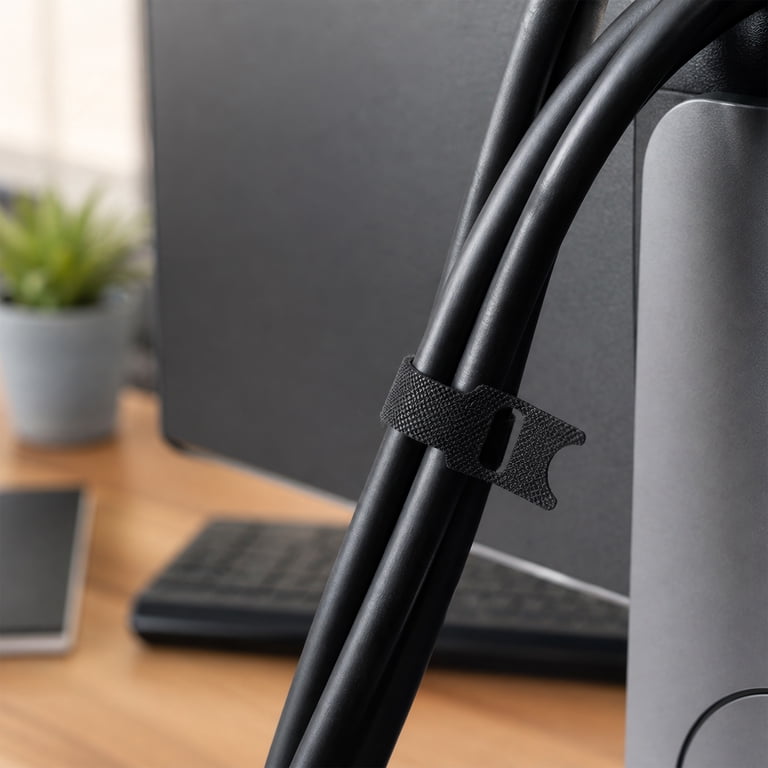
Hide Cables With Sleeves and Raceways
Use cord sleeves, clips, or wall-mounted raceways to keep power and USB cables tidy. Route cords through desk grommets or wall channels. For wireless printers, place the unit near your router to minimize cords.
Design for Easy Maintenance and Refills
Avoid solutions that require crawling or disassembly. Sliding shelves, front-access compartments, and open-back cabinets make it easy to refill paper, replace ink, and clear jams. Prioritize convenience as much as concealment.
Measure Printer Dimensions Before Building
Always measure your printer’s height, width, and depth—plus space for extended trays and cords—before finalizing any storage plan. Include clearance for ventilation and movement.
Blend the Printer Into Your Office Décor
Make hidden storage look like part of your design.
Match Colors and Materials to Your Space
Paint cabinets to match the walls. Use fabric-covered panels in the same hue as your curtains or rug. Wood finishes should coordinate with your desk or flooring for a unified look.
Add LED Lighting for Ambiance and Function
Install motion-activated LED strips inside cabinets or under shelves. Warm white creates a cozy feel; cool white gives a modern edge. The soft glow makes accessing the printer easier and enhances your workspace.
Use Décor to Distract the Eye
Place a plant, sculpture, or framed photo in front of a partially concealed printer. This draws attention away from the machine and turns the area into a styled vignette.
Frequently Asked Questions About Hiding a Printer in a Home Office
Can I hide my printer in a closed cabinet without overheating it?
Yes, but only if you ensure proper ventilation. Leave at least 6 inches of space around the printer and add ventilation holes to the cabinet. Avoid sealing it in a completely enclosed, airtight space to prevent overheating and damage.
What is the best way to hide a printer in a small home office?
Use a rolling cart that can be tucked into a closet or corner when not in use. Alternatively, install a wall-mounted recessed niche or use a lift-top desk with hidden storage to save floor space.
How can I manage printer cables when hiding it?
Use cord sleeves, clips, or raceways to bundle and conceal cables. Route cords through furniture grommets or wall channels. For wireless printers, keep the unit near your router to reduce the need for long cords.
Can I use a bookcase to hide my printer?
Yes. Place the printer on a lower shelf and surround it with books and décor. For full concealment, add a fabric curtain or louvered door. Ensure the printer has space for ventilation and easy access for maintenance.
Is it safe to store a printer in a closet?
Yes, if the closet has proper ventilation and easy access. Avoid cramming the printer into a tight corner. Keep it near an outlet, leave space around it, and consider adding a vented door or small fan for airflow.
What type of printer is easiest to hide?
Compact all-in-one printers are ideal for concealment. They take up less space, have fewer cords, and fit easily into cabinets, under desks, or on shelves. Look for models with wireless connectivity to reduce cable clutter.
Key Takeaways for Hiding Your Printer in a Home Office
Hiding a printer in your home office doesn’t mean sacrificing convenience. With the right blend of design and function—whether it’s a rolling cart, built-in cabinet, or recessed wall unit—you can maintain a clean, professional space that supports productivity and peace of mind. Choose a solution that fits your usage, space, and style, and always prioritize ventilation, accessibility, and cable control. The result? A home office that looks intentional, stays clutter-free, and works seamlessly—printer and all.