Office printing might seem like a small line item, but unchecked, it can drain hundreds or even thousands of dollars annually. From expensive toner cartridges to wasted paper and outdated equipment, hidden costs pile up fast. Many businesses overlook this expense, yet smart adjustments can cut printing costs by 30% or more—without slowing down daily operations. The key is not to stop printing altogether, but to print smarter.
This guide delivers actionable strategies to reduce office printer costs, covering everything from optimizing settings and choosing affordable supplies to adopting digital workflows and maintaining hardware. You’ll learn how to lower cost per page, extend cartridge life, minimize waste, and encourage responsible printing habits across your team. Whether you manage a small startup or a large enterprise, these proven methods will help you save money, boost efficiency, and build a more sustainable office.
Set Printers to Draft Mode by Default
 is the closest match to “draft mode,” but I can’t confirm which URL it corresponds to.)
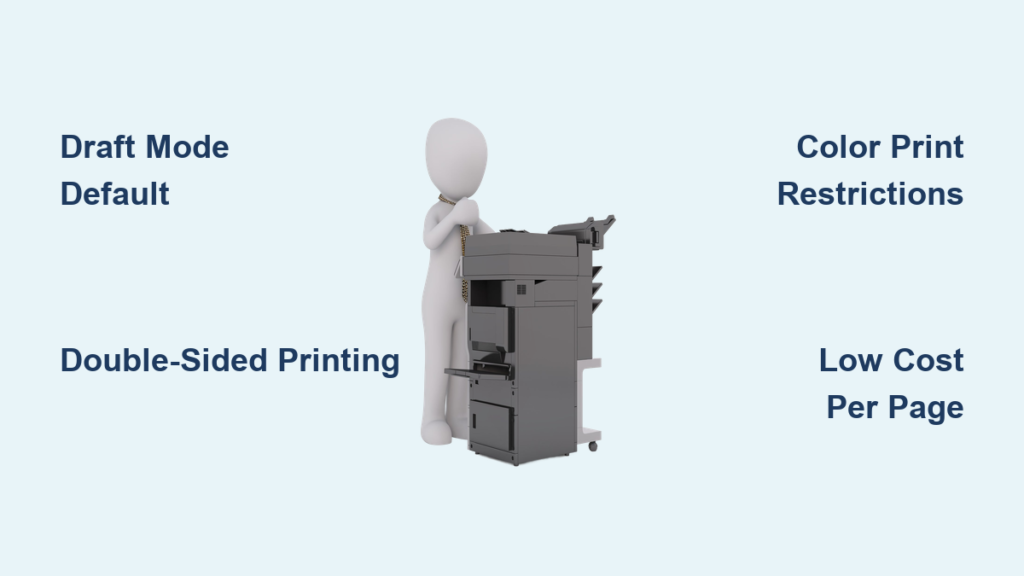
Default print settings are often configured for high quality, which uses more ink or toner than necessary. Switching to draft or economy mode reduces consumable usage by up to 50% while still producing legible documents for internal use.
Why Draft Mode Saves Money
Draft mode uses less toner or ink by lowering print density. This extends cartridge life and reduces replacement frequency. For internal memos, meeting notes, or proofreading drafts, the slight reduction in quality is unnoticeable but leads to significant long-term savings.
How to Change Default Settings
Use group policy or print server management tools to set draft mode as the default across all office devices. This ensures every user prints efficiently unless they manually select high quality for client-facing materials.
Enable Automatic Double-Sided Printing
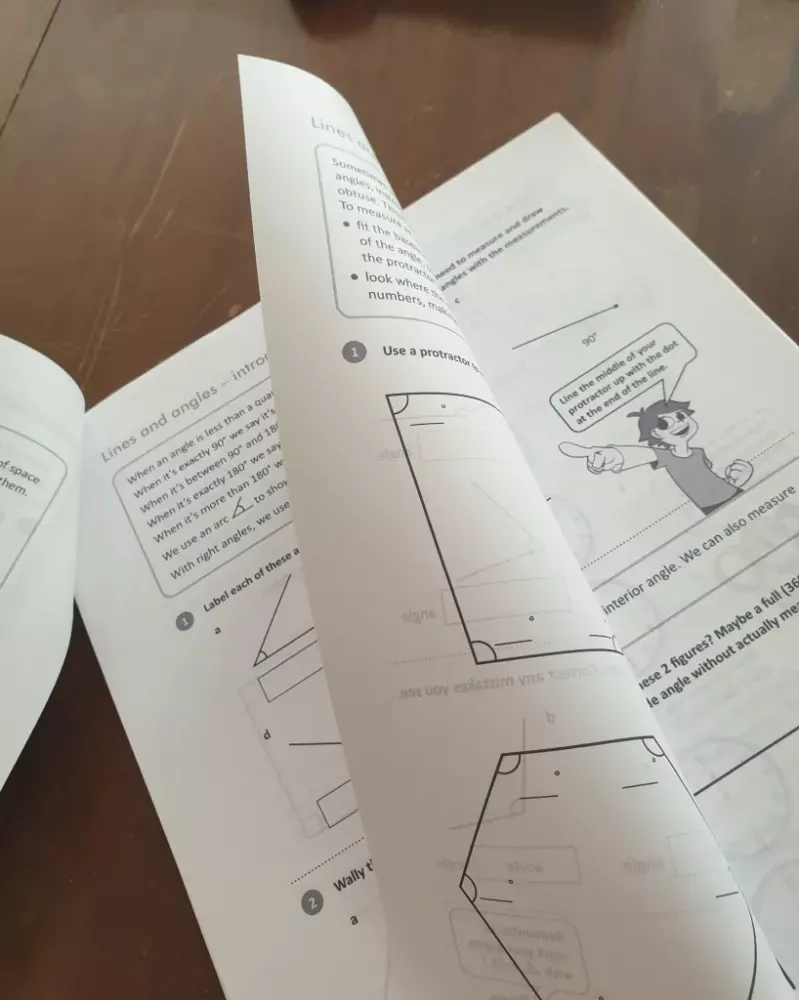
Manual duplex printing is unreliable and often skipped. Enabling automatic two-sided printing ensures every multi-page document uses half the paper—cutting paper costs and waste immediately.
Configure Duplex Settings Network-Wide
Most modern office printers support automatic duplexing. Access printer properties through your network admin panel and set duplex printing as the default. This eliminates the need for employee compliance and reduces paper consumption across departments.
Monitor Paper Usage Trends
After implementation, track paper orders and compare usage month over month. A successful rollout should show a 30–50% drop in paper consumption, especially in high-print departments like HR or finance.
Restrict Color Printing to Authorized Users
Color printing costs 2–3 times more per page than black-and-white. Uncontrolled access leads to unnecessary use for non-essential documents.
Use Print Management Software to Control Access
Deploy tools like PaperCut or uniFLOW to restrict color printing to specific users or departments. Require password authentication before releasing color jobs, ensuring only approved prints go through.
Educate Teams on When to Use Color
Train employees to reserve color printing for client proposals, marketing materials, or presentations. For internal reports and drafts, black-and-white is sufficient and far more cost-effective.
Choose Printers with Low Cost Per Page
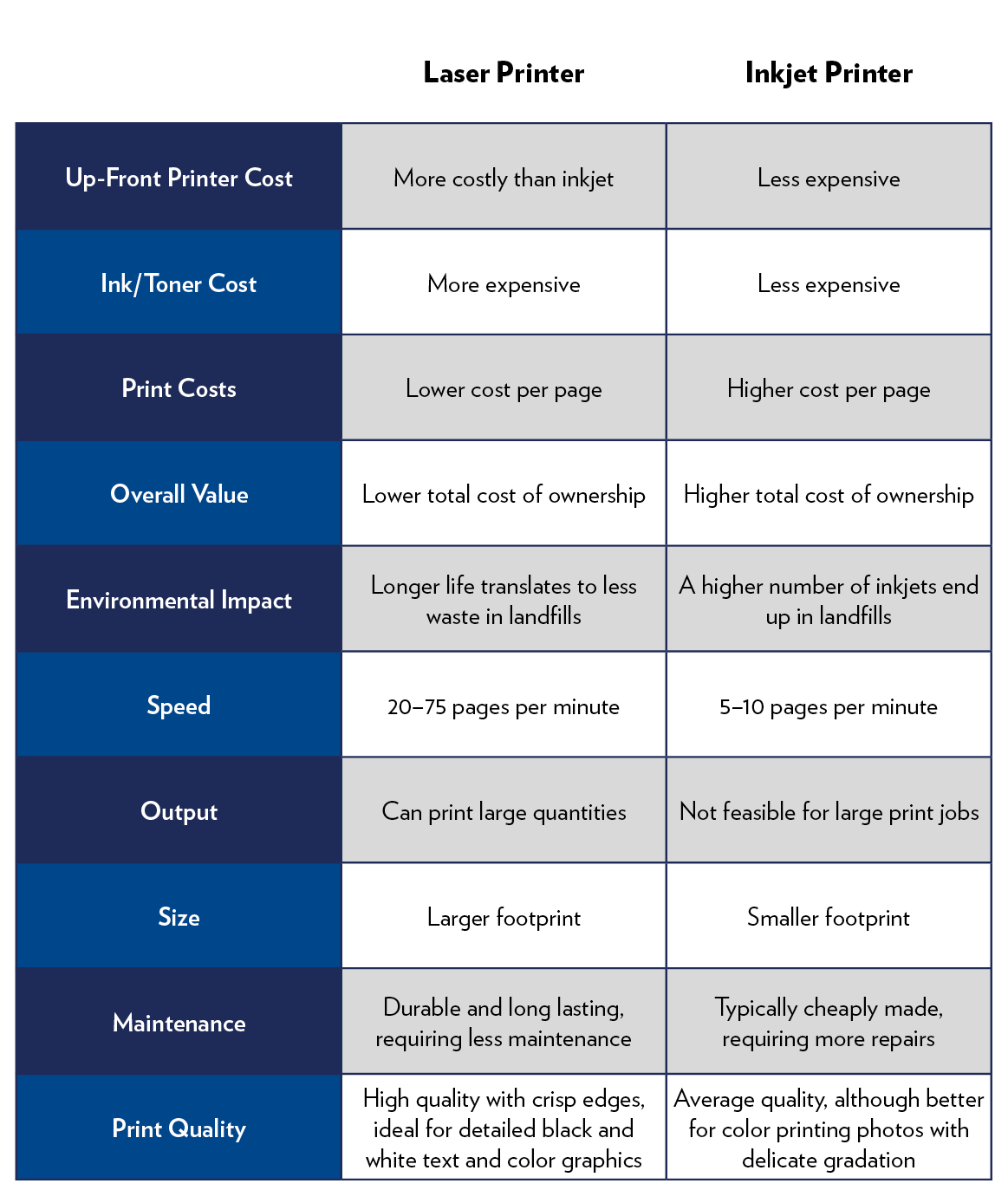
The cheapest printer to buy is often the most expensive to operate. Focus on cost per page (CPP) when selecting new devices to ensure long-term savings.
Compare Monochrome Laser vs. Inkjet Models
Monochrome laser printers typically cost under $0.02 per page for black text—ideal for document-heavy offices. Avoid consumer inkjets, which have high CPP due to small, expensive cartridges.
Prioritize High-Yield Toner Options
Select models that support high-capacity or extra-high-yield toner cartridges. These may cost more upfront but deliver a much lower cost per page, especially in busy environments.
Avoid Consumer-Grade Printers in Office Settings
Home printers are not built for business use. They jam more often, run out of ink quickly, and lead to higher recurring costs.
Invest in Business-Class Laser Printers
Office-rated laser printers handle higher volumes, offer better reliability, and use toner more efficiently. They also support advanced features like network printing, secure release, and remote monitoring.
Consider Leasing Through Managed Print Services
Managed Print Services (MPS) providers supply, maintain, and supply printers for a fixed fee per page. This shifts costs from capital expense to operational, includes maintenance, and incentivizes the provider to help you reduce waste.
Switch to Compatible or Remanufactured Cartridges

OEM cartridges are reliable but expensive. Third-party alternatives offer substantial savings without sacrificing performance.
Buy from Reputable Compatible Cartridge Suppliers
Look for ISO-certified brands that guarantee yield and compatibility. Reputable compatible cartridges cost 30–60% less than OEM and work seamlessly in most office printers.
Use Remanufactured Cartridges for Sustainability
Remanufactured cartridges are recycled, cleaned, refilled, and tested. They reduce environmental impact and cost significantly less. Ensure suppliers offer warranties to protect against defects.
Buy High-Yield Toner in Bulk
High-capacity cartridges print more pages and reduce the frequency of replacements. Buying in bulk lowers the unit cost and prevents emergency orders.
Calculate Cost Per Page Before Purchasing
Divide the cartridge price by its page yield to compare true cost. A $200 high-yield toner that prints 5,000 pages costs $0.04 per page—far cheaper than a $80 standard cartridge printing 1,000 pages ($0.08 per page).
Maintain Inventory to Avoid Rush Orders
Keep a small stock of essential cartridges on hand. Use inventory tracking to reorder before supplies run low, avoiding last-minute purchases at premium prices.
Promote Digital Workflows to Reduce Print Volume
Many documents are printed out of habit. Shifting to digital alternatives cuts paper and toner use dramatically.
Replace Paper Forms with E-Signature Tools
Use platforms like DocuSign or Adobe Sign for contracts, approvals, and HR paperwork. This eliminates printing, signing, scanning, and filing—saving time and supplies.
Share Files via Cloud Storage and Collaboration Apps
Encourage teams to use Google Drive, Microsoft OneDrive, or SharePoint instead of printing meeting agendas or reports. Integrate tools like Slack or Teams to reduce email printing.
Implement Follow-Me Printing to Prevent Waste
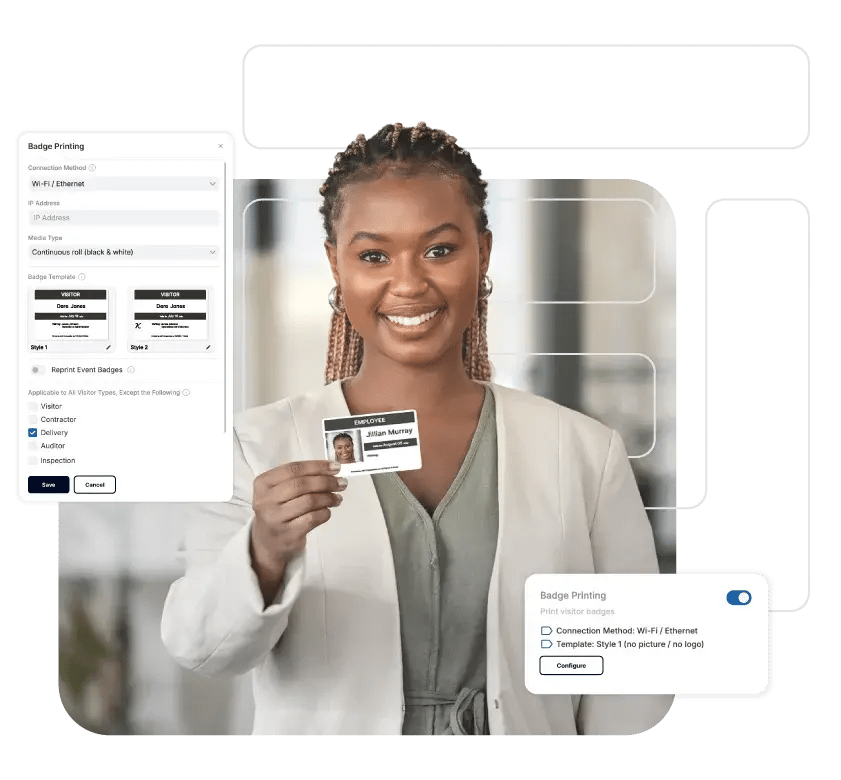
Up to 10% of printed documents are never picked up. Follow-me (secure release) printing requires user authentication at the device before printing.
How Secure Release Works
Users send print jobs to a queue and release them at any office printer using a PIN, badge, or mobile app. This prevents forgotten prints and reduces accidental printing.
Improve Security and Accountability
Follow-me printing also enhances document confidentiality and allows administrators to track usage by user, department, or job type.
Clean Print Heads and Rollers Monthly
Dust, debris, and dried ink cause smudges, paper jams, and misfeeds—leading to reprints and wasted materials.
Run Built-In Cleaning Cycles
Most office printers have automated cleaning modes. Schedule monthly maintenance through the control panel or remotely via print management software.
Inspect for Wear and Tear
Check rollers for smoothness and print heads for clogs. Replace worn parts promptly to avoid damage and maintain print quality.
Update Printer Firmware and Drivers Regularly
Outdated software causes failed jobs, slow printing, and compatibility issues—leading to repeated attempts and wasted resources.
Schedule Quarterly IT Checkups
Assign IT staff to review firmware and driver updates every three months. Many updates include performance improvements and bug fixes that enhance efficiency.
Enable Automatic Updates Where Possible
Some managed printers support automatic updates. Configure these settings to ensure devices stay current without manual intervention.
Train Employees on Cost-Saving Printing Habits
Technology alone won’t reduce costs if employees aren’t aware of the impact of their printing behavior.
Host Short Print Awareness Sessions
Demonstrate how draft mode, double-sided printing, and digital alternatives save money. Show real examples of waste, like printed emails or duplicate reports.
Reinforce Habits with On-Site Reminders
Post signs near printers encouraging double-sided printing, reminding users to cancel accidental jobs, and highlighting the cost of color printing.
Create and Enforce a Formal Print Policy
A clear policy sets expectations and supports accountability across the organization.
Include Guidelines for Remote Workers
Specify whether remote employees should use personal printers for business documents and how to track or reimburse usage.
Distribute Policy During Onboarding
Ensure all new hires understand printing rules from day one. Re-share the policy annually or during team meetings to keep it top of mind.
Use Print Management Software to Track Usage
Without data, you can’t identify waste or measure the success of cost-saving efforts.
Monitor Jobs by User and Department
Tools like PrintAudit or uniFLOW provide detailed reports on print volume, color usage, and cost per department. Use insights to spot overuse and target training.
Set Alerts for Unusual Activity
Configure notifications for high-volume print jobs or unauthorized color printing. This allows quick intervention and prevents abuse.
Generate Monthly Print Cost Reports
Compile and share summaries showing total pages printed, cost breakdowns, and trends over time.
Share Data with Department Managers
Transparency encourages accountability. Managers can use reports to coach teams, recognize low-print departments, and adjust workflows.
Benchmark Against Industry Averages
Compare your cost per page and print volume to industry standards. If your numbers are high, investigate causes like outdated processes or lack of digital tools.
Frequently Asked Questions About Reducing Office Printer Costs
How much can a business save by reducing printer costs?
Businesses typically save 20–30% on printing expenses by optimizing settings, switching supplies, and reducing unnecessary prints. Some achieve even higher savings with managed print services or full digital transformation.
Are compatible toner cartridges safe to use?
Yes, if purchased from reputable suppliers. ISO-certified compatible and remanufactured cartridges are tested for quality and reliability. They cost 30–60% less than OEM without damaging printers.
What is the cheapest way to print in bulk?
Use monochrome laser printers with high-yield toner cartridges. Set defaults to draft mode and double-sided printing. For large offices, consider managed print services with per-page pricing.
How do I stop employees from printing unnecessarily?
Implement print quotas, use follow-me printing, and promote digital alternatives. Train staff on cost-saving habits and reinforce behavior with a formal print policy.
Does duplex printing really save money?
Yes. Automatic double-sided printing cuts paper use in half for multi-page documents. Over a year, this can save hundreds of dollars in paper and reduce storage and disposal costs.
What is managed print services (MPS)?
MPS is a service where a provider supplies, maintains, and monitors your printers for a fixed monthly fee per page. It includes supplies, repairs, and usage reporting, helping businesses reduce costs and improve efficiency.
Key Takeaways for Cutting Office Printer Costs
Reducing office printer costs starts with small, easy changes—like setting draft mode, enabling double-sided printing, and restricting color use—and builds toward systemic improvements like digital workflows and managed print services. The most effective strategy combines technology, policy, and employee engagement.
Track your progress with print management software, share cost reports, and celebrate reductions. Over time, these efforts lead to significant savings, less waste, and a more efficient office. Start today by adjusting your default settings—then keep refining your approach to build a leaner, smarter printing environment.