Is your office chair constantly sliding away while you work or game? You’re not alone. A rolling chair can be more than just annoying—it disrupts focus, reduces typing accuracy, and for flight sim enthusiasts, makes using rudder pedals nearly impossible. The core issue lies in standard casters designed for smooth mobility, which become a liability on hard floors like tile or hardwood. But the good news is: there are proven, effective ways to stop your office chair from rolling—no matter your budget or setup. From quick DIY fixes to permanent upgrades, this guide covers every solution, tested by real users across office, gaming, and simulation environments. You’ll learn how to stabilize your chair in minutes or build a long-term fix that lasts years.
This article walks you through 12 practical methods to stop your office chair from rolling, from free household hacks to high-end replacements. Whether you’re battling backward drift during flight sims or just tired of chasing your chair across the room, you’ll find a tailored fix based on your floor type, chair design, and usage needs.
Choose the Right Fix for Your Chair and Floor
Not all solutions work equally well for every setup. The best method depends on your chair’s wheel configuration, floor surface, and how you use the chair. A trick that works on carpet may fail on hardwood. Similarly, turning wheels at 90° only helps on four-wheel chairs and doesn’t stop movement in five-wheel models. Before trying anything, assess your situation: Do you need temporary stability or a permanent fix? Are you using rudder pedals or just typing? Answering these questions helps you pick the most effective approach.
Match Solution to Chair and Floor Type
Start by checking your chair’s base. Five-wheel chairs are common and more stable when rolling, but they limit DIY fixes—like angled wheels—because one wheel always stays aligned. Next, inspect your floor. Hardwood, tile, or laminate offer little grip, so you’ll need high-traction solutions like mats or chocks. Carpet provides natural resistance, but low-pile types may still allow sliding. Always clean your casters first—dirt or wear reduces traction and can make even good solutions fail. A quick wipe with a damp cloth can restore grip instantly.
Prioritize Your Use Case
Office workers who shift positions often benefit from locking casters or non-slip mats that allow movement when needed. Flight simmers using rudder pedals need total stability and often use wheel chocks, wooden boards, or full cockpit replacements. Budget users can try tennis balls or rubber door stoppers, while DIYers enjoy building custom wooden feet or brake systems. Serious simmers eventually upgrade to steel frame chairs or fixed cockpits for maximum control. Knowing your primary use helps avoid over- or under-engineering the fix.
Install Locking or Brake Casters for Hands-Free Stability
Replacing standard casters with locking or brake-equipped wheels is one of the most effective long-term solutions. These allow free rolling when standing and lock in place when seated. Self-locking casters automatically engage under weight, eliminating the need to manually flip a switch. They’re ideal for users who want convenience without sacrificing stability.
Upgrade to Self-Locking Casters
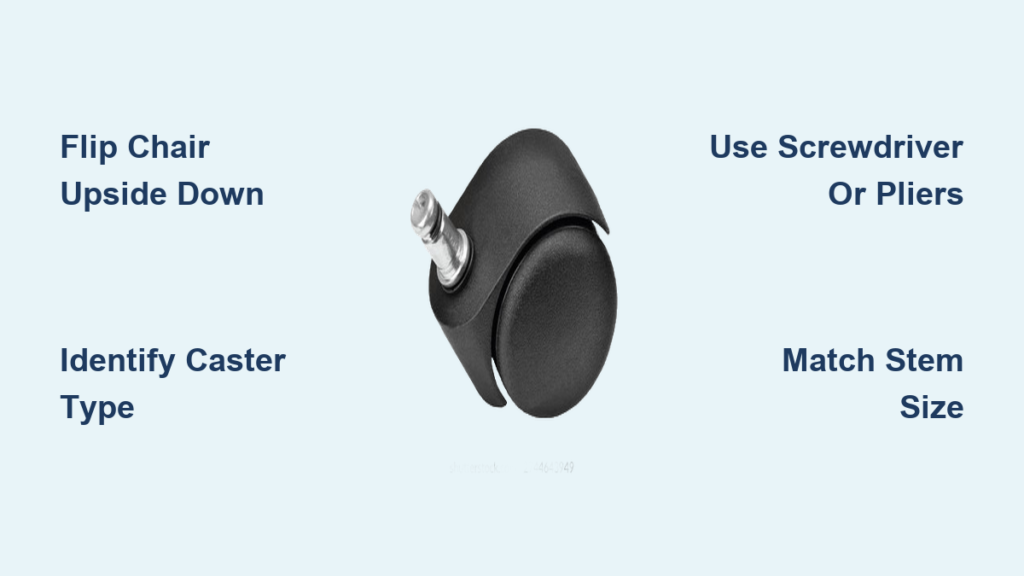
Self-locking casters detect when you sit down and lock the wheels automatically. When you stand, they release for smooth movement. This hands-free operation makes them perfect for busy professionals or simmers focused on immersion. Installation is simple—just pull off the old wheels and press the new ones onto the metal stems. Ensure compatibility with your chair’s stem size (usually 10mm or 11mm diameter). While more expensive than standard casters, they offer unmatched convenience and reliability.
Use Manual Brake Casters for Full Control
Manual brake casters require you to flip a small lever to lock each wheel. Though less convenient than self-locking types, they give you complete control. Some models lock all wheels with a single pedal or lever mechanism. These are great for shared workspaces where different users have varying preferences. Just remember to engage the lock each time you sit—forgetting can lead to unwanted movement. Check weight ratings to ensure they support your body weight and chair type.
Use Rubber Wheel Chocks for Instant, Reusable Stability

Rubber wheel chocks are a top choice among flight simmers and office users alike. These small, U-shaped blocks fit snugly around chair casters to prevent forward and backward movement. They’re reusable, easy to install, and highly effective—even on five-wheel chairs.
Position Chocks Around Each Caster
Place a chock on either side of each front wheel (or all wheels, if needed). For rudder pedal users, focus on the wheels that move during pedal input. The rubber grips the floor and caster, creating a physical barrier to rolling. To use, simply roll the chair into position, set the chocks, and you’re locked in. When done, lift the chair slightly to remove the chocks. Users report excellent results, especially with two packs for five-wheel chairs.
Choose Durable, Non-Slip Models
Look for chocks made from high-density rubber or thermoplastic. Avoid cheap foam versions—they compress over time and lose effectiveness. Textured surfaces improve grip on both wheels and floors. Some models come with anti-slip pads on the bottom for extra security. Keep a set at your desk so they’re always ready when you sit down.
Apply DIY Fixes Using Household Items

You don’t need to buy anything to stop your chair from rolling. Many effective solutions use items already in your home. These quick, low-cost methods are perfect for testing what works before investing in permanent upgrades.
Slip Tennis Balls Over Wheels
Cut a slit in old tennis balls and stretch them over the chair casters. The soft felt increases friction and slows rolling. It’s a fast, cheap fix—though not the most durable. As one user noted: “Good, fast, cheap. Choose any two.” Tennis balls wear down quickly on hard floors and may leave residue. Best for temporary use or carpeted areas where grip is already decent.
Insert Rubber Door Stoppers Between Wheels
Repurpose rubber door stoppers by cutting them in half and wedging them between the chair legs and wheels. The rubber compresses slightly, creating tension that resists movement. These are especially useful on uneven floors where one wheel lifts slightly. They’re inexpensive, easy to install, and removable without damage. Works on both old and new chairs.
Tape Wheels and Use a Grippy Mat
Remove all wheels and seal the mounting holes with strong tape to keep dust out. Then place the chair on a rough-textured mat—like a bath mat with suction cups or a shag carpet runner. The flat base combined with a high-traction surface prevents sliding. This method turns your chair into a stationary stool. Ideal for dedicated work or sim setups where mobility isn’t needed.
Build a Wooden Board Stabilizer for Permanent Backward Roll Prevention

For users with limited space or pedal setups, a wooden board offers a semi-permanent, highly effective solution. It acts as a physical stop, preventing backward movement while allowing height adjustment and comfort.
Mount a Board Against the Wall
Cut a sturdy wooden plank to fit between the wall and the back of your chair. Place it on the floor so the chair’s rear wheels rest against it. This simple barrier stops backward roll caused by rudder pedal use or leaning. Works especially well in small rooms where space is tight. Use rubber pads under the board to prevent floor scratches and slippage.
Create a Pedal Board with Wheel Slot
Build a custom platform that holds both your pedals and stabilizes the chair. Cut a rectangular hole in a plywood board to accommodate one front caster. Duct-tape your pedals to the board. Roll the chair forward so the front wheel drops into the hole—this locks the chair in place. The rest of the wheels stay on the board, which should have a non-slip backing. This integrates your setup and improves immersion.
Upgrade Floor Surface to Improve Chair Grip
Sometimes the problem isn’t the chair—it’s the floor. Smooth surfaces like hardwood or tile offer minimal resistance. Improving floor traction can solve the issue without modifying the chair at all.
Lay a Non-Slip Chair Mat
Use a chair mat with a rubberized or textured underside. These mats grip the floor and provide a stable surface for wheels. Choose one large enough to allow full range of motion under your desk. Avoid smooth-backed mats—they slide just like the chair. For carpet, use a low-pile mat designed to stay flat and prevent tripping.
Add a Rug with Anti-Slip Pad
Place a thick rug or carpet offcut under the chair. A shag carpet runner works well, but only if paired with a non-slip rug pad underneath. One user emphasized: “A non-slip rug pad is essential.” Without it, the rug itself will slide. The combination of soft fibers and rubber backing creates excellent traction. Choose a size that covers the chair’s full movement area.
Replace Wheels with Stationary Feet for Total Immobility

For a permanent, no-roll solution, replace casters with solid feet. This converts your rolling chair into a fixed stool, ideal for dedicated workstations or sim rigs.
Install Custom Wooden Feet
Remove the metal stems from the wheels and drill matching holes in hardwood blocks (like maple). Attach the blocks to the chair base using epoxy or bolts. Round the edges with a router for a clean look. These custom feet provide full stability and a professional finish. One builder said: “Et voila, works a treat.” Ensure the feet are level to prevent wobbling.
Swap with Rubber or Plastic Gliders
Buy replacement glides designed for furniture. Parquet floor gliders or felt pads can be mounted on the chair base. Some users combine wooden disks with commercial gliders for durability. This method eliminates rolling entirely and reduces noise. However, you’ll lose mobility—so only do this if you never need to move the chair.
Invest in a Permanent Chair or Frame Replacement
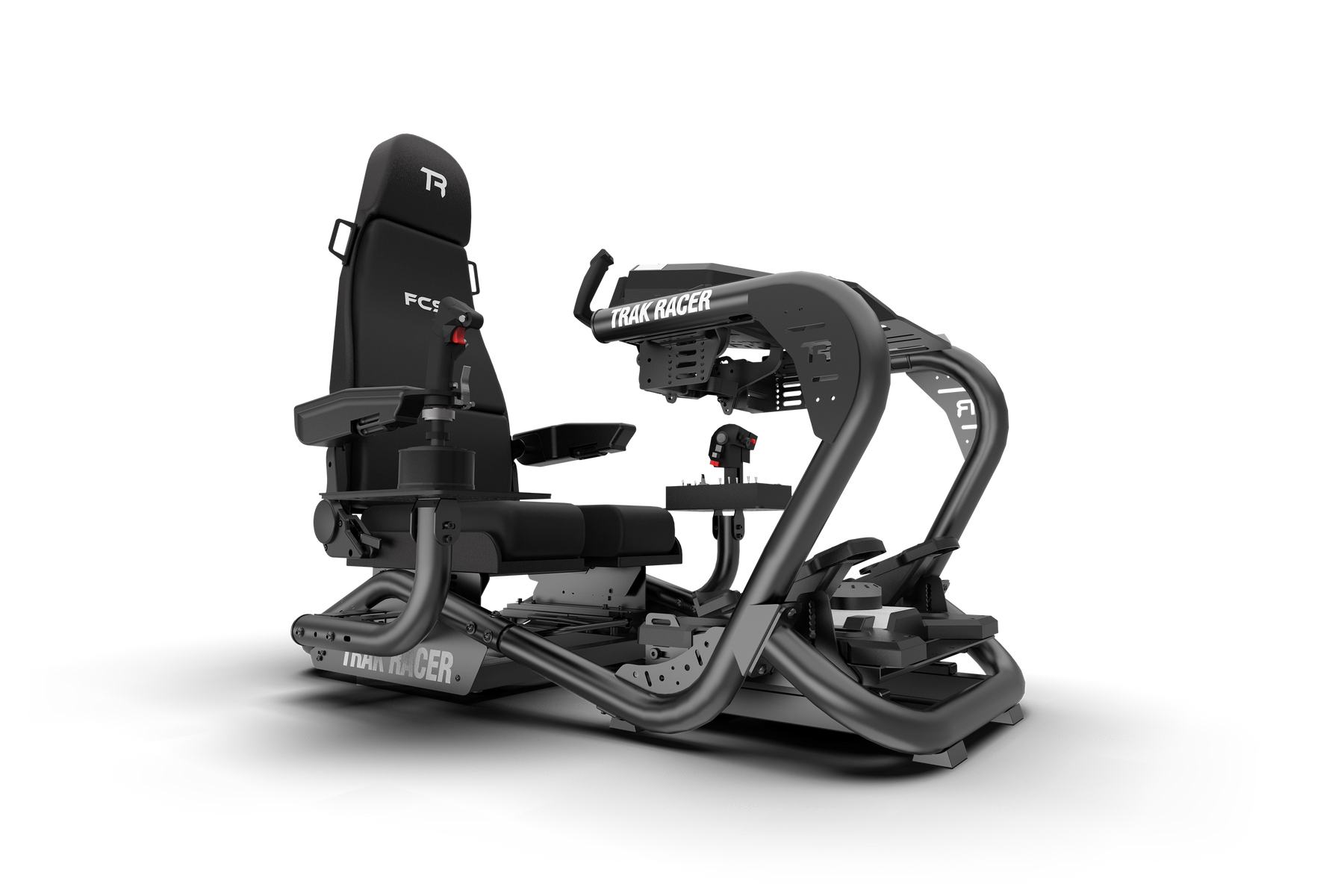
If constant adjustments frustrate you, consider upgrading to a chair or frame designed to stay in place. This is the ultimate fix for serious users.
Switch to a Steel Frame Chair
Replace your office chair with a stackable steel frame model (~€60). These chairs don’t roll and can support permanent mounting of HOTAS or pedals via welding or brackets. They’re non-slip, durable, and ideal for sim setups. No modifications needed—just sit and play.
Install a Fixed Cockpit System
For flight simmers, the gold standard is a dedicated cockpit like the VolairSim Pit. It replaces the chair entirely with a rigid, adjustable frame that doesn’t move. Eliminates rolling, improves realism, and allows precise control positioning. While expensive, it’s the final solution for enthusiasts who’ve tried everything else.
Frequently Asked Questions About Stopping Office Chair from Rolling
Why does my office chair keep rolling on hardwood floors?
Hardwood floors are smooth and offer little friction, allowing casters to roll freely. Standard wheels are designed for mobility, not grip. The solution is to add traction using non-slip mats, rubber chocks, or locking casters.
Can I stop a five-wheel office chair from rolling?
Yes, but some methods like turning wheels at 90° won’t work because one wheel remains aligned. Use rubber chocks, wooden boards, locking casters, or replace wheels with stationary feet for reliable results.
Are self-locking casters worth the cost?
Yes, for users who want convenience and stability. Self-locking casters engage automatically when you sit and release when you stand. They eliminate the need to manually lock wheels and are ideal for frequent standing or immersive sim setups.
What’s the cheapest way to stop chair movement?
Using rubber door stoppers, tennis balls over wheels, or a carpet offcut with a non-slip pad are among the cheapest solutions. Most cost under $10 and can be assembled in minutes.
How do I prevent floor damage when using chair stabilizers?
Use rubber pads under wooden boards, choose non-abrasive materials, and avoid adhesive solutions that leave residue. Always place protective barriers between hard objects and delicate flooring.
Can I make my office chair completely stationary?
Yes. Remove the wheels and install solid wooden or rubber feet, or place the chair on a high-traction mat with taped wheel holes. For total immobility, consider a steel frame chair or fixed cockpit system.
Key Takeaways for Stopping Your Office Chair from Rolling
Stopping your office chair from rolling doesn’t require one-size-fits-all thinking. The best approach combines your floor type, chair design, and daily needs. Start with a simple fix like rubber chocks or a rug with a non-slip pad. If you need more stability, try locking casters or a wooden stabilizer. For total control, replace wheels with feet or upgrade to a fixed frame. Regularly clean wheels and test solutions to maintain effectiveness. With the right method, you can work, type, or simulate without constantly chasing your chair.