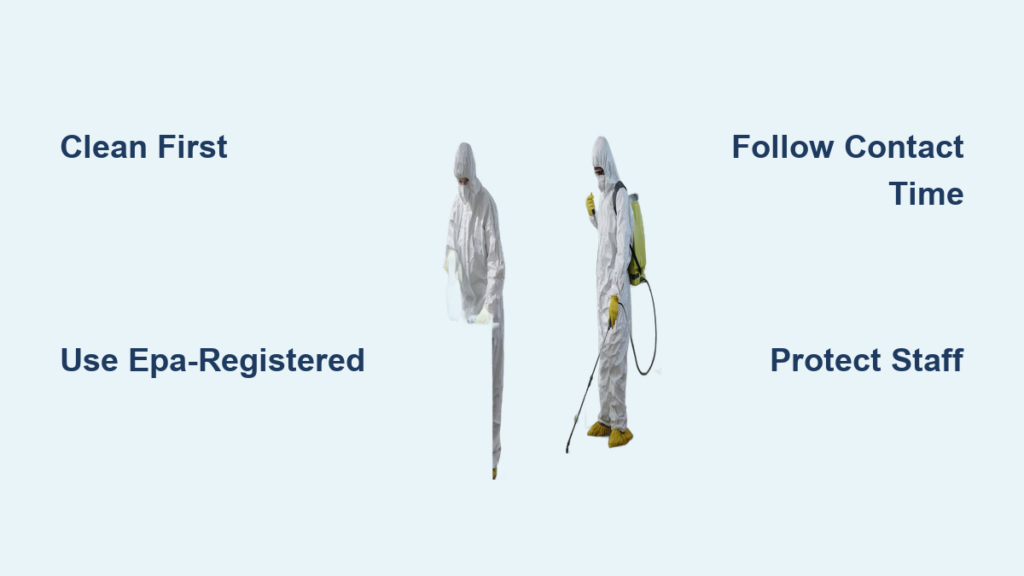
Keeping your office clean isn’t enough—disinfecting is essential to stop the spread of viruses, bacteria, and other harmful germs. With employees touching shared surfaces all day, from keyboards to door handles, knowing how to disinfect an office properly can prevent illness, reduce absenteeism, and create a safer workplace. Unlike cleaning, which removes dirt and grime, disinfecting kills germs using chemical agents—but only when done correctly. This guide walks you through every step: from choosing the right products and protecting your team, to targeting high-touch zones and avoiding common mistakes.
You’ll learn how to disinfect safely, effectively, and without damaging furniture or electronics. Whether you manage a small home office or a large corporate space, this guide gives you actionable steps based on CDC and EPA guidelines to maintain a germ-free environment year-round.
Clean High-Touch Surfaces Before Disinfecting
Disinfectants only work on clean surfaces. Dirt, grease, and dust block chemicals from contacting germs, making disinfection ineffective.
Why Cleaning Must Come First
Germs hide in grime. If you apply disinfectant to a dirty desk or keyboard, it won’t kill pathogens. Always start with soap, detergent, or a general cleaner to remove visible soil. This step physically removes most bacteria and viruses and prepares the surface for maximum disinfectant effectiveness.
Step-by-Step Pre-Cleaning Process
- Turn off electronics before wiping
- Use a microfiber cloth dampened with mild soap and water
- Wipe down desks, phones, keyboards, light switches, and shared equipment
- Pay extra attention to crevices and edges
- Let surfaces air dry completely before applying disinfectant
Avoid paper towels—they leave lint and can scratch delicate surfaces. Microfiber traps more particles and is reusable.
Target the Top Germ Hotspots in Your Office

Some surfaces spread germs faster than others. Focus your efforts where contamination risk is highest.
Daily Disinfection Zones
• Desk surfaces and chairs
• Computer keyboards, mice, and monitors
• Phones, headsets, and charging stations
• Light switches and desk lamps
• Door handles, push plates, and drawer pulls
• Shared printers, copiers, and scanners
• Elevator buttons and stair railings
These high-touch areas should be cleaned daily and disinfected at least weekly—or more often during flu season or illness outbreaks.
When to Increase Disinfection Frequency
• After an employee reports being sick
• Following a confirmed case of flu, RSV, or norovirus
• During community disease outbreaks
• After deep cleaning or office renovations
Follow local health department guidance during public health emergencies.
Choose an EPA-Registered Disinfectant for Maximum Effectiveness

Not all cleaners kill germs. To ensure safety, use only disinfectants approved by the Environmental Protection Agency (EPA).
What to Look for on the Label
• “EPA-registered”
• Effective against viruses (including SARS-CoV-2)
• Labeled for hard, nonporous surfaces
• “Hospital-grade” or “broad-spectrum”
Check the EPA’s List N for disinfectants proven effective against COVID-19.
Top Recommended Office Disinfectants
• Clorox™ Disinfecting Wipes – kills 99.9% of germs, 4-minute wet time
• Lysol® Disinfectant Spray – effective on hard surfaces, 3-minute contact time
• 70% isopropyl alcohol – ideal for electronics and small areas
• Hydrogen peroxide-based sprays – eco-friendly option for general use
Natural solutions like vinegar (1:3 with water) are not EPA-approved and less effective. Use only when strong chemicals aren’t suitable.
Protect Yourself and Your Team During Disinfection

Chemical disinfectants can irritate skin, eyes, and lungs. Safety protocols are non-negotiable.
Essential Safety Steps Before Disinfecting
Open windows and doors to improve airflow. Use fans or adjust HVAC settings to increase ventilation. This reduces chemical fumes and protects both cleaners and nearby staff.
Required Personal Protective Equipment (PPE)
Always wear:
• Nitrile gloves (latex-free)
• Safety goggles (if splashing is possible)
• Respirator or mask (if sensitive to fumes)
Refer to the product’s Safety Data Sheet (SDS), Section 8, for exact PPE requirements.
Never Skip the Label Instructions
Every disinfectant has unique rules. Always check:
• Dilution ratios (if required)
• Contact/wet time (typically 3–10 minutes)
• Surface compatibility (safe for plastic, metal, etc.)
• Storage and disposal guidelines
Never mix chemicals—especially bleach and ammonia. Toxic gases can form.
Apply Disinfectant Correctly to Kill Germs
Using the wrong technique reduces effectiveness. Follow these steps to ensure full germ elimination.
Proper Disinfection Technique
- Pre-clean with soap and water
- Apply disinfectant to a microfiber cloth—never spray directly
- Wipe thoroughly, covering all areas including edges and seams
- Keep surface wet for full contact time (e.g., 4 minutes for Clorox wipes)
- Let air dry—do not wipe off early
The surface must stay visibly wet the entire time to kill pathogens.
Common Mistakes That Reduce Effectiveness
• Wiping off disinfectant too soon
• Using too little product
• Missing tight spaces and corners
• Skipping contact time
Set a timer if needed. Most people underestimate how long “a few minutes” really is.
Disinfect Electronics Without Causing Damage
Keyboards, phones, and monitors are germ magnets—but liquids can destroy them.
Safe Way to Clean Keyboards and Laptops
- Turn off and unplug the device
- Remove battery if possible
- Dampen a microfiber cloth with 70% isopropyl alcohol
- Wring out excess liquid—cloth should be damp, not wet
- Wipe keys, screen, and edges gently
- Use cotton swabs dipped in alcohol for crevices
- Let remain wet for 3–4 minutes, then air dry
Never spray directly onto screens or ports.
Pro Tips for Electronics Care
• Use wipeable silicone covers on keyboards and phones
• Clean shared devices daily
• Follow manufacturer’s cleaning guidelines (e.g., Apple, Dell)
• Avoid bleach, ammonia, or abrasive cloths
A little care prevents costly replacements.
Handle Carpets, Upholstery, and Soft Surfaces Safely
Soft surfaces can’t be wiped like desks. Use methods that kill germs without damaging fabric.
Disinfecting Upholstered Chairs and Sofas
• Use bleach-free disinfecting mist labeled safe for fabric
• Spray evenly—don’t soak the material
• Let air dry; no wiping needed
• Blot spills immediately; don’t rub
Steam cleaning is a chemical-free alternative that kills germs with heat.
Carpet and Rug Maintenance
• Vacuum regularly with a HEPA filter
• Spot clean stains with carpet-safe cleaner
• For disinfection, use EPA-approved fabric sprays or professional steam cleaning
• Avoid bleach-based products—they can discolor fibers
Treat soft surfaces differently than hard ones.
Avoid These 7 Office Disinfection Mistakes
Even well-meaning efforts can backfire. Avoid these common errors.
• Skipping cleaning first – disinfectants fail on dirty surfaces
• Using too much liquid – damages wood, electronics, and upholstery
• Spraying disinfectant directly – causes corrosion and seepage
• Wiping off too soon – contact time not met = germs survive
• Using paper towels – scratches surfaces and spreads lint
• Using bleach on wood or electronics – causes discoloration and damage
• Ignoring manufacturer instructions – risks voiding warranties
When in doubt, test a product on a small, hidden area first.
Train and Protect Your Cleaning Staff
Employees responsible for disinfection need proper training and protection.
What Your Team Must Know
Train staff on:
• How to read product labels and SDS sheets
• Proper use of gloves, goggles, and masks
• Safe handling, storage, and disposal
• How to put on and remove PPE correctly
OSHA requires compliance with:
• Hazard Communication Standard (29 CFR 1910.1200)
• Personal Protective Equipment standards (29 CFR 1910 Subpart I)
Keep training records up to date.
Safe Chemical Storage Practices
• Store in original, labeled containers
• Keep out of reach of children and pets
• Avoid extreme temperatures (don’t leave in hot cars)
• Never mix chemicals
• Make diluted solutions fresh as needed
Diluted disinfectants lose potency over time.
Follow a Consistent Office Disinfection Schedule
Routine beats intensity. A regular schedule keeps your office safe year-round.
Recommended Office Cleaning and Disinfection Schedule
| Frequency | Task |
|---|---|
| Daily | Clean high-touch surfaces (desks, phones, light switches) |
| Weekly | Disinfect all shared surfaces and electronics |
| Monthly | Deep clean upholstery, carpets, and vents |
| As Needed | Disinfect after illness, spills, or contamination |
Adjust frequency during outbreaks or high absenteeism.
Assign Clear Responsibility
• Designate staff or hire a professional service
• Provide checklists and supplies
• Rotate tasks to ensure coverage
Accountability ensures nothing gets missed.
Care for Sensitive Office Materials
Some items need special attention to avoid damage.
Wood Furniture Disinfection Tips
• Clean with mild soap and water
• Dry immediately with a soft cloth
• After cleaning, use a drop of olive oil or furniture polish to restore shine
• Never use bleach or harsh disinfectants
Moisture warps wood—never let it sit wet.
Metal and Plastic Surfaces
• Use alcohol-based wipes (70% isopropyl)
• Avoid abrasive scrubbers
• Wipe dry after disinfecting to prevent water spots
Filing cabinets, desk frames, and plastic chairs can handle most disinfectants.
Glass and Mirrors
• Use glass-safe cleaner to avoid streaks
• Wipe with microfiber cloth
• Don’t use vinegar on tinted or coated glass
A clean mirror reflects more than just your image—it shows attention to detail.
Are Fogging and Electrostatic Spraying Safe for Offices?
These high-tech methods aren’t always appropriate for standard offices.
Risks of Fogging and Spraying
• Not recommended for routine use
• Only use if product label explicitly allows it
• Requires training, PPE, and ventilation
• Risk of inhalation and surface damage
Typically used in healthcare or industrial settings, not general offices.
Safer, Proven Alternatives
• Microfiber cloths with disinfectant
• Pre-moistened wipes (EPA-registered)
• Steam cleaning for carpets and upholstery
Stick to low-risk, effective methods.
Encourage Healthy Office Hygiene Habits
Disinfecting is just one part of a healthy workplace. Culture matters.
Promote Employee Responsibility
• Wash hands for 20 seconds with soap and water
• Use alcohol-based hand sanitizer (60%+ alcohol)
• Clean personal workspaces daily
• Stay home when sick
Post reminders in restrooms and break rooms.
Stock Essential Supplies
Provide in common areas:
• Hand sanitizer
• Disinfecting wipes
• Tissues and no-touch trash cans
• Microfiber cloths
Make it easy for employees to do the right thing.
Key Takeaways for Effective Office Disinfection
A few smart habits go a long way in maintaining a germ-free office.
10 Best Practices Summary
- Always clean before disinfecting
- Use EPA-approved disinfectants
- Follow contact time exactly
- Never spray directly on electronics
- Wear gloves and ventilate the area
- Test cleaners on hidden spots first
- Use microfiber, not paper towels
- Store chemicals safely and label clearly
- Train staff on proper procedures
- Maintain a regular disinfection schedule
When in doubt, consult the product’s Safety Data Sheet or contact the manufacturer.
Frequently Asked Questions About Office Disinfection
How often should you disinfect an office?
Disinfect high-touch surfaces at least weekly. During flu season or illness outbreaks, disinfect daily. Clean visibly dirty surfaces as needed and always after a reported illness.
Can I use vinegar to disinfect office surfaces?
Vinegar (1 part vinegar to 3 parts water) has limited germ-killing power and is not EPA-approved. It’s less effective than registered disinfectants. Use only when stronger chemicals aren’t suitable.
How long should disinfectant stay wet on a surface?
Most disinfectants require 3–10 minutes of wet contact time. For example, Clorox wipes need 4 minutes. The surface must stay visibly wet the entire time to kill germs.
Is it safe to disinfect electronics with alcohol?
Yes, 70% isopropyl alcohol is safe for electronics when applied correctly. Dampen a microfiber cloth—never spray directly. Avoid getting liquid into ports or seams.
What PPE is required for office disinfection?
At minimum, wear nitrile gloves. Add safety goggles if splashing is possible and a mask if sensitive to fumes. Always follow the product’s Safety Data Sheet for specific PPE requirements.
Can fogging damage office equipment?
Yes. Fogging can corrode electronics, damage upholstery, and pose inhalation risks. Only use if the product label allows it and with proper training and ventilation.
Final Tips for a Healthier, Safer Office Environment
Disinfecting your office doesn’t have to be complicated—but it must be done right. By cleaning first, choosing EPA-approved products, protecting your team, and focusing on high-touch areas, you create a healthier, safer workspace. Whether you handle it in-house or hire professionals, consistency and attention to detail are key. Now that you know how to disinfect an office the right way, you’re ready to protect your people and your productivity.