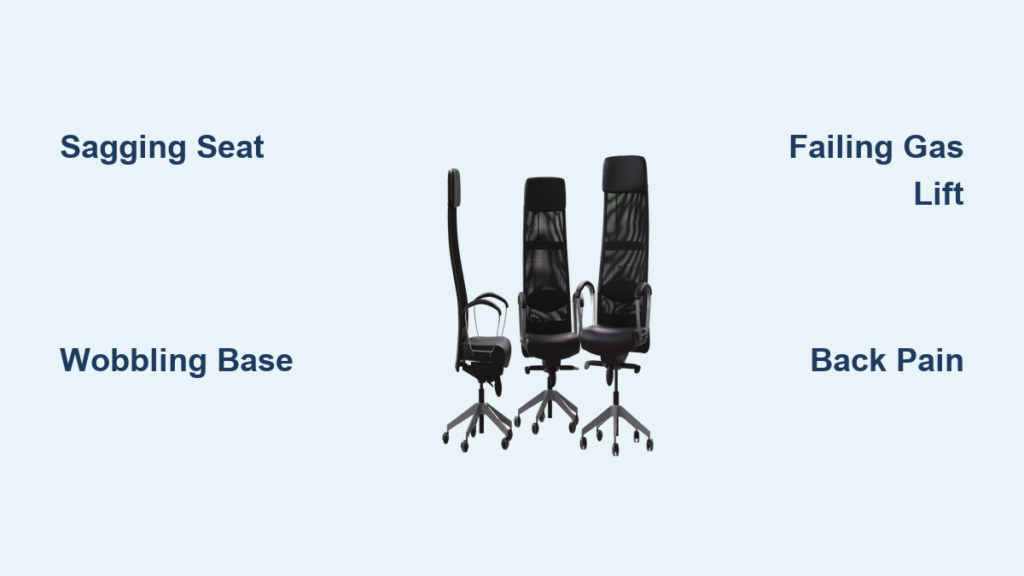
If you spend most of your workday seated, your office chair plays a crucial role in your physical well-being and productivity. Yet many people ignore the question: how often should office chairs be replaced? The truth is, most office chairs lose their ergonomic effectiveness after 3 to 5 years of regular use. Even high-end models degrade over time, with worn gas lifts, sagging cushions, and failing mechanisms leading to poor posture and discomfort. Ignoring these changes can result in back pain, fatigue, and long-term musculoskeletal issues.
This guide will help you identify the key signs it’s time to replace your chair, understand lifespan expectations based on usage, and choose a new model that supports your health and work habits. You’ll also learn how to extend your chair’s life and when repair isn’t worth the effort. Whether you’re working from home or in an office, knowing how often office chairs should be replaced ensures you stay comfortable, supported, and injury-free.
Key Signs Your Office Chair Needs Replacement

Frayed Fabric or Cracked Upholstery
Damaged fabric or leather isn’t just unattractive—it signals structural decline. Fraying often starts at stress points like the seat edge or armrest seams. Once the material splits, it exposes foam and internal layers to further wear. Cracked leather or brittle plastic can break unexpectedly, especially under pressure. These issues compromise both comfort and safety. If patching or cleaning doesn’t restore integrity, replacement is the smarter long-term choice.
Sagging Seat or Collapsed Lumbar Support
A flat or lumpy seat cushion means the foam has broken down and can no longer support your weight properly. Similarly, if the lower back area feels soft or unresponsive, lumbar support is failing. This forces you to slouch, increasing strain on your spine. Even if the chair looks intact, internal degradation can make it functionally obsolete. Proper support should maintain your spine’s natural curve—without it, back pain and fatigue are likely to follow.
Wobbling, Squeaking, or Uneven Movement
A stable chair is essential for safety and focus. If your chair rocks side to side, sinks unexpectedly, or makes creaking noises when you move, internal components are failing. Common culprits include a worn gas lift cylinder, loose tilt mechanism, or damaged wheel casters. A wobbly base increases the risk of tipping, especially on hard floors. Tightening bolts may help temporarily, but persistent instability means it’s time for a new chair.
Stuck or Broken Adjustment Mechanisms
Adjustability is what makes a chair ergonomic. If the height lever fails, the backrest won’t recline, or the armrests slide down on their own, the internal mechanisms are worn out. A seat that slowly lowers when you sit indicates gas lift failure—a common issue after 3–5 years. When you can’t control your posture, the chair no longer serves its purpose. If adjustments don’t hold, replacement is necessary.
Chronic Back, Neck, or Arm Pain
Persistent discomfort is one of the clearest signs your chair is failing. Lower back pain often stems from poor lumbar support. Numb hands or tingling arms may result from improper armrest height or seat depth cutting off circulation. Shoulder stiffness can come from leaning forward due to inadequate back support. If these symptoms started or worsened with your current chair, it’s not just uncomfortable—it’s harming your health.
Chair Age Exceeds 5 Years
Even with light use, most office chairs reach the end of their functional life around 5 years. For heavy users (8+ hours daily), replacement may be needed in 3 years or less. Internal parts like springs, hydraulics, and plastic joints degrade with repeated use. A chair may still stand, but its ability to support healthy posture diminishes over time. Think of it like a mattress—just because it holds shape doesn’t mean it’s still supporting you properly.
Changes in Body or Work Setup
Weight gain, recovery from injury, or changes in desk height can make your old chair unsuitable. A model rated for 250 lbs isn’t safe for 300 lbs. Dual monitors may require better head and neck alignment. Standing desk users need chairs that allow quick, comfortable sitting during breaks. If your chair no longer fits your body or workflow, upgrading is essential—even if it’s relatively new.
How Long Should Office Chairs Last?
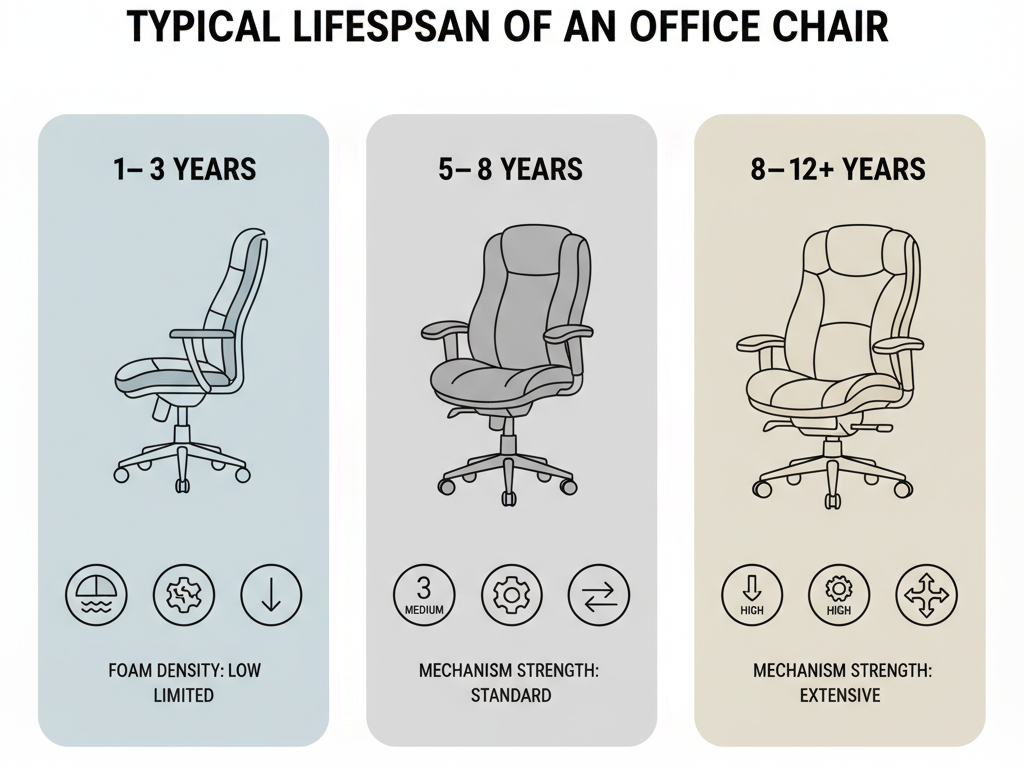
Expected Lifespan Based on Daily Use
| Usage Level | Daily Hours | Average Lifespan |
|---|---|---|
| Light | 1–3 hours | 5–7 years |
| Moderate | 4–6 hours | 4–5 years |
| Heavy | 7+ hours | 2–3 years |
These estimates apply to mid-range chairs ($150–$300). Premium models from brands like Herman Miller or Steelcase can last 7–10 years with proper care. Budget chairs under $100 often fail within 2 years, even with minimal use.
Factors That Reduce Chair Longevity
• Sunlight exposure: UV rays weaken fabric and cause plastic to become brittle
• High humidity: Promotes mold growth and deteriorates adhesives
• Frequent weight shifts: Accelerates wear on casters and gas lifts
• Lack of cleaning: Dust buildup increases friction in moving parts
• Improper use: Standing on the chair or leaning back excessively strains the frame
When to Repair vs. Replace Your Office Chair
Repairable Issues (Best for Chairs Under 3 Years)
• Replace casters: Worn wheels are inexpensive and easy to swap
• Lubricate joints: Squeaks can often be fixed with silicone spray
• Tighten bolts: Loose screws can be secured with a hex key
• Replace armrest pads: If only the surface is cracked or worn
Best for: Chairs with minor wear and no structural damage.
Replace Immediately (Over 5 Years or Major Failures)
• Failing gas lift: Seat sinks or won’t hold height
• Cracked base: Any split in the plastic or metal star base is a safety hazard
• Broken recline mechanism: Chair won’t lock or tilt smoothly
• Completely collapsed foam: Seat feels flat or uneven
Best for: Older chairs or those showing multiple signs of failure.
How to Choose a New Office Chair

Prioritize Adjustable Lumbar Support
Look for chairs with dynamic lumbar systems that move with your spine, not just fixed pads. Adjustable height and depth ensure the support aligns with your lower back. Test recline motion—does the support stay in contact as you lean back?
Opt for a 5-Point Base for Safety
A 5-star base offers better weight distribution and stability than 4-point designs. Reinforced nylon or metal bases are ideal, especially for users over 200 lbs. Wider bases reduce tipping risk on hard flooring.
Match Chair Weight Capacity to Your Needs
Standard chairs support 250–300 lbs. Heavy-duty models go up to 500 lbs. Exceeding limits accelerates wear and voids warranties. Always check manufacturer specifications before purchasing.
Ensure Correct Seat Depth and Width
Seat depth should allow 2–4 inches of space behind your knees when seated. Too short causes thigh pressure; too long cuts off circulation. Width should support your hips without cramping. Adjustable depth is ideal for taller or shorter users.
Consider a Mesh Back for Comfort and Durability
Mesh backs offer superior breathability, reducing heat and sweat during long sits. They also provide firm, consistent support that resists sagging. While padded backs feel softer initially, mesh lasts longer and maintains shape better over time.
Pro Tips to Extend Your Office Chair’s Life
Clean Weekly to Prevent Buildup
Wipe down surfaces with a damp cloth. Use compressed air to remove dust from caster housings and joints. Built-up debris increases friction and accelerates wear.
Lubricate Moving Parts Every 6 Months
Apply silicone spray to the tilt mechanism, armrest joints, and gas lift shaft. Avoid oil-based lubricants—they attract dirt and create sticky residue.
Rotate Chairs Between Workstations
If you use multiple desks, rotate chairs weekly. This spreads out wear and extends the life of each chair.
Use a Chair Mat on Hard Floors
Protect casters and flooring with a hard-surface mat. This reduces rolling resistance and prevents wheel damage from scratches or debris.
Frequently Asked Questions About Office Chair Replacement
How often should office chairs be replaced?
Most office chairs should be replaced every 3 to 5 years of regular use. Heavy users may need replacement in 2–3 years, while light users can get 5–7 years from a quality model. Signs of wear, discomfort, or mechanical failure mean it’s time to replace sooner.
Can I repair my office chair instead of replacing it?
Yes, minor issues like worn casters, loose bolts, or squeaky joints can often be repaired—especially in chairs under 3 years old. However, failing gas lifts, cracked bases, or collapsed foam usually mean replacement is safer and more cost-effective.
What are the dangers of using an old office chair?
Old chairs can lead to poor posture, chronic back pain, reduced circulation, and increased risk of falls due to instability. They may also reduce focus and productivity. Over time, these issues can result in medical costs and missed workdays.
How do I know if my chair has proper lumbar support?
When seated, the lumbar pad should fit snugly into the curve of your lower back. You shouldn’t have to lean forward or slouch to feel support. If the area feels flat or the pad is too high or low, the support is inadequate.
Does chair material affect lifespan?
Yes. Mesh backs resist sagging and handle heat better than foam. Leather and fabric can crack or fray over time. Plastic components degrade with UV exposure. Higher-quality materials in premium chairs contribute to longer lifespans.
Is it worth buying an expensive office chair?
Yes, for most users. High-end ergonomic chairs ($500+) are built with durable materials and advanced support systems. They often last 7–10 years and can prevent costly health issues. The investment pays off in comfort, productivity, and long-term well-being.
Key Takeaways for Replacing Your Office Chair
How often should office chairs be replaced? The answer is clear: every 3 to 5 years for most users. But don’t wait for complete failure—replace proactively when you notice loss of support, mechanical issues, or physical discomfort. A worn chair isn’t just uncomfortable; it can harm your health and reduce productivity.
Choose a new chair with adjustable lumbar support, a 5-point base, and the right weight capacity and seat dimensions for your body. Invest in quality—it pays off in longevity and well-being. Finally, extend your chair’s life with regular cleaning, lubrication, and proper use. Your spine, energy levels, and work performance depend on it. Replace on time, sit smarter, and stay healthy.