A cluttered desk doesn’t just look messy—it drains focus, slows productivity, and adds daily stress. Whether you’re working from home or in a corporate office, the best way to organize office desk space is by designing a system that’s functional, easy to maintain, and tailored to your workflow. An optimized desk setup reduces distractions, saves time, and creates a more professional and calming environment.
The truth is, most people pile items on their desk without a clear plan. Papers stack up, cords tangle, and supplies vanish into the chaos. But with a few strategic changes, you can transform your workspace in under an hour. This guide reveals the best way to organize office desk areas using proven methods from workspace designers, productivity experts, and real-world setups. You’ll learn how to declutter efficiently, use smart storage, manage cables, and maintain order—so your desk supports your work instead of sabotaging it.
Start with a Full Desk Reset
Before placing anything back on your desk, clear it completely. This forces you to evaluate every item and prevents mindless restacking.
Remove Everything from the Surface
Take off all objects—monitor, keyboard, pens, notepads, chargers, and decor. Place them on a nearby table or floor. Wipe the bare desk with a microfiber cloth to remove dust, stains, and sticky residue.
Categorize Items by Use Frequency
Sort your items into labeled groups:
• Daily essentials (laptop, mouse, notebook)
• Occasional tools (stapler, hole punch, calculator)
• Reference materials (manuals, binders)
• Supplies (pens, paper clips, sticky notes)
• Cords and chargers
• Personal items (photos, mugs, plants)
Keep Only What You Actually Need
Apply the 30-day rule: if you haven’t used an item in the past month, store it elsewhere or remove it. Stick to one or two decorative pieces that boost focus. The goal is to keep only the 20% of items you use 80% of the time.
Build Functional Zones for Better Workflow
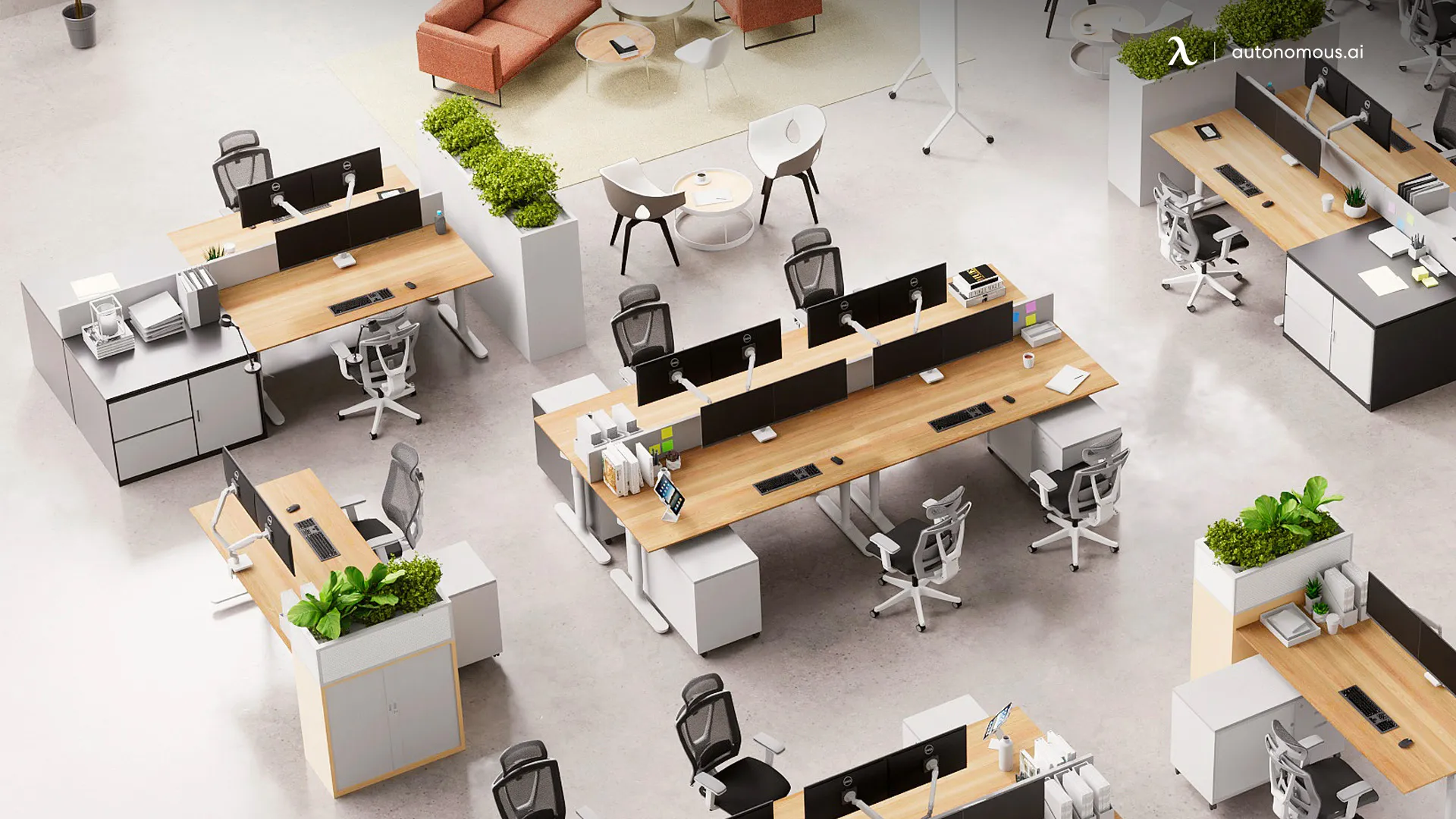
Divide your desk into dedicated zones to prevent clutter and improve efficiency. A zoned layout keeps tools within reach without crowding your workspace.
Reserve the Center for Core Work Tasks
Your primary work zone should occupy the center of the desk and include only:
• Monitor or laptop
• Keyboard and mouse
• Open notebook or planner (if actively in use)
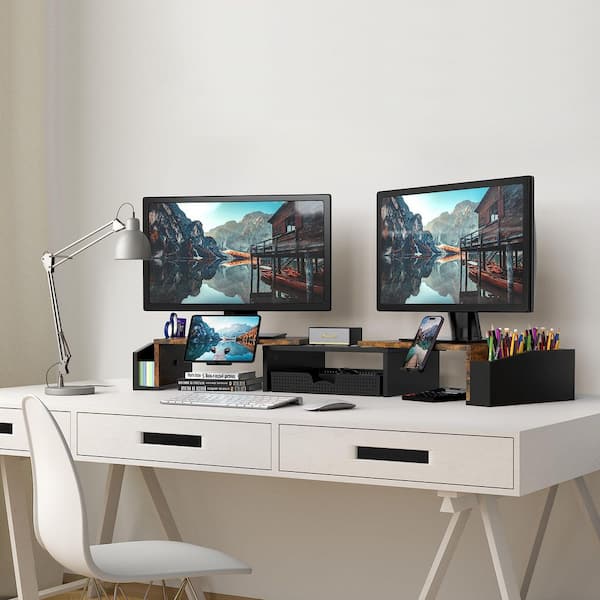
Avoid placing papers, books, or extra devices here. Use a monitor riser to elevate your screen and free up space underneath for storage trays.
Position a Supply Station on Your Non-Dominant Side
Place a desktop caddy or tray on your left (if right-handed) or right (if left-handed) to hold pens, scissors, sticky notes, and tape. Choose a vertical organizer so you can see all items at a glance.
Pro Tip: Use a tiered tray to separate frequently used tools. Label sections to make restocking easier.
Designate a Charging Corner
Pick a back corner for charging phones, earbuds, or tablets. Use a multi-port USB hub with a short power strip to reduce cord sprawl.
Warning: Never charge devices in the middle of your desk. It creates visual clutter and wastes prime workspace.
Use Smart Storage to Reduce Surface Clutter
Effective storage keeps essentials accessible while clearing your desktop. The best way to organize office desk space includes both visible and hidden solutions.
Install Drawer Organizers for Small Items
If your desk has drawers, use adjustable foam or plastic dividers to separate:
• Pens and highlighters
• Paper clips and push pins
• USB drives and memory cards
• Batteries and small tools
Label each section so items are easy to find and return.
Add a Monitor Stand with Built-In Storage
Elevating your screen improves posture and creates usable space below. Choose a riser with open shelving or a pull-out tray for notebooks, notepads, or a keyboard drawer.
Manage Cables with Clips and Ties
Tangled cords make your desk look unprofessional and slow you down. Attach adhesive cable clips under the desk to route power, HDMI, and USB cables. Use Velcro straps or twist ties to bundle them neatly.
Visual Cue: If you see more than three loose cords, it’s time to organize.
Organize Your Digital Workspace Too
A clean physical desk means little if your computer desktop is chaotic. Digital clutter distracts just like physical mess.
Sort Files into Labeled Folders
Create folders for:
• Active Projects
• Reference Materials
• To Review
• Completed Work
Delete outdated files and archive old projects. Keep only essential shortcuts on your desktop.
Set Up Dual Monitors Strategically
If you use two screens:
• Primary monitor: For main tasks (writing, coding, design)
• Secondary monitor: For email, calendar, or reference tabs
This reduces distractions and keeps your focus sharp.
Adopt Daily and Weekly Maintenance Habits
Even the best system fails without routine upkeep. Build habits that take less than 5 minutes a day.
Follow the 5-Minute End-of-Day Reset
Before logging off, spend 5 minutes:
• File loose papers
• Return supplies to their trays
• Wipe down surfaces
• Check charging devices
This small habit stops clutter from building up overnight.
Do a Weekly Desk Refresh
Once a week, spend 10 minutes:
• Empty trash and recycling bins
• Realign supply organizers
• Dust under the keyboard and monitor
• Update your to-do list or planner
Think of it as a mini spring clean—quick and effective.
Choose the Right Desk Organizers
Not all accessories help. The best way to organize office desk space includes only tools that solve real problems.
Top-Performing Desk Accessories
• Desktop caddy: Holds pens, notepads, and small tools
• Drawer inserts: Maximize space with custom compartments
• Cable management box: Hide power strips and excess cords
• Under-desk basket: Store notebooks or charging cables out of sight
• Rotating tray: Great for stamps, labels, or frequently used supplies
Expert Note: Avoid over-accessorizing. Stick to 3–4 key organizers. Too many containers create visual noise.
Avoid Common Desk Organization Mistakes
Even tidy desks fall apart due to small, repeated errors. Prevent these pitfalls before they start.
Stop Paper Piles Before They Grow
Set up an inbox/outbox tray:
• Inbox: For new documents needing action
• Outbox: For items to file, scan, or discard
Process this tray every day to avoid backlog.
Don’t Eat at Your Desk Regularly
Food crumbs attract pests and create sticky messes. If you must eat, use a tray and clean immediately after.
Fix Cable Tangles Immediately
Don’t wait. Address loose cords the moment they appear. A few seconds now prevent a frustrating mess later.
Frequently Asked Questions About Organizing Your Desk
What is the best way to organize a small desk?
Use vertical space with risers, tiered trays, and wall-mounted shelves. Keep only daily essentials on the surface and store the rest in drawers or under-desk baskets.
How often should I clean my desk?
Wipe down your desk daily with a microfiber cloth. Do a full reset and deep clean once a week to remove dust and reorganize supplies.
What are the must-have desk organizers?
Top picks include a desktop caddy, drawer dividers, a monitor riser, and a cable management box. Choose based on your workflow, not trends.
How do I stop my desk from getting messy?
Adopt the 5-minute daily reset habit. Return items to their zones every night and process papers immediately. Consistency beats perfection.
Can a clean desk improve productivity?
Yes. Studies show that organized workspaces reduce stress, improve focus, and save time. A clean desk helps you start tasks faster and stay on track.
Where should I place my monitor for best ergonomics?
Center your monitor directly in front of you, about an arm’s length away. The top of the screen should be at or slightly below eye level to reduce neck strain.
Key Takeaways for the Best Way to Organize Office Desk
The best way to organize office desk space combines a full reset, functional zoning, smart storage, and daily habits. Start by removing everything and keeping only what you use regularly. Create dedicated zones for work, supplies, and charging. Use drawer organizers, monitor risers, and cable clips to reduce clutter. Don’t forget your digital desktop—keep files sorted and icons minimal.
Finally, maintain your system with a 5-minute nightly reset and a weekly refresh. Avoid common mistakes like paper piles and eating at your desk. With the right setup and routine, your desk can become a productivity powerhouse. Start today—your focused, efficient workspace is less than an hour away.