A cold office doesn’t just make workers reach for extra sweaters—it slows down productivity, increases discomfort, and can even lead to health complaints. If you’re searching for the best way to heat an office, you need a solution that delivers consistent warmth without spiking energy bills or creating safety risks. From small home workspaces to larger shared environments, the right heating strategy balances efficiency, comfort, and reliability. The ideal setup warms people—not empty air—and adapts to how the space is actually used.
This guide breaks down the most effective methods to heat your office efficiently and safely. You’ll learn which heater types work best for different room sizes, how to position units for maximum warmth, and smart ways to control temperature without wasting energy. We’ll also cover insulation tips, energy-saving features, and common mistakes that sabotage heating performance. By the end, you’ll know exactly how to create a warm, distraction-free workspace—no matter the season.
Choose the Right Heater Type for Your Office
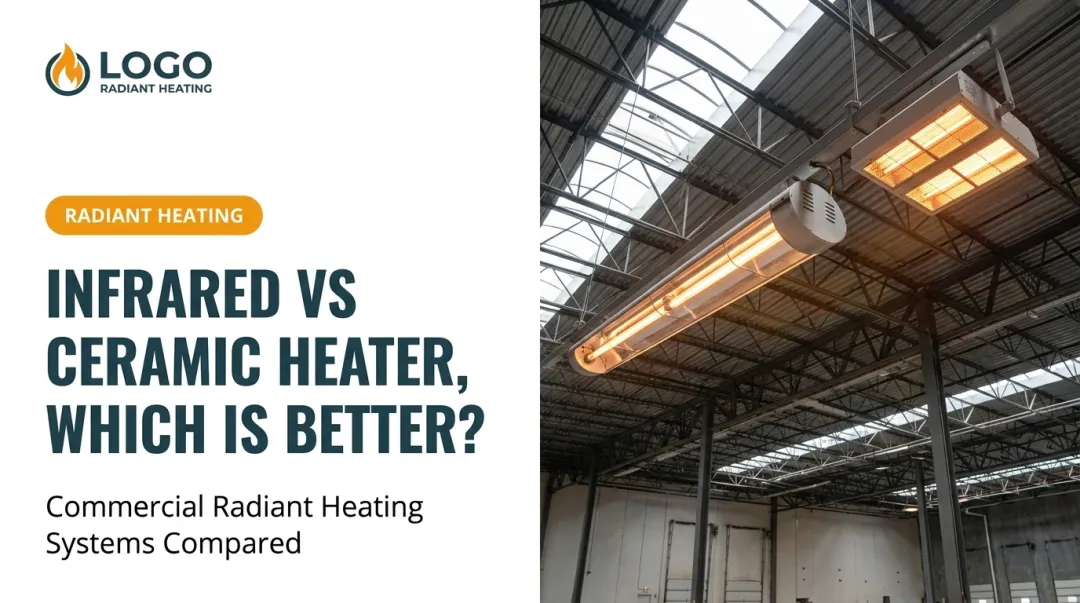
Selecting the best heating method starts with matching the heater type to your office size, usage, and noise tolerance. Not all heaters are created equal—some warm quickly but cost more to run, while others provide steady heat with minimal noise.
Use Oil-Filled Radiators for Silent, Long-Lasting Warmth
Oil-filled radiators are ideal for offices where quiet operation and sustained heat matter most. These units heat internal oil that continues radiating warmth even after the unit cycles off, making them energy efficient for all-day use.
• Best for: Medium to large offices used for 4+ hours
• Pros: No fan noise, safe surface temperatures, retains heat after turning off
• Cons: Slow to warm up, heavy and less portable
• Pro Tip: Place near your chair or desk to feel warmth directly—don’t rely on instant results
Try Ceramic Heaters for Fast, Safe Spot Heating
Ceramic heaters use a fan to blow air over heated ceramic plates, delivering warmth within minutes. Their compact size and built-in safety features make them a top pick for personal office spaces.
• Best for: Small to medium offices or as supplemental heat
• Pros: Heats quickly, cool-to-touch casing, affordable
• Cons: Fan noise can disrupt focus, limited range
• Expert Note: Choose models with oscillation to spread heat across your workspace evenly
Choose Infrared Heaters for Direct, Efficient Warmth
Infrared heaters warm objects and people directly—like sunlight—rather than heating the entire air volume. This makes them highly efficient for individual workstations.
• Best for: Drafty rooms or single-desk setups
• Pros: Instant heat, silent, doesn’t dry out the air
• Cons: Narrow coverage, must be aimed correctly
• Ideal Placement: Mount at desk height, pointing toward your torso for immediate comfort
Optimize Heater Placement for Maximum Efficiency

Even the best heater underperforms if placed poorly. Strategic positioning improves heat distribution, reduces energy use, and prevents cold spots.
Keep Heaters Away from Obstructions
Placing a heater behind furniture or in a corner traps heat and limits airflow. For full effectiveness, heaters need space to circulate warm air.
• Maintain at least 3 feet of clearance on all sides
• Never place papers, books, or cords near the unit
• Elevate portable models off carpeted floors to prevent overheating
Position Under Windows to Fight Cold Drafts
Cold air sinks from windows, creating uncomfortable drafts at desk level. Placing a convection or oil-filled heater beneath a window pushes warm air upward, neutralizing the cold downflow.
• Works best with radiators or fanless heaters
• Add a reflective panel behind the unit to direct heat inward
• Avoid using infrared heaters in this setup—they should face occupants directly
Use Wall or Ceiling Units in Large or Open Offices
For spacious or open-plan offices, floor space is valuable. Wall-mounted or ceiling heaters free up room and distribute heat more evenly.
• Ductless mini-splits or electric panel heaters are excellent choices
• Ideal for offices with high ceilings where heat rises quickly
• Install at head height or higher to ensure warm air reaches work areas
Control Temperature with Smart Technology

Manual heating leads to wasted energy and inconsistent comfort. Smart controls let you maintain the ideal temperature with minimal effort.
Install a Programmable Thermostat
Set your office to warm up just before you arrive and cool down after hours. A programmable thermostat can cut heating costs by 10–15%.
• Warm the room 30 minutes before work starts
• Lower temperature during lunch breaks or weekends
• Works with central systems or compatible portable units
Use Smart Heaters with App and Voice Control
Modern smart heaters connect to Wi-Fi, letting you turn them on from your phone or with voice commands.
• Preheat your office while commuting
• Get alerts if the temperature drops unexpectedly
• Integrate with Alexa or Google Assistant for hands-free control
Add a Standalone Room Thermostat
Many portable heaters have basic thermostats that overshoot or underheat. A separate digital room thermostat ensures precise temperature control.
• Place the sensor away from direct heat sources
• Maintains temperature within ±1°F of your setting
• Prevents constant running and reduces energy bills
Improve Heat Retention to Reduce Waste

Heating an office is only effective if the warmth stays in. Simple upgrades can significantly improve insulation and comfort.
Seal Air Leaks Around Windows and Doors
Drafts can make a room feel colder, forcing heaters to work harder. A few inexpensive fixes can block cold air entry.
• Apply weatherstripping to doors and window frames
• Use draft stoppers at the base of exterior doors
• Seal gaps with removable caulk—easy to remove in warmer months
Hang Thermal Curtains to Reduce Heat Loss
Windows can account for up to 30% of heat loss. Thermal curtains add an insulating layer that traps warmth.
• Close them at dusk to keep heat in
• Open during sunny hours to capture free solar heat
• Choose heavy, lined curtains in dark colors for best results
Place Rugs on Cold Floors
Bare floors—especially tile or hardwood—pull heat from your body. A thick rug adds comfort and insulation.
• Use under desks and high-traffic areas
• Pair with a non-slip underlay for safety
• Wool or high-pile rugs offer the best warmth retention
Compare Energy Use and Operating Costs

The cheapest heater to buy isn’t always the cheapest to run. Understanding energy efficiency helps you avoid surprise bills.
Match Heater Wattage to Room Size
An undersized heater runs nonstop, increasing energy use and wear.
| Room Size (sq ft) | Recommended Wattage |
|---|---|
| Up to 100 | 750–1000W |
| 100–150 | 1000–1500W |
| 150–250 | 1500–2000W |
• Never exceed 1500W on a standard outlet
• Larger offices may need multiple units or hardwired systems
Look for Energy-Saving Features
Modern heaters include smart functions that reduce consumption.
• Eco mode adjusts power based on room temperature
• Timer shuts off the unit after a set period
• Overheat protection prevents dangerous operation
Consider Long-Term Value Over Upfront Cost
Portable heaters are cheap to buy but expensive to run long-term.
• A 1500W heater used 8 hours/day costs ~$50/month
• Ductless mini-splits cost more upfront but save 25–30% annually
• Central systems offer the best efficiency for large offices
Avoid Common Office Heating Mistakes
Small errors can lead to wasted energy, safety hazards, or poor comfort.
Never Use Extension Cords with Space Heaters
Most space heaters draw high current and should plug directly into a wall outlet.
• Extension cords can overheat and cause fires
• If absolutely necessary, use only heavy-duty cords (14-gauge or thicker)
• Never run cords under rugs or furniture
Turn Off Heaters When Not in Use
Leaving a heater running unattended is a major fire risk.
• Over half of space heater fires happen when no one is around
• Use models with tip-over and overheat shutoff
• Set a smart timer to power down automatically at day’s end
Keep Vents Clear in Central Heating Systems
Blocked vents reduce airflow and efficiency in offices with central heat.
• Move furniture, boxes, or rugs away from registers
• Clean dust from vents monthly
• Close vents in unused rooms to redirect heat
Explore Permanent and Alternative Heating Options
For long-term comfort, consider systems designed for consistent, efficient performance.
Install a Ductless Mini-Split System
Mini-splits are perfect for offices without ductwork and offer year-round climate control.
• One outdoor unit powers multiple indoor heads
• Up to 30% more efficient than baseboard heaters
• Provides both heating and cooling
Use Electric Baseboard Heaters
These low-profile units install along walls and provide quiet, gradual heat.
• Ideal for retrofit offices or additions
• Pair with a programmable thermostat for efficiency
• Low maintenance and long lifespan
Consider Radiant Floor Heating
Electric underfloor heating warms from the ground up—eliminating cold feet and drafts.
• Installed beneath tile, vinyl, or laminate
• Provides luxurious, even warmth
• Higher installation cost but excellent comfort
Maintain Your Heater for Safety and Efficiency
Regular upkeep ensures your heater runs safely and effectively all season.
Clean or Replace Filters Monthly
Dust clogs filters and reduces airflow, making heaters work harder.
• Rinse or vacuum reusable filters every 30 days
• Replace disposable filters per manufacturer instructions
• Check monthly during heavy use
Dust Vents and Heating Elements
Dirty coils and fans reduce efficiency and increase fire risk.
• Turn off and unplug before cleaning
• Use a soft brush or compressed air
• Focus on fan blades and internal heating plates
Schedule Annual Professional Maintenance
For central systems or mini-splits, professional servicing is essential.
• Technicians check for leaks, electrical issues, and wear
• Deep clean internal components
• Extends system life by 3–5 years
Key Takeaways for the Best Way to Heat an Office
The best way to heat an office combines the right heater type, smart placement, and energy-conscious habits. Prioritize quiet, safe units like oil-filled radiators or infrared heaters for personal comfort, and use programmable or smart controls to avoid waste. Seal drafts, use thermal curtains, and add rugs to retain heat. Always plug heaters directly into outlets, never leave them unattended, and keep vents clear. For long-term savings, consider ductless mini-splits or baseboard systems. With the right strategy, you can maintain a warm, productive workspace all winter—without overspending.
Frequently Asked Questions About Heating an Office
What is the most energy-efficient way to heat a small office?
Use an infrared or ceramic heater with a thermostat and timer. These units deliver targeted heat and avoid wasting energy on unused space. Pair with draft sealing and thermal curtains for maximum efficiency.
Can I use a space heater safely in my office?
Yes, if you follow safety rules: plug directly into a wall outlet, keep 3 feet of clearance, never leave unattended, and choose models with tip-over and overheat protection.
How can I heat my office without a heater?
Improve insulation by sealing drafts, using thermal curtains, and adding rugs. Let sunlight in during the day, close blinds at night, and wear layers. For long-term solutions, consider underfloor or wall-mounted radiant heat.
Are oil-filled radiators better than fan heaters for offices?
Yes, for most office settings. Oil-filled radiators are silent, provide steady heat, and don’t dry the air. Fan heaters warm faster but create noise that can disrupt focus.
What temperature should an office be in winter?
The ideal office temperature is between 68°F and 72°F (20–22°C). This range supports comfort and productivity without excessive heating costs.
How do I stop my office from being drafty?
Seal gaps around windows and doors with weatherstripping, use door draft stoppers, install thermal curtains, and check for leaks in walls or floors. Even small gaps can significantly impact comfort.