A well-designed workspace can make the difference between burnout and breakthrough. The best home office setup ideas go beyond just placing a desk in the corner—they focus on ergonomics, organization, lighting, and personal expression to create a space where you can work efficiently and feel good doing it. With remote work becoming a long-term reality for many, investing in your environment isn’t optional—it’s essential. From choosing an ergonomic chair to adding mood-boosting decor, this guide delivers actionable, expert-backed strategies to transform any space into a high-functioning, inspiring home office.
You’ll learn how to build a setup that supports your body, sharpens your focus, and reflects your personality. Whether you’re working from a studio apartment or a dedicated room, these proven tips will help you eliminate clutter, reduce strain, and design a workspace that truly works for you.
Build an Ergonomic Foundation for Long-Term Health
Your body deserves support during long work hours. A poorly designed setup leads to back pain, eye strain, and fatigue. The best home office setup ideas start with ergonomics—designing your space to fit your body, not the other way around. Focus on your chair, monitor, keyboard, and audio to create a pain-free, productive environment.
Choose an Ergonomic Chair That Supports Your Spine
Your chair is the most important piece of furniture in your home office. A quality ergonomic chair prevents back pain and keeps you alert. Look for:
• Adjustable height to keep feet flat and knees at 90 degrees
• Lumbar support that fits the curve of your lower back
• Contoured backrest for upper and mid-back alignment
• Padded, adjustable armrests to reduce shoulder tension
• Breathable mesh or fabric to prevent overheating
Avoid cheap chairs that collapse after a few months. Invest in one that supports your spine and lasts for years.
Position Your Monitor at Eye Level to Prevent Neck Strain
Looking down at a screen for hours causes “tech neck” and long-term posture issues. Fix this by setting your monitor at eye level:
• Top of the screen should align with your eyes
• Sit 20–30 inches (an arm’s length) away
• Use a monitor stand or stack books if needed
• Consider a curved monitor to reduce eye movement and distortion
If you use a laptop, connect it to an external keyboard and elevate the screen with a stand. Never work from a low laptop for extended periods.
Protect Your Wrists with Proper Keyboard and Mouse Setup
Typing all day can lead to carpal tunnel or wrist fatigue. Prevent strain with these simple upgrades:
• Use a keyboard wrist rest made of memory foam or gel
• Choose a mouse pad with built-in wrist support
• Keep wrists straight and floating slightly above the rest while typing
Avoid resting your wrists heavily during active typing—this increases pressure. Use the rest only during pauses.
Invest in Headphones That Deliver Clear Audio and Comfort
For remote workers, clear communication is non-negotiable. Poor audio causes misunderstandings and mental fatigue. Choose headphones that offer:
• Balanced sound and noise isolation
• A secure, comfortable fit for long calls
• A reliable built-in microphone (or pair with an external mic)
Look for over-ear models with padded ear cups. Test them if possible, and read reviews to ensure consistent performance.
Design a Workspace That Inspires and Energizes You
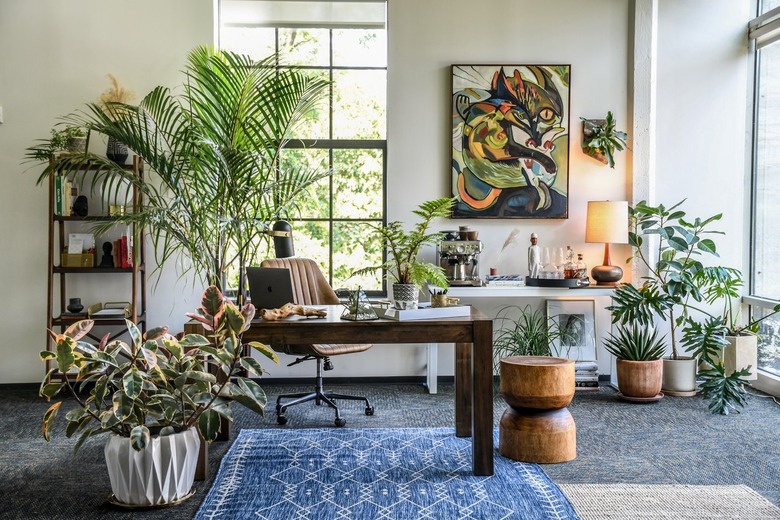
A dull, sterile office kills motivation. The best home office setup ideas include personal touches that make you want to work. Use color, scent, texture, and meaningful decor to create a space that feels uplifting and uniquely yours.
Add Personal Items That Spark Joy and Motivation
Make your office feel like your space by including items that bring happiness:
• Family photos or pictures of pets
• Souvenirs from memorable trips
• Inspirational quotes or vision boards
These small details reduce isolation and create emotional connection to your workspace.
Use Color and Art to Boost Focus and Mood
Color impacts your energy and concentration. Use it strategically:
• Paint an accent wall in energizing tones like teal, coral, or mustard
• Hang artwork with calming nature scenes or motivational messages
• Avoid dark, monotonous colors that feel heavy or oppressive
Even a colorful desk mat or vibrant notebook can lift your mood.
Enhance Focus with Calming Scents
Scent influences alertness and relaxation. Try these options:
• Scented candles (citrus for energy, lavender for calm)
• Essential oil diffusers with eucalyptus or peppermint
Place them safely away from electronics and papers. Use lightly—strong scents can be distracting.
Define Your Space with a Stylish Floor Rug
A floor rug does more than decorate—it improves comfort and acoustics:
• Adds warmth to cold floors
• Reduces echo in small or hard-surfaced rooms
• Visually separates your workspace in open areas
• Introduces texture and color on a budget
Opt for low-pile rugs that won’t trap your chair wheels.
Keep Clutter Under Control with Smart Storage
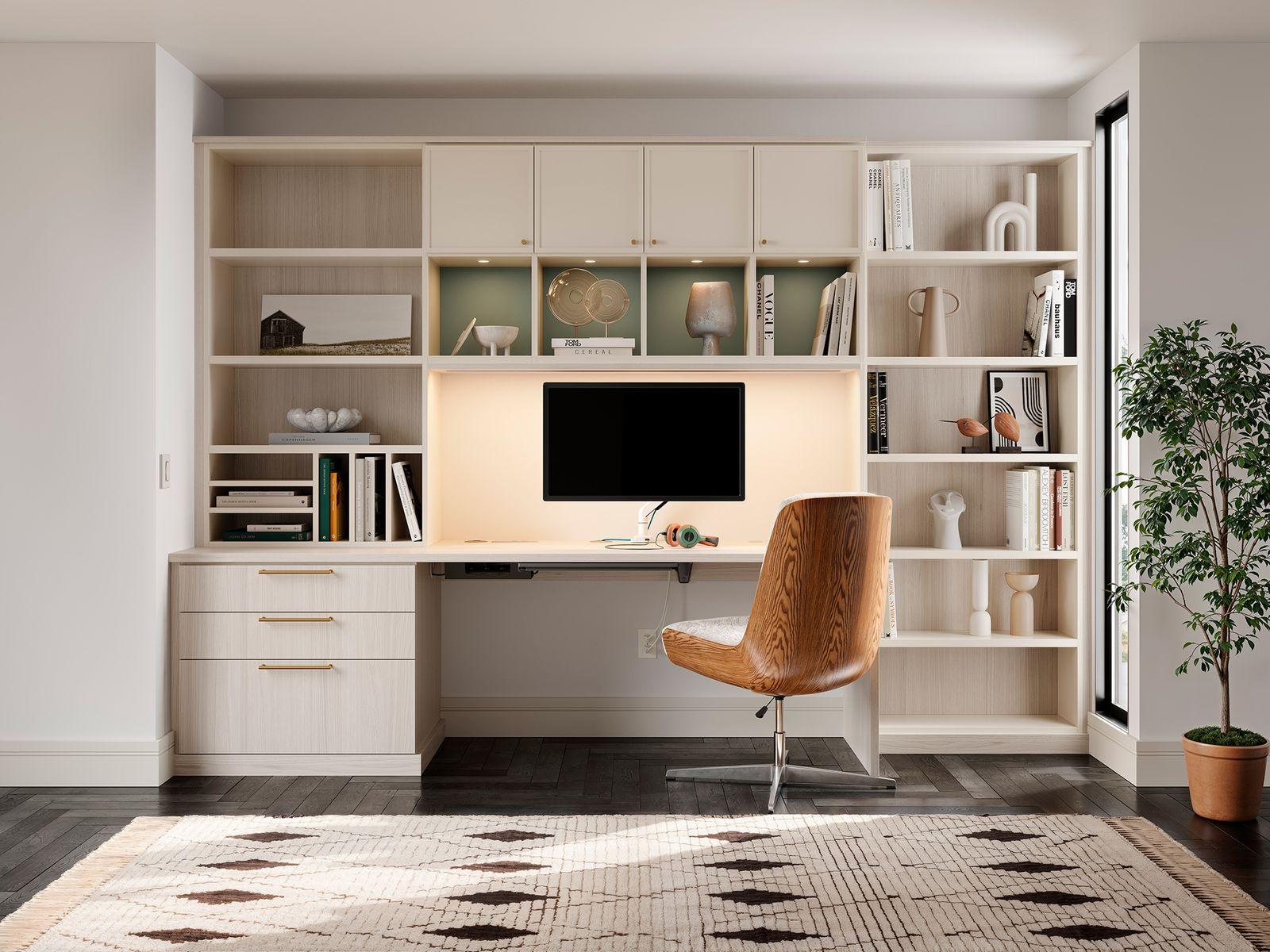
A messy desk leads to a messy mind. The best home office setup ideas include smart storage solutions that keep essentials within reach and distractions out of sight.
Use Wall Shelves and Hanging Organizers to Save Floor Space
Maximize vertical space to free up your floor:
• Install floating shelves for books, supplies, or decor
• Hang organizers for headphones, cords, or notebooks
• Use tall bookcases to draw the eye upward and reduce visual clutter
Store frequently used items at eye level and less-used ones higher or lower.
Organize Paperwork with a Filing System That Works
Even digital workers deal with paper. Stay on top of it with:
• An under-desk filing cabinet to save space
• Color-coded folders for taxes, projects, or receipts
• Clear labels for quick access
Schedule a monthly cleanup to shred or scan outdated documents.
Tame Cable Chaos with Simple Management Tools
Tangled cords are dangerous and unprofessional. Keep them neat with:
• Velcro straps or cable ties to bundle cords
• Cable sleeves or boxes to hide power strips
• Labels on both ends of each cord for easy identification
A tidy cable setup saves time during tech changes.
Reduce Physical Clutter by Going Digital
Free up space by digitizing what you can:
• Scan documents with a mobile app or portable scanner
• Convert photo albums to digital backups
• Replace physical books with e-books when possible
Store files in cloud services like Google Drive or Dropbox with clear folder names.
Light Your Office for All-Day Comfort and Focus

Poor lighting causes headaches and eye strain. The best home office setup ideas balance natural and artificial light to keep you alert and comfortable.
Place Your Desk Near a Window for Natural Light
Natural light boosts mood and focus. Position your desk:
• Close to a window, but not in direct sunlight
• At a 90-degree angle to the window to avoid screen glare
• With sheer curtains or blinds to diffuse harsh light
Daylight helps regulate your sleep-wake cycle and reduces energy costs.
Use Daylight-Toned Bulbs for Task Lighting
When the sun goes down, switch to bulbs that mimic natural light:
• Choose 4000K–5000K color temperature (cool white to daylight)
• Use LED desk lamps and overhead lights for energy efficiency
• Avoid warm yellow bulbs (2700K) for work areas—they make you sleepy
Consistent lighting prevents eye strain and fatigue.
Add Smart and Ambient Lighting for Flexibility
Enhance your setup with:
• Smart lights controlled by voice or phone (e.g., Alexa, Google Home)
• Adjustable brightness for different tasks or times of day
• LED strips behind your monitor or under shelves for soft glow
Set schedules to turn lights on at sunrise or dim them at night.
Equip Your Office with Reliable, Efficient Technology
Your tools should work as hard as you do. The best home office setup ideas include technology that’s fast, reliable, and tailored to your workflow.
Choose Between Laptop and Desktop Based on Your Needs
Pick the right computer for your work style:
• Laptops for portability and space-saving
• Desktops for power, upgradeability, and larger screens
Ensure your device has enough RAM, storage, and processing power for your tasks.
Select a Keyboard That Fits Your Hands and Typing Style
Not all keyboards are created equal. Consider:
• Layout (full-size, compact, or split)
• Switch type (mechanical for feedback, membrane for quiet)
• Ergonomic designs to reduce wrist strain
Try different models if possible—comfort is personal.
Upgrade Your Webcam and Microphone for Professional Calls
Laptop cameras and mics often underperform. For clear communication, use:
• A 1080p webcam with good low-light performance
• An external microphone for crisp audio
• A headset with a built-in mic for privacy
Check reviews to ensure reliability and ease of setup.
Try a Standing Desk to Reduce Sedentary Time
Standing desks help you move more during the day. Look for:
• Electric height adjustment for smooth transitions
• Memory presets for quick sit-stand changes
• A stable surface that doesn’t wobble
Alternate every 30–60 minutes. Start with short standing sessions and build up.
Save Space with Multi-Function Devices
In small offices, combine devices to save room:
• All-in-one printer-scanner-copier units
• Docking stations to connect multiple devices with one cable
Fewer gadgets mean less clutter and easier maintenance.
Make Your Office Work for You—Now and in the Future
The best home office setup ideas evolve with your needs. Build a space that’s flexible, personal, and designed for long-term success.
Customize Your Space to Match Your Work Style
Your office should reflect how you work and who you are:
• Creative? Add bold colors and mood boards
• Analytical? Go for clean lines and minimal distractions
• Collaborative? Include space for video calls and shared screens
Your setup should support your personality, not a trend.
Support Both Physical and Mental Wellbeing
A great office protects your health:
• Ergonomic gear prevents pain and injury
• Personal decor reduces stress and boosts morale
• Proper lighting and acoustics improve focus
Small investments in wellness lead to big gains in productivity.
Start Small and Improve Over Time
You don’t need to do everything at once. Begin with:
• A good chair and desk
• Basic lighting and storage
• One or two personal touches
Add upgrades as needed. The process should feel satisfying, not stressful.
Review and Refresh Your Setup Every Few Months
Schedule quarterly check-ins:
• Ask: Is this still working for me?
• Remove unused items
• Test new tools or layouts
Continuous improvement keeps your space effective and inspiring.
Frequently Asked Questions About Best Home Office Setup Ideas
What is the most important piece of home office furniture?
The ergonomic chair is the most critical piece. It supports your spine, prevents pain, and affects your comfort during long work sessions. Invest in one with adjustable height, lumbar support, and breathable material.
How can I set up a home office in a small space?
Use vertical storage like shelves, choose a compact desk, and opt for multi-function devices (e.g., printer-scanner). Add a rug and personal decor to define the area without taking up floor space.
What lighting is best for a home office?
Natural light is ideal. Supplement with 4000K–5000K LED bulbs for a daylight-like effect. Use a desk lamp for task lighting and ambient strips to reduce eye strain.
How do I reduce eye strain during long work hours?
Position your monitor at eye level, 20–30 inches away. Use anti-glare screens, take regular screen breaks (20-20-20 rule), and ensure proper room lighting to balance screen brightness.
Should I get a standing desk?
Yes, if you sit for long periods. Standing desks reduce sedentary risks and improve circulation. Start with short standing intervals and alternate every 30–60 minutes.
How can I personalize my home office on a budget?
Use photos, plants, a colorful rug, or DIY art. Add a scented candle or small trinkets. These low-cost touches make your space feel warm and motivating.
Key Takeaways for Creating the Best Home Office Setup
The best home office setup ideas combine comfort, functionality, and personal style. Start with an ergonomic chair and proper monitor height to protect your body. Add natural light, smart storage, and reliable tech to boost efficiency. Then, personalize with photos, color, and scent to make the space inviting.
Remember: your office should evolve with you. Reassess every few months, remove what’s not working, and add tools that support your goals. Whether you’re on a budget or building a dream setup, focus on creating a workspace that helps you do your best work—every day.