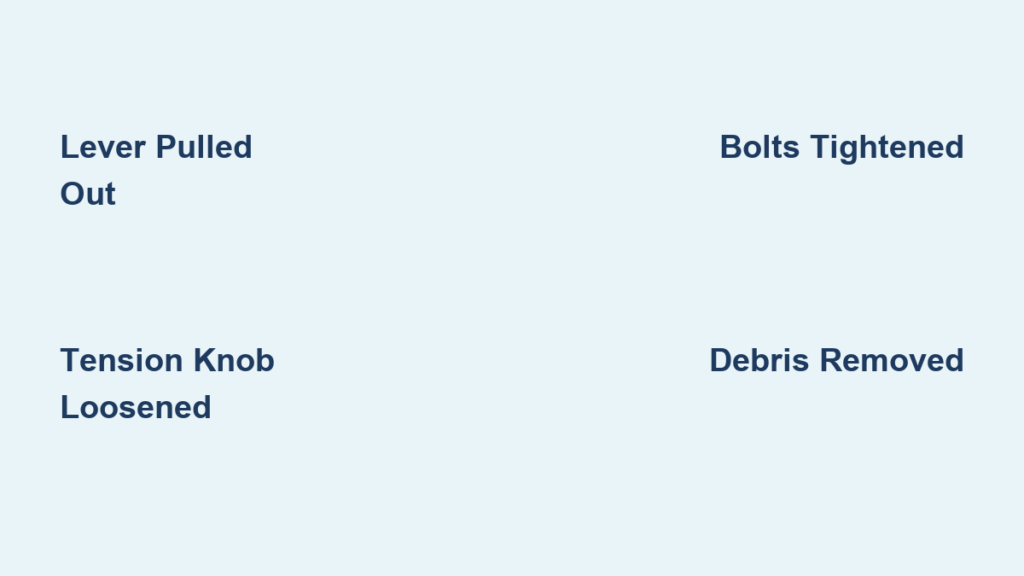
Is your office chair stuck in an upright position, refusing to recline no matter how hard you lean back? You’re likely dealing with an office chair lock not working—a common issue that affects comfort and posture during long work sessions. Whether the lever feels loose, the chair won’t lock into place, or it tilts too freely, most problems stem from simple mechanical or adjustment issues, not a broken chair.
The root causes usually involve the tilt lock lever, tension knob setting, loose hardware, or debris buildup in the mechanism. Many chairs are shipped with the tension cranked all the way up, making them feel “broken” when they just need proper adjustment. With a few basic tools and 10–15 minutes, you can diagnose and fix the problem yourself—no need to replace your chair prematurely.
Identify Your Chair’s Tilt Mechanism Type

Knowing your chair’s tilt system helps you apply the right fix.
Tilt Lock (Tilt Limiter)
This mechanism locks the backrest at a fixed angle. When engaged, the chair won’t recline. When disengaged, reclining is allowed.
How to test: Pull the side lever outward. If the chair still won’t tilt, the lock may be stuck or misaligned.
Tilt Tension Adjustment
Controls how much force is needed to recline. Found on most ergonomic chairs, this uses a knob under the front edge of the seat.
Common issue: Shipped at maximum tension—feels like failure when it just needs loosening.
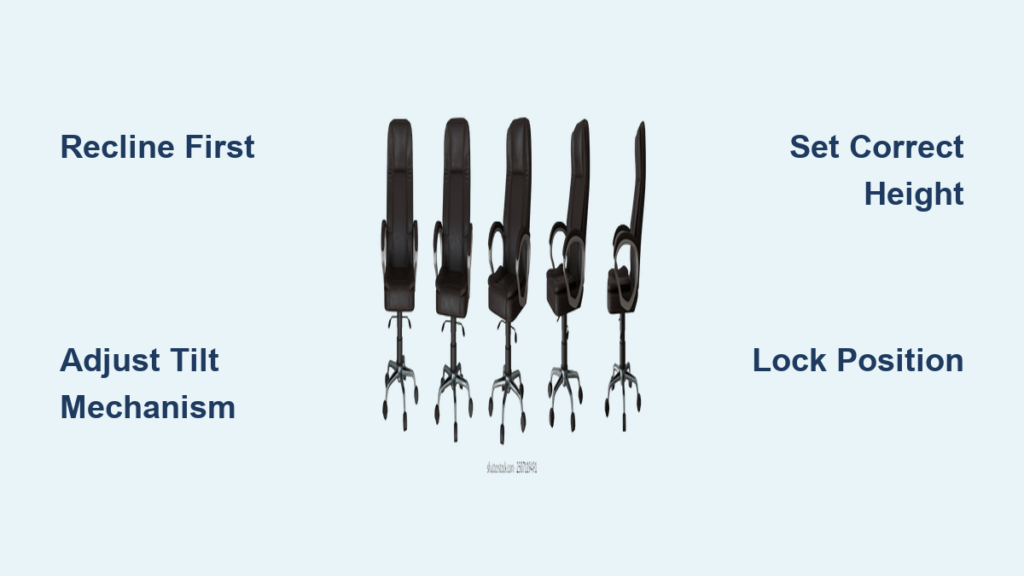
Full Recline with Lock
Allows full backward lean with a locking position at multiple angles. Some models require leaning back while pulling the lever.
Pro tip: Check your model’s manual—some Herman Miller or Steelcase chairs need a specific sequence to engage or disengage.
Check If the Tilt Lock Lever Is Fully Disengaged
The most frequent reason for no recline: the tilt lock is accidentally engaged.
Lever Not Fully Pulled Out?
- Locate the lever on the right or left side, near the seat height control
- Pull it fully outward until you hear a click
- If no click occurs, the mechanism may be jammed
Visual cue: If the lever feels loose or floppy, the internal linkage may be disconnected.
Stuck Lever? Try Lever Cycling
If the lever doesn’t move smoothly:
- Pull it fully out
- Push it firmly back in
- Repeat 5–10 times
This often clears resistance caused by dust or inactivity.
Warning: Don’t force it. If it’s frozen, inspect for obstructions before applying more pressure.
Adjust the Tilt Tension Knob to Allow Reclining

Even with the lock off, high tension can make reclining impossible—especially on new chairs.
Find the Tension Knob
- Flip the chair over
- Look under the front edge of the seat for a round dial or cylinder
- It may have + and – markings
- Some models place it on the back of the seat base near the gas lift
Loosen for Proper Recline
- Turn counterclockwise (–) to reduce resistance
- Keep turning—it may take 30 seconds or more to reach the minimum setting
- Test recline after each full rotation
Why so long? Chairs are shipped with max tension to prevent movement. Fully loosening it takes time.
Fine-Tune for Comfort
Once reclining works:
– Tighten slightly (clockwise) for more resistance
– Leave looser for a relaxed, fluid lean
Pro tip: If the knob spins freely without effect, it’s likely stripped—time to replace it.
Tighten Loose Bolts and Fasteners

A wobbly or unresponsive tilt mechanism is often due to loose hardware, not a failed part.
Key Screws to Inspect
• Central post bolt (under a plastic cap on the base)
• Tilt mechanism screws (attach to seat frame)
• Base-to-seat bolts (4–6 screws around the hub)
Tools You’ll Need
• Phillips screwdriver
• Allen wrench (2.5–4mm)
Tightening Best Practices
• Tighten gradually and evenly
• Avoid over-tightening—plastic threads strip easily
• Recheck every 3–6 months as part of routine maintenance
Visual cue: If the chair creaks or shifts sideways when reclining, hardware is likely loose.
Remove Debris Blocking the Tilt Mechanism
Dust, hair, fabric fibers, or sticky spills can jam moving parts.
How to Inspect
- Flip the chair upside down
- Shine a flashlight under the seat
- Look around the lever linkage, pivot points, and gas cylinder base
Common Obstructions
• Carpet fibers wrapped around joints
• Sticky residue from food or drinks
• Accumulated dust and lint
Safe Cleaning Methods
• Use tweezers or a plastic pick to remove fibers
• Wipe with a dry microfiber cloth
• Blast out dust with compressed air
Never use water or harsh cleaners—they can damage plastic or metal components.
Lubricate the Tilt Mechanism for Smooth Operation
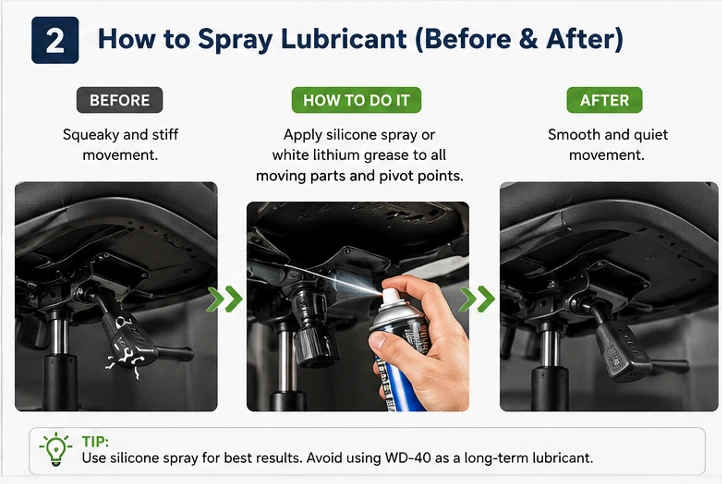
If the chair sticks or feels stiff, lubrication can restore movement.
Best Lubricants to Use
• Silicone spray – Safe for plastic and metal, doesn’t attract dust
• Dry PTFE lubricant – Ideal for pivot points
• Light machine oil – Use sparingly on metal joints
Avoid WD-40 unless you’re certain the joint is metal-on-metal. It can degrade plastic and attract grime.
Lubrication Steps
- Remove the base (if possible) to access the mechanism
- Apply a small amount of lubricant to moving parts
- Work the lever and recline motion to distribute it
- Wipe away excess
Frequency: Lubricate once a year for optimal performance.
Free a Seized Tilt Mechanism with Safe Pressure
Sometimes, long disuse or pressure causes the mechanism to seize.
Body Weight Technique
- Sit upright
- Ensure the tilt lock lever is fully pulled out
- Lean back slowly with steady pressure
- Stop if you feel cracking or resistance
This gentle force can break loose a stuck spring or pivot.
Safety first: Don’t jerk or throw your weight back—this risks damaging the gas lift or base.
Tap and Cycle Method
• Gently tap the mechanism housing with a rubber mallet
• Immediately cycle the lever several times
• Retest recline
Vibration from tapping can dislodge internal jams.
Verify Chair Assembly Is Correct
Incorrect assembly—especially with flat-pack chairs—can disable tilt functions.
Common Assembly Errors
• Tilt mechanism installed backward
• Lock lever not connected to the internal cam
• Tension knob not seated properly
How to Confirm Proper Setup
• Search online for your chair’s model number and manual
• Check that all parts are aligned and secured
• Ensure the lever moves the internal linkage when pulled
Pro tip: If the chair was assembled months ago, disassemble and recheck—components can shift over time.
Replace Damaged or Stripped Tilt Components
If adjustments fail, a part may be broken.
Signs You Need Replacement
• Tension knob spins without effect (stripped)
• Lever moves but no internal response
• Visible cracks in the mechanism housing
• Bent or detached metal spring
How to Find the Right Part
Search online for:
“[Brand] [Model] tilt mechanism replacement”
Examples:
• “Herman Miller Aeron tilt limiter replacement”
• “AmazonBasics office chair tilt tension knob”
If discontinued, use a universal tilt mechanism—available on Amazon or specialty parts sites.
Replacement Steps
- Remove the base (pull off the gas lift)
- Unscrew the old mechanism from the seat
- Install the new unit in reverse order
- Reattach the base and test
Time required: 15–30 minutes with basic tools.
Decide: Repair, Replace, or Call for Support
Not every issue is DIY-fixable.
Contact Manufacturer If
• Chair is under warranty
• Part is proprietary or complex
• You’re uncomfortable disassembling it
Brands like Herman Miller and Steelcase often provide free support or replacement parts.
Replace the Chair If
• Repair cost exceeds 50% of a new chair’s price
• Chair is over 5–7 years old
• Base or gas lift shows wear
Cost tip: A new tilt mechanism costs $15–$40. If your chair was $80, replacement may be smarter.
Prevent Future Office Chair Lock Problems
Keep your chair working smoothly with simple habits.
Monthly Maintenance Routine
• Tighten all visible screws and bolts
• Clean under the seat with compressed air
• Test recline and lock functions
• Lubricate annually
Usage Best Practices
• Avoid exceeding the chair’s weight limit (usually 250–300 lbs)
• Use on a flat, stable surface
• Don’t stand or swing on the chair
Pro tip: If storing long-term, leave the tension loose and lever disengaged to prevent spring fatigue.
Quick 10-Minute Diagnostic Checklist
Use this flow to fix office chair lock not working fast:
- ✅ Lever pulled out fully? Listen for a click.
- ✅ Tension knob loosened? Turn counterclockwise for 30+ seconds.
- ✅ Hardware tight? Check base and central bolt.
- ✅ No obstructions? Flip chair and inspect.
- ✅ Lever cycled? Pull in/out 10 times.
- ✅ Mechanism lubricated? Use silicone spray.
- ✅ Body weight test? Lean back gently with lever open.
If all steps fail, inspect for damage or replace the tilt assembly.
Key Takeaways for Fixing Office Chair Tilt Lock Issues
Most office chair lock not working problems are simple to fix—often just a matter of adjusting the tension knob or releasing a stuck lever. The vast majority of non-reclining chairs aren’t broken; they’re just set too tight from shipping or have minor debris buildup. With basic tools and a few minutes, you can restore full recline control and extend your chair’s life.
Regular maintenance—tightening screws, cleaning, and lubricating—prevents most issues. If parts are damaged, replacement mechanisms are affordable and easy to install. Only consider a new chair if repair costs exceed half its value or if structural components are failing.
Next step: Flip your chair over, locate the tension knob, and turn it counterclockwise for 30 seconds. Then test recline. You might be surprised how simple the fix really is.
Frequently Asked Questions About Office Chair Tilt Locks
Why won’t my office chair recline even when the lever is pulled?
Your tilt tension knob may be set too tight. Chairs are shipped with maximum tension to prevent movement. Turn the knob under the seat counterclockwise for 30+ seconds to loosen it fully.
How do I know if my chair’s tilt mechanism is broken?
If the lever moves but nothing happens, the knob spins freely, or you see cracks in the housing, the mechanism may be damaged. First, rule out simple causes like tension setting or debris.
Where is the tilt tension knob on most office chairs?
It’s usually a round dial or cylinder under the front edge of the seat. Flip the chair over to see it. Some models place it on the back of the seat base near the gas lift.
Can I replace the tilt mechanism on my office chair?
Yes. Search for “[Brand] [Model] tilt mechanism replacement” online. Universal kits are available if your model is discontinued. Installation takes 15–30 minutes with basic tools.
Why does my office chair lean too far back?
The tilt tension is too low. Turn the knob clockwise to increase resistance. Also check if the tilt limiter is disengaged or faulty.
Is it safe to use WD-40 on my office chair’s tilt mechanism?
Only if the joint is metal-on-metal. WD-40 can degrade plastic parts and attract dust. Use silicone spray or dry PTFE lubricant instead for safer, longer-lasting results.