Is your office chair stiff and unresponsive when you try to lean back? You’re not alone. Most modern office chairs come with a recline function, but they’re often shipped with the tilt tension cranked to maximum—locking the mechanism in place to prevent damage during shipping. This means your chair isn’t broken; it just needs a quick adjustment. Learning how to make an office chair lean back typically comes down to three key steps: setting the seat height, unlocking the tilt, and adjusting the tension knob. With the right tweaks, you can unlock smooth, responsive reclining that supports better posture, reduces back strain, and keeps you comfortable during long work sessions.
In this guide, you’ll discover exactly how to adjust your chair for effortless reclining, troubleshoot common issues, and use your chair’s settings to match different work modes—from focused typing to relaxed brainstorming. Whether you have a budget task chair or a high-end executive model, these steps work across nearly all swivel tilt mechanisms. Let’s get your chair moving the way it should.
Set Correct Seat Height Before Reclining
Adjusting seat height is the essential first step. If your chair is too high or too low, your body weight won’t shift properly when leaning back, making reclining feel stiff or impossible.
Find the Ideal Sitting Position
- Sit with your feet flat on the floor
- Ensure thighs are parallel to the ground
- Knees should form a 90-degree angle
- Hips slightly higher than knees for optimal spinal alignment
Use the Height Adjustment Lever Properly
- Locate the seat height lever under the front right side of the seat
- To raise: Lift slightly off the chair and pull the lever up and outward
- To lower: Sit fully and pull the lever while easing down
Pro Tip: If the lever sticks, apply a slight twist as you pull—this helps disengage the gas lift lock.
Getting seat height right ensures your center of gravity supports smooth reclining motion.
Unlock the Tilt Lock to Enable Reclining
If your chair won’t lean back, it might be locked in place. The tilt lock keeps the backrest fixed during focused tasks, but it must be disengaged for reclining.
Locate the Tilt Lock Lever
- Found under the seat, usually near the height lever
- May be a side lever or center knob depending on model
Disengage for Smooth Backward Motion
- Pull the lever outward to unlock reclining
- On some models, push inward to lock, pull outward to unlock
- You should feel the chair pivot freely when unlocked
Note: A small amount of give is normal even when locked—this is built-in for comfort, not full recline.
If reclining still doesn’t work, the next step is almost always the issue.
Adjust Tilt Tension for Effortless Leaning Back

This is the most common reason chairs won’t recline: excessive tilt tension. Manufacturers set it high by default, so you’ll likely need to loosen it.
Find the Tension Knob
- A large knob under the front edge of the seat
- Often recessed and marked with + (tighten) and – (loosen)
- May require flipping the chair back for access
Loosen to Enable Reclining
- Gently flip the chair backward
- Turn the knob counterclockwise to reduce resistance
- Keep turning—it may take 10–20 full rotations before you feel a difference
Critical Insight: Chairs ship with maximum tension to prevent reclining during transit. Don’t assume it’s adjusted after just a few turns.
Tighten for More Support
- Turn clockwise to increase resistance
- Best for heavier users or when you want more control
- Adjust until recline feels responsive but not floppy
Match Tension to Your Body Weight
- Lighter users: Loosen more
- Heavier users: May need slight tension to avoid over-reclining
- Test by leaning back—adjust until motion feels natural and controlled
Test and Refine the Recline Motion
Now that settings are adjusted, test how smoothly your chair leans back.
Perform a Recline Test
- Sit normally with feet flat
- Lean back gently using your upper body
- The chair should pivot smoothly, supporting your spine
Fine-Tune for Balanced Movement
- If too stiff: Loosen tension further
- If too loose or sudden: Tighten slightly
- Aim for fluid motion that responds to your body weight
Expert Tip: The seat and backrest should move together—this is how a proper tilt mechanism works.
Fix Common Reclining Problems Fast

Even after adjustments, issues can occur. Here’s how to solve them.
Chair Won’t Lean Back
- ✅ Is tilt lock pulled outward? (unlocked)
- ✅ Tension too high? Loosen knob counterclockwise
- ✅ Chair upright? Test only after flipping back to normal position
Fact: 90% of “broken” chairs just need tension adjustment.
Chair Tilts Too Easily
- Turn the knob clockwise to add resistance
- Stop when recline feels controlled but not stiff
- Avoid over-tightening—this defeats ergonomic benefits
Lever Is Stiff or Hard to Pull
- Apply a twisting motion while pulling the lever
- Use silicone spray if sticking persists
- Never force it—this can damage internal parts
Optimize for Dynamic Sitting Throughout the Day
A well-adjusted reclining chair supports movement, not rigidity. Use it to shift positions and stay active.
Switch Between Work Modes
- Locked tilt: For typing, data entry, or focused tasks
- Unlocked tilt: For calls, brainstorming, or short breaks
- Change every 30–60 minutes to reduce fatigue
Benefits of Movement
- Encourages natural spinal motion
- Improves blood flow
- Lowers risk of lower back pain
- Boosts focus and energy
Pro Insight: Your chair should support movement—not lock you in place.
Verify All Ergonomic Settings for Full Comfort
Reclining works best when the entire chair fits your body.
Check Seat Depth
- 1–2 inches between knee and seat edge
- Adjust if your chair has depth control (common in premium models)
Set Backrest Height
- Lumbar support should align with your lower back curve
- Prevents slouching when reclined
Position Armrests Correctly
- Elbows at 90 degrees when typing
- Should not push shoulders up or force forward lean
Identify Your Chair’s Recline Mechanism Type
Knowing your mechanism helps with troubleshooting and adjustments.
Swivel Tilt Mechanism
- Most common in standard office chairs
- Seat and backrest recline together
- Controlled by tilt lock and tension knob
Center-Tilt or Synchro-Tilt
- Found in higher-end models
- Backrest tilts slightly more than the seat
- Offers enhanced lumbar support during recline
Both rely on proper tension adjustment—just like standard models.
Follow the 7-Step Adjustment Checklist
Use this routine to ensure your chair reclines perfectly:
- ✅ Set correct seat height
- ✅ Unlock tilt lever (pull outward)
- ✅ Loosen tension knob counterclockwise
- ✅ Test recline with a gentle lean
- ✅ Fine-tune tension for smooth motion
- ✅ Adjust backrest and armrests
- ✅ Alternate locked/unlocked positions daily
Remember: A chair that won’t recline is rarely broken—it’s just not adjusted.
Maintain Long-Term Recline Performance
A well-tuned chair lasts longer and feels better over time.
Routine Maintenance Tips
- Clean dust from under the seat and around the tension knob
- Lubricate moving parts annually with silicone-based spray
- Retest tension every few months—your needs may change
Watch for Signs of Wear
- Chair won’t hold reclined position
- Sudden drops or jerky motion
- Lever or knob no longer responds
If adjustments fail and motion feels loose, internal parts may need replacement.
Match Recline Settings to Your Work Tasks
Maximize comfort and productivity by using your chair dynamically.
Focused Work Mode
- Tilt lock engaged
- Chair upright and stable
- Best for typing, reading, or detailed tasks
Creative Thinking Mode
- Tilt lock disengaged
- Tension set to moderate
- Lean back slightly to relax and reset
Break or Call Mode
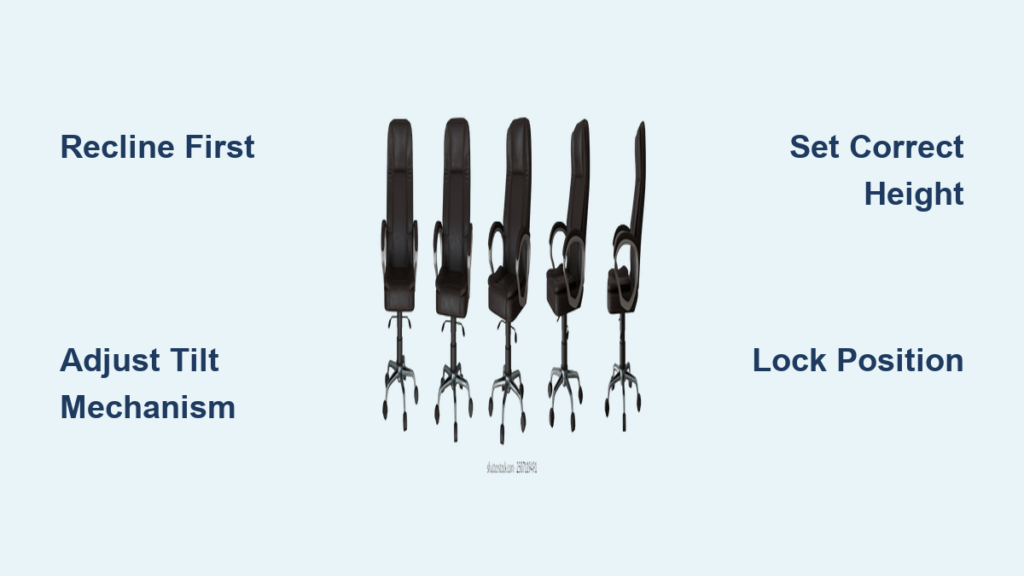
- Fully reclined (if space allows)
- Feet up, hands relaxed
- Promotes circulation and reduces eye strain
Frequently Asked Questions About Office Chair Reclining
Why won’t my office chair lean back?
Your chair likely has the tilt tension set too high or the tilt lock engaged. Most chairs ship with maximum tension to prevent reclining during shipping. Unlock the tilt lever and turn the tension knob counterclockwise to loosen it.
Where is the tilt tension knob on an office chair?
The tilt tension knob is usually a large, recessed knob under the front edge of the seat. You may need to flip the chair backward to access it. It’s often marked with + (tighten) and – (loosen).
How do I unlock the recline on my office chair?
Pull the tilt lock lever outward (usually located under the seat near the height lever). This disengages the lock and allows the chair to recline. If it still won’t lean back, adjust the tilt tension.
Should my office chair recline?
Yes, if it has a recline function. Occasional reclining (100–110 degrees) reduces spinal pressure, improves circulation, and prevents fatigue. Just alternate between reclined and upright positions throughout the day.
How tight should the tilt tension be?
Tilt tension should match your body weight. Lighter users need less tension; heavier users may need more. Adjust until the chair reclines smoothly with your body weight—neither too stiff nor too loose.
Can I fix a broken recline mechanism?
If adjustments don’t work and the chair drops suddenly or won’t hold position, internal parts may be damaged. Some mechanisms can be replaced, but consult the manufacturer or a furniture repair specialist.
Key Takeaways for Making Your Office Chair Lean Back
Making an office chair lean back is rarely about force—it’s about fine-tuning. Start by setting the correct seat height, then unlock the tilt lever. If the chair still resists, loosen the tilt tension knob counterclockwise—this is almost always the fix. Test the recline, fine-tune the tension, and adjust your backrest and armrests for full ergonomic support.
Once dialed in, use your chair dynamically: lock it for focus, unlock it for movement. Regular maintenance ensures long-term comfort. If reclining still fails after all adjustments, the mechanism may need repair. But in most cases, a few simple tweaks are all it takes to transform your stiff chair into a responsive, supportive seat. Start adjusting today—your back will thank you.