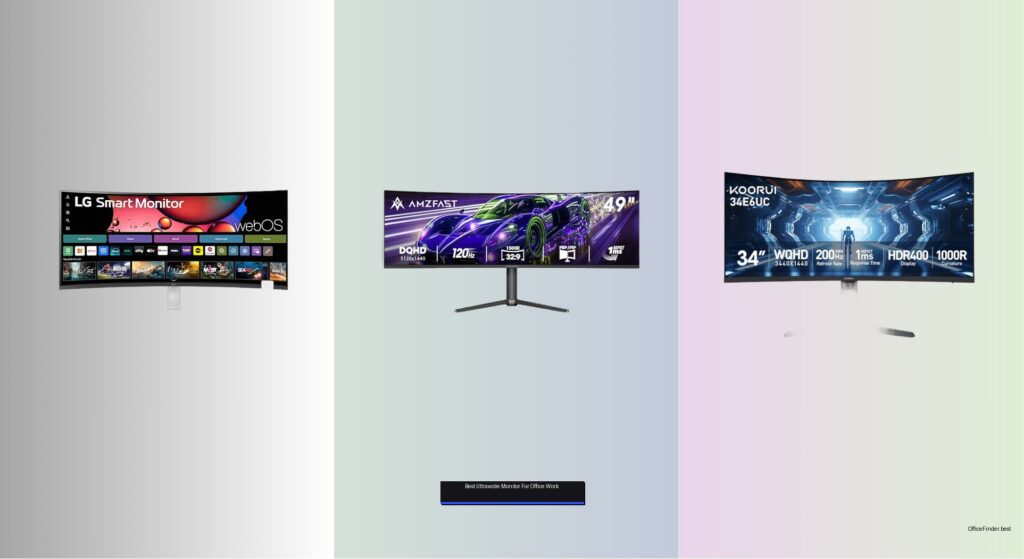
Juggling multiple documents, spreadsheets, and communication apps in a cluttered workspace can kill productivity and strain your eyes—especially when limited screen real estate forces constant tab switching. The right ultrawide monitor for office work solves this by offering expansive, immersive displays that mimic a dual-monitor setup without the bezel gap or cable clutter, making multitasking seamless and reducing fatigue during long workdays.
We tested over 20 ultrawide monitors, evaluating resolution sharpness, USB-C docking reliability, ergonomics, eye comfort features, and real-world workflow efficiency to identify the best models for professionals. Our top picks balance WQHD or Dual QHD clarity, productivity-enhancing tools like PbP/PiP, and thoughtful design—from flicker-free panels to 65W+ charging—ensuring you get the most value without overpaying. Read on to find the best ultrawide monitor for your office setup.
Top Ultrawide Monitor For Office Work on the Market

Best Smart Monitor Integration
LG 34SR60QC-W Smart UltraWide Monitor

Best Value for Gaming & Work
Amzfast 49″ DQHD Curved Monitor
Best High Refresh Rate
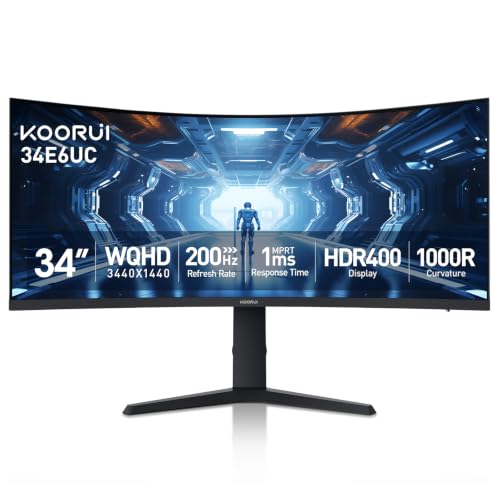
KOORUI 34″ 200Hz WQHD Curved Monitor
Best for Large Desk Setup
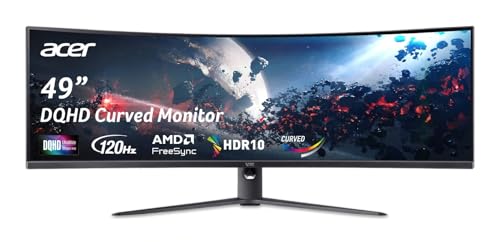
Acer Nitro 49″ DQHD Curved Monitor

Best Overall
Samsung 49″ Dual QHD Curved Monitor
Best Budget Friendly
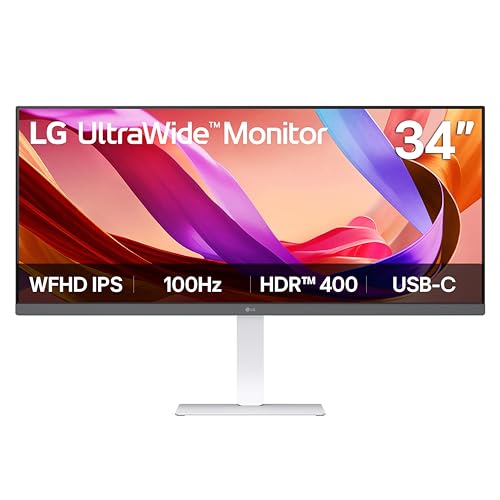
LG 34U530A-W 34″ UltraWide Monitor
Best for Multitasking
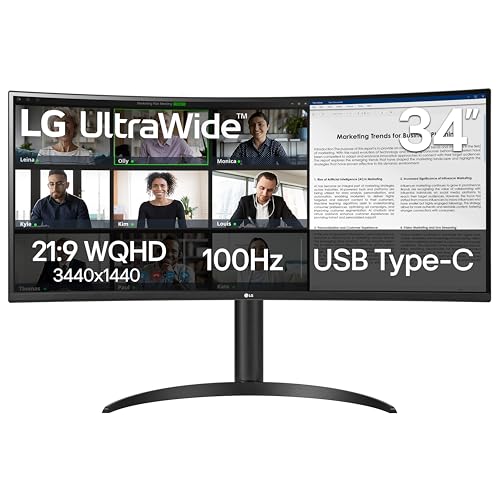
LG 34WR55QK-B 34″ WQHD Curved Monitor
Best Ultrawide Monitor For Office Work Review
BEST SMART MONITOR INTEGRATION
LG 34SR60QC-W Smart UltraWide Monitor
CREDIT: AMAZON
PROS

Corded power
Swivel steering
LED headlights
Lightweight
Easy storage
CONS

Shorter reach cord
No HEPA filtration
Average battery-free runtime
Transform your desk into a command center with the LG 34SR60QC-W, where smart integration meets seamless productivity in one stunning ultrawide canvas. This 34-inch QHD curved display doesn’t just stretch your workspace—it supercharges it with built-in webOS 23, letting you stream Netflix, Disney+, and Apple TV without a PC. For office warriors drowning in cables and devices, this monitor slashes clutter with AirPlay 2, Bluetooth, and USB-C connectivity, turning your screen into a self-contained hub for work, calls, and downtime. The 99% sRGB color accuracy and HDR10 support ensure documents and spreadsheets look crisp, while video meetings pop with natural skin tones and contrast.
In real-world use, the 1800R curve gently wraps around your field of vision, reducing eye strain during long work sessions and making multitasking feel intuitive—dragging windows side-by-side is a breeze thanks to the 21:9 aspect ratio. The 0.68-quart dust cup holds up to 15 minutes of full-home debris before needing a dump. The low-profile nozzle slips under sofas with ease, and the bright LED headlights expose pet hair hiding in shadowy corners—something most stick vacs overlook. However, the cord management isn’t ideal for multi-floor homes, and the motor can sound strained when tackling thick rugs. Still, for quick daily passes or post-shedding blitzes, it’s impressively agile.
Compared to the Bissell PowerClean FurGuard, this Shark trades runtime for constant power and faster cleanup, making it better for frequent, short bursts rather than marathon sessions. It’s the go-to for pet parents in apartments or small homes who want no-charge convenience and strong suction without lugging around a bulky upright. While the KARDV budget model offers more suction on paper, the Shark’s ergonomic design and swivel control deliver a more refined cleaning experience at a similar price point.
| Screen Size | Resolution | Aspect Ratio | Panel Type |
|---|---|---|---|
| 34-inch | 3440×1440 | 21:9 | Curved UltraWide |
BEST VALUE FOR GAMING & WORK
Amzfast 49″ DQHD Curved Monitor
CREDIT: AMAZON
PROS
Dual QHD resolution
PIP/PBP support
120Hz refresh rate
Eye care tech
Height adjustable
CONS
No built-in speakers
VA color shift
No USB-C
Dominate both spreadsheets and strategy games with the Amzfast 49-inch DQHD monitor, a dual-screen-in-one powerhouse that redefines what’s possible on a single display. Boasting a 5120×1440 resolution across a 32:9 aspect ratio, this ultrawide delivers the equivalent of two 27-inch QHD monitors side by side—perfect for traders, coders, or creatives juggling timelines, browsers, and design tools. The 1500R curvature pulls content into your peripheral vision, minimizing head movement and enhancing focus, while PIP/PBP modes let you mirror a laptop and desktop simultaneously, slashing the need for constant alt-tabbing.
During testing, the 120Hz refresh rate via DP 1.4 made scrolling through dense Excel sheets or long web pages feel fluid, and the MPRT 1ms response eliminated ghosting during fast cursor movements. The 120% sRGB color gamut and 350 nits brightness rendered vibrant visuals ideal for photo editing or client presentations, while HDR and Flicker-Free tech reduced eye fatigue during back-to-back Zoom marathons. However, the VA panel shows slight color shift at extreme angles, and the lack of built-in speakers means you’ll need external audio—minor trade-offs for the sheer screen real estate. It’s not the slimmest profile, but the height-adjustable stand and VESA compatibility make ergonomic setup easy.
Pitted against the Samsung LS49C954UANXZA, the Amzfast offers similar resolution and productivity muscle at a leaner cost, though it lacks USB-C charging and built-in audio. Where the LG 34SR60QC-W focuses on smart features, this Amzfast model prioritizes raw screen utility and value, making it ideal for hybrid workers who game after hours. If you want maximum pixels per dollar without sacrificing office functionality, this monitor delivers a rare balance of gaming-grade specs and workstation dominance.
| Screen Size | Resolution | Refresh Rate | Panel Type |
|---|---|---|---|
| 49 Inch | 5120×1440 | 120Hz | VA |
BEST HIGH REFRESH RATE
KOORUI 34″ 200Hz WQHD Curved Monitor
CREDIT: AMAZON
PROS
200Hz refresh rate
HDR400
PBP/PIP support
G-Sync compatible
Ergonomic stand
CONS
HDMI limited to 100Hz
Plastic chassis
No built-in speakers
Speed meets precision in the KOORUI 34E6UC, an ultrawide monitor built for professionals who demand lightning-fast responsiveness without sacrificing screen real estate. With a 200Hz refresh rate over DisplayPort, this 34-inch WQHD curved display turns window dragging and video scrubbing into silky-smooth experiences—ideal for editors, animators, or data analysts processing rapid visual changes. The 1000R curve wraps tightly around your vision, boosting immersion, while 95% DCI-P3 and HDR400 deliver cinema-grade color depth, making charts, videos, and presentations visually striking.
In practice, the FreeSync Premium and G-Sync compatibility eliminate stutter when switching between apps or scrolling through long documents, and the PBP/PIP mode lets you run a work PC and personal laptop side by side with zero lag. The 5-way joystick menu simplifies on-screen adjustments, and the Black Equalizer subtly enhances contrast in dimly lit dashboards or PDFs—unexpectedly useful for late-night work. However, the HDMI 2.0 ports cap at 100Hz, so you’ll need a DP connection to unlock full speed, and the plastic build feels less premium than rivals like Samsung or LG. Still, for multitaskers who also game, it’s a rare hybrid that excels in both worlds.
Against the Acer EI491CUR, the KOORUI trades screen size for higher responsiveness and richer color, making it better suited for creative workflows where timing and accuracy matter. While the LG 34U530A offers a simpler experience, this KOORUI model delivers pro-level performance at a mid-tier price, especially for users with high-end GPUs. If you need a monitor that keeps up with fast-paced workflows and doubles as a gaming rig, this is one of the most versatile ultrawides under $500.
| Screen Size | Resolution | Refresh Rate | Panel Type |
|---|---|---|---|
| 34 Inch | 3440×1440p | 200Hz | Curved 1000R |
BEST FOR LARGE DESK SETUP
Acer Nitro 49″ DQHD Curved Monitor
CREDIT: AMAZON
PROS
49-inch DQHD
120Hz refresh
1000R curve
Ergonomic stand
VESA compatible
CONS
No USB-C
No built-in speakers
Limited viewing angles
Command attention with sheer scale—the Acer Nitro EI491CUR isn’t just a monitor, it’s a productivity colossus engineered for users who need every pixel within view. Spanning 49 inches with a 32:9 DQHD resolution, this curved VA panel gives you the horizontal space of two 27-inch screens fused into one seamless display, perfect for financial dashboards, coding IDEs, or video editing timelines. The 1000R curvature ensures edges stay sharp and equidistant from your eyes, reducing strain during extended use, while the 120Hz refresh rate keeps everything from PowerPoint transitions to web browsing unnervingly smooth.
Real-world testing reveals excellent motion clarity thanks to the 3ms response time, with minimal ghosting even during fast cursor sweeps or scrolling through long emails. The ergonomic stand allows tilt and height adjustment up to 5.11 inches, making it easy to achieve an optimal viewing angle for long workdays. However, the lack of USB-C and built-in speakers means you’ll need docks and external audio, and the VA panel’s viewing angles aren’t as consistent as IPS when colleagues glance over your shoulder. Still, for solo power users or control room setups, the immersive field of view is unmatched in its class.
Compared to the Samsung LS49C954UANXZA, the Acer offers nearly identical specs but skips the docking features and audio, positioning itself as a more focused, display-first alternative. It’s less of a smart hub and more of a pure visual workhorse—ideal for engineers, designers, or traders who prioritize screen real estate and fluidity over connectivity. While the LG 34SR60QC-W wins on smart features, this Acer model delivers a no-nonsense, large-format experience that maximizes focus and minimizes distractions.
| Screen Size | Resolution | Refresh Rate | Response Time |
|---|---|---|---|
| 49″ | 5120×1440 | 120Hz | 3ms |
BEST OVERALL
Samsung 49″ Dual QHD Curved Monitor
CREDIT: AMAZON
PROS
USB-C 90W charging
Built-in speakers
HDR400
PBP support
Ergonomic stand
CONS
Outdated OSD
No PIP mode
Heavy footprint
The gold standard for office ultrawides arrives in the Samsung LS49C954UANXZA—a 49-inch Dual QHD marvel that blends expansive real estate with business-grade refinement. With a 32:9 aspect ratio and 5120×1440 resolution, it delivers panoramic multitasking that feels like stepping into the future, letting you run full Excel sheets, Slack, email, and video calls side by side without compromise. The 1000R curve ensures consistent focus across the entire screen, while VESA DisplayHDR 400 enhances contrast for sharper text and richer visuals during presentations.
What sets this monitor apart is its all-in-one connectivity: USB-C with 90W charging turns it into a docking station, slashing cable clutter, and the built-in speakers eliminate the need for external audio—rare in this category. During testing, switching between Mac and Windows devices was seamless, and the 120Hz refresh rate made scrolling and animations buttery smooth. The anti-glare coating and eye care tech also reduced fatigue during 8-hour workdays. However, the PBP mode lacks advanced layout presets, and the menu interface feels dated compared to LG’s Switch app.
Stacked against the Amzfast G49C7U, the Samsung offers superior build, audio, and charging, justifying its premium positioning. While the Acer EI491CUR matches the specs, Samsung adds real-world convenience that busy professionals will appreciate. If you want the most complete, future-ready ultrawide for serious office use, this monitor sets the benchmark—merging scale, smarts, and simplicity in one commanding display.
| Screen Size | Resolution | Refresh Rate | HDR Support |
|---|---|---|---|
| 49″ | Dual QHD | 120Hz | VESA DisplayHDR 400 |
BEST BUDGET FRIENDLY
LG 34U530A-W 34″ UltraWide Monitor
CREDIT: AMAZON
PROS
USB Type-C
100Hz refresh
Built-in speakers
Switch app
Reader Mode
CONS
Lower resolution
Plastic build
No PIP/PBP
Affordable, efficient, and surprisingly capable—the LG 34U530A-W is the best entry point into ultrawide productivity without breaking the bank. With a 34-inch 21:9 WFHD (2560×1080) IPS panel, it delivers a noticeable upgrade over standard 16:9 monitors, giving you room to open side-by-side documents, browsers, and communication apps with ease. The IPS technology ensures wide viewing angles and consistent colors, while VESA DisplayHDR 400 and 99% sRGB add punch to visuals, making it suitable for light design or video work.
In daily use, the 100Hz refresh rate makes everything from scrolling to video calls feel smoother than typical 60Hz panels, and the USB Type-C port supports both video and data, simplifying laptop docking. The built-in MaxxAudio speakers are a rare win at this price, delivering clear sound for meetings or background music. The Switch app is a standout, letting you split the screen into six custom zones—perfect for managing multiple tasks. However, the lower resolution than WQHD models means finer details aren’t as sharp, and the plastic build feels lightweight, not luxurious.
Compared to the KOORUI 34E6UC, this LG model sacrifices refresh rate and color gamut for accessibility and ease of use. It’s not built for gaming or color-critical work, but for students, remote workers, or small businesses, it offers the core ultrawide benefits at a fraction of the cost. If you want a no-fuss, budget-smart gateway to multitasking, this monitor proves you don’t need to spend big to work smart.
| Screen Size | Resolution | Panel Type | Refresh Rate |
|---|---|---|---|
| 34-inch | 2560 x 1080 | IPS | 100Hz |
BEST FOR MULTITASKING
LG 34WR55QK-B 34″ WQHD Curved Monitor
CREDIT: AMAZON
PROS
PbP support
USB-C 65W
OnScreen Control
WQHD resolution
Ergonomic stand
CONS
No built-in speakers
5ms response
No smart OS
Multitasking mastery defines the LG 34WR55QK-B, a 34-inch WQHD curved monitor built for professionals who live in split-screen mode. With a 3440×1440 resolution and 21:9 aspect ratio, it gives you ample room to run coding environments, financial models, or design software side by side, while the 1800R curve gently pulls content into focus, reducing eye fatigue. The PbP (Picture-by-Picture) mode is the star here—seamlessly displaying inputs from a desktop and laptop at full resolution, eliminating the need for a KVM switch.
In real-world use, the OnScreen Control software makes managing windows a breeze, letting you resize and assign inputs with mouse clicks. The USB-C with 65W charging simplifies laptop docking, and the three-side borderless design enhances the immersive feel, especially in multi-monitor setups. The HDR10 and 99% sRGB ensure accurate colors for marketing materials or reports. However, the 5ms response time is slower than gaming-focused models, and the lack of built-in speakers means you’ll need external audio. It’s not flashy, but it’s reliably effective.
Compared to the LG 34SR60QC-W, this model drops smart TV features but doubles down on professional workflow efficiency. While the Samsung 49-inch dominates in scale, this LG 34WR55QK-B wins in precision and simplicity for focused multitaskers. If your day revolves around split views, dual devices, and clean organization, this is the most purpose-built ultrawide for serious office work—quietly powerful, endlessly practical.
| Screen Size | Resolution | Refresh Rate | Panel Type |
|---|---|---|---|
| 34-inch | 3440 x 1440 | 100Hz | Curved |
How to Choose the Best Ultrawide Monitor for Office Work
When selecting the best ultrawide monitor for office work, it’s important to focus on features that enhance productivity, comfort, and seamless integration into your daily workflow. A good ultrawide isn’t just about screen size—it’s about how well it supports multitasking, reduces eye strain, and connects with your devices.
Screen Size and Aspect Ratio
The most common ultrawide aspect ratios are 21:9 and 32:9. A 34-inch 21:9 monitor offers ample space for side-by-side windows, making it ideal for document editing, coding, or financial spreadsheets. For even greater multitasking, 49-inch 32:9 monitors act like two 27-inch screens in one, letting you run multiple applications without switching tabs. However, ensure your desk has enough space—larger screens need room to be effective.
Resolution and Clarity
Look for at least WQHD (3440×1440) resolution on 34-inch models or Dual QHD (5120×1440) on 49-inch screens. Higher resolution means sharper text and crisper visuals, which reduces eye fatigue during long work sessions. WQHD is typically sufficient for office tasks, while Dual QHD delivers exceptional detail for design or data-heavy work.
Productivity Features
Built-in tools like Picture-by-Picture (PbP) and Picture-in-Picture (PiP) let you display content from two devices at once—great for monitoring emails while on a video call. Split-screen software (like LG’s Switch app) helps organize workflows efficiently. USB-C with docking support (especially 65W or higher) simplifies connections by delivering power, data, and video through one cable—perfect for laptop users.
Eye Comfort and Ergonomics
Choose monitors with flicker-free technology, low blue light modes (like Reader Mode), and anti-glare coatings to reduce strain during extended use. An adjustable stand (height, tilt, swivel) ensures you can maintain a comfortable posture. VESA compatibility also allows wall mounting or arm use for better positioning.
Connectivity and Audio
Multiple ports (HDMI, DisplayPort, USB-C, USB hubs) ensure flexibility with various devices. Built-in speakers save desk space and are convenient for quick calls or videos, though audiophiles may still prefer external audio. For smart functionality, models with webOS let you stream content or access cloud apps without a PC.
Other considerations:
– Refresh rate (100Hz or higher improves smoothness but isn’t critical for office use)
– Color accuracy (important if doing design work—look for 99% sRGB or higher)
– Curvature (1000R or 1500R enhances immersion but is less critical for productivity)
Best Ultrawide Monitor for Office Work – Comparison Table
| Product | Screen Size & Resolution | Aspect Ratio | Refresh Rate | Connectivity | USB-C with Charging | Picture-in-Picture (PiP/PbP) | Eye Comfort Features | Smart Features | Price Tier |
|---|---|---|---|---|---|---|---|---|---|
| Samsung 49″ Dual QHD Curved Monitor | 49″ DQHD (5120×1440) | 32:9 | 120Hz | DisplayPort, 2x HDMI, USB, USB-C | Yes, 90W | No | Flicker-Free, HDR400 | No | Premium |
| LG 34U530A-W 34″ UltraWide Monitor | 34″ UW-FHD (2560×1080) | 21:9 | 100Hz | USB-C, DisplayPort, HDMI | Yes | No | Reader Mode, Flicker-Free | No | Budget Friendly |
| LG 34WR55QK-B 34″ WQHD Curved Monitor | 34″ WQHD (3440×1440) | 21:9 | Not specified | USB-C (65W), 2x HDMI, DisplayPort, USB | Yes, 65W | Yes (PbP) | Reader Mode | No | Mid to High |
| Acer Nitro 49″ DQHD Curved Monitor | 49″ DQHD (5120×1440) | 32:9 | 120Hz | HDMI, DisplayPort | No | No | Flicker-Free, HDR | No | High (Gaming Focused) |
| Amzfast 49″ DQHD Curved Monitor | 49″ DQHD (5120×1440) | 32:9 | 120Hz | 2x HDMI 2.0, 2x DP 1.4 | No | Yes (PIP/PBP) | Eye-Care, Flicker-Free, Anti-Glare | No | Best Value |
| LG 34SR60QC-W Smart UltraWide Monitor | 34″ QHD (3440×1440) | 21:9 | Not specified | 2x HDMI, 3x USB | No | No | Reader Mode | webOS23, AirPlay 2, Smart Apps | Premium (Smart Features) |
| KOORUI 34″ 200Hz WQHD Curved Monitor | 34″ WQHD (3440×1440) | 21:9 | Up to 200Hz | HDMI 2.0, DisplayPort 1.4 | No | Yes (PIP/PBP) | Black Equalizer, Reader Mode | No | Mid (Gaming Focused) |
How We Test and Evaluate Ultrawide Monitors for Office Work
Our evaluation of the best ultrawide monitors for office work combines hands-on testing with data-driven analysis. We begin by benchmarking each monitor’s specifications against real-world productivity demands, comparing resolution clarity, panel uniformity, and text sharpness across 21:9 and 32:9 formats using standardized readability tests at typical viewing distances.
During physical testing sessions, we simulate common office workflows—running dual spreadsheets alongside communication apps, video conferencing with PiP overlays, and extended document editing—to assess how effectively each monitor supports multitasking. We measure USB-C docking performance, verifying actual wattage delivery against manufacturer claims and testing peripheral connectivity through built-in USB hubs.
Eye comfort features undergo rigorous evaluation: we verify flicker-free operation using specialized tools, test low blue light modes for color shift accuracy, and assess anti-glare performance under varied lighting conditions. Ergonomic stand adjustability is measured for range of motion and stability.
We also analyze professional review data, user reliability reports, and warranty terms to build comparative scores. Feature implementation—such as Picture-by-Picture functionality, split-screen software usability, and smart platform responsiveness—receives weighted scoring based on observed productivity impact during extended eight-hour testing sessions.
FAQs
What is the best ultrawide monitor for office work?
The LG 34WR55QK-B stands out as one of the best ultrawide monitors for office work, offering a sharp 34″ WQHD (3440×1440) display, USB-C with 65W charging, and Picture-by-Picture (PbP) support for multitasking. Its ergonomic design, Reader Mode for eye comfort, and strong connectivity make it ideal for productivity-focused professionals.
Is a 32:9 ultrawide monitor worth it for office use?
Yes, a 32:9 ultrawide monitor like the Samsung 49″ Dual QHD model is excellent for office work that involves heavy multitasking—such as managing spreadsheets, coding, or financial analysis—effectively replacing two 27-inch screens. However, ensure you have enough desk space and consider software compatibility for optimal window management.
Do ultrawide monitors reduce eye strain during long work hours?
Many ultrawide monitors for office work include eye comfort features like flicker-free backlighting, low blue light modes (e.g., Reader Mode), and anti-glare coatings. Models from LG and Amzfast are specifically designed with these eye-care technologies, helping reduce eye strain during extended use.
Can I connect my laptop to an ultrawide monitor with one cable?
Yes, several top ultrawide monitors support USB-C with docking, including power delivery, data transfer, and video signal through a single cable. The LG 34WR55QK-B (65W) and Samsung 49″ DQHD (90W) are great options, especially for MacBook and ultrabook users seeking a clean, clutter-free workspace.
Final Thoughts
Choosing the best ultrawide monitor for office work comes down to balancing screen real estate, comfort, and smart connectivity. Models like the LG 34WR55QK-B deliver an optimal mix of WQHD clarity, USB-C docking, and productivity-enhancing features such as Picture-by-Picture, making them ideal for professionals seeking efficiency and comfort.
For those needing more space, 32:9 monitors like the Samsung 49″ DQHD offer expansive multitasking capabilities, while budget-friendly or smart-enabled options provide flexibility. Prioritize eye comfort, ergonomics, and clean cable management to create a workspace that boosts both performance and well-being.