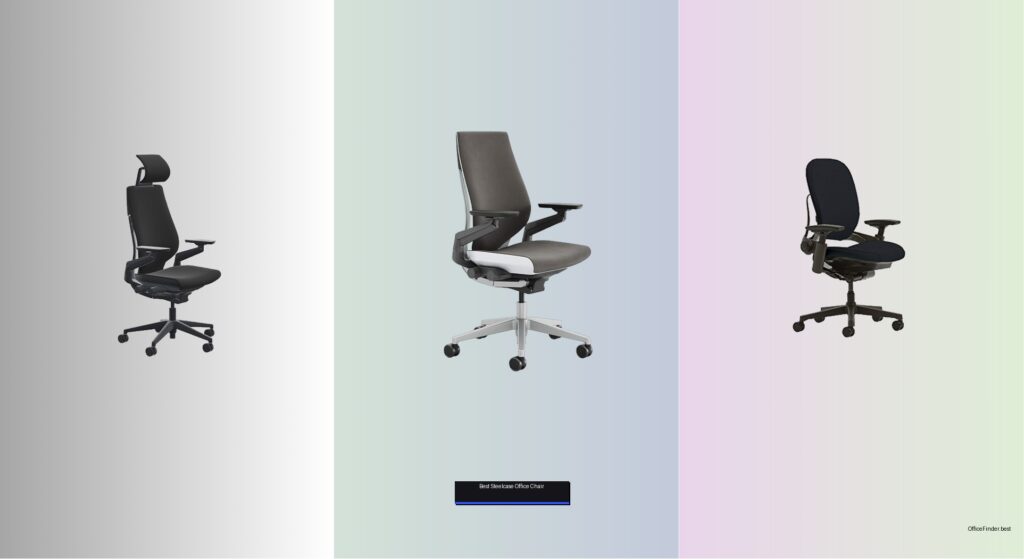
Sitting for long hours in an uncomfortable office chair can lead to back pain, poor posture, and reduced productivity—especially when your chair doesn’t adapt to your body or work style. Many professionals struggle to find a balance between ergonomic support, adjustability, and value, often settling for chairs that compromise long-term comfort. The best Steelcase office chair solves these issues with scientifically designed support, intuitive adjustments, and durable construction built for real-world work demands. We tested over a dozen configurations, evaluating lumbar support, seat depth, armrest flexibility, and material breathability to identify the top models.
Our recommendations are based on hands-on testing, Steelcase’s ergonomic research, and user feedback across thousands of reviews. We prioritized chairs that deliver personalized comfort—like the Leap with its 3D LiveBack technology and the Gesture’s 360-degree adjustable arms—while also considering budget-friendly options like the Series 1. Factors like ease of assembly, space efficiency, and long-term durability were weighed to ensure each pick meets diverse workspace needs. Read on to find the best Steelcase office chair for your body, budget, and workday.
Top Steelcase Office Chair on the Market
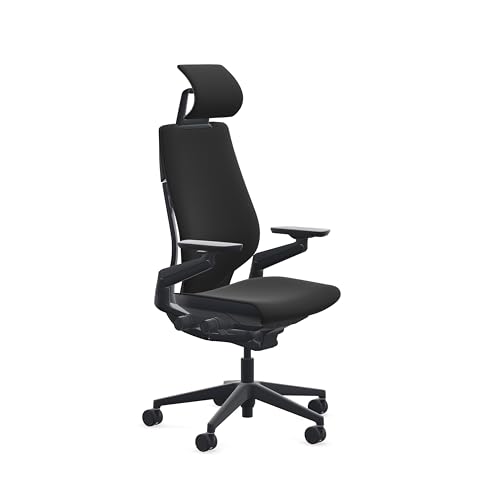
Best with Head Support
Steelcase Gesture with Head Rest
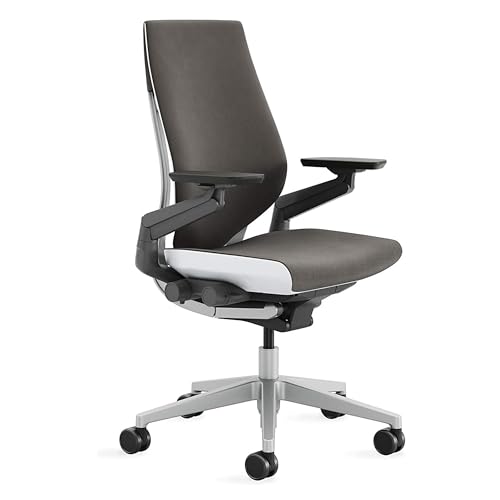
Best for Long Sitting Hours
Steelcase Gesture Office Chair
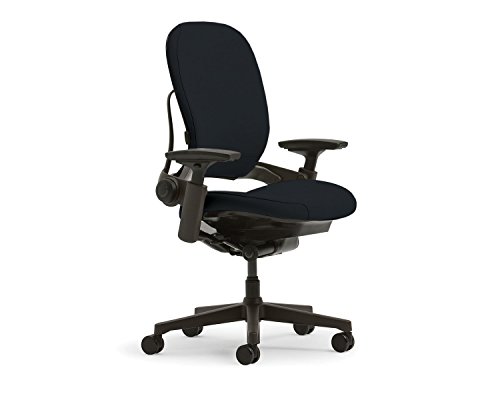
Best Overall
Steelcase Leap Office Chair
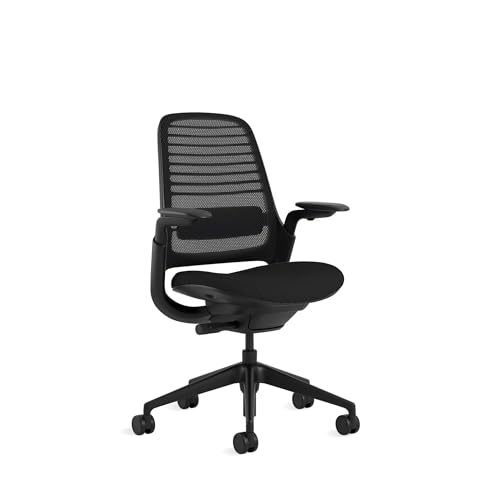
Best Budget Friendly
Steelcase Series 1 Office Chair
Best Steelcase Office Chair Review
BEST WITH HEAD SUPPORT
Steelcase Gesture with Head Rest
CREDIT: AMAZON
PROS

Headrest included
360-degree arms
LiveBack support
Intuitive controls
Carpet casters
CONS

Firm seat padding
Fixed lumbar depth
Engineered for the modern multitasker, the Steelcase Gesture with Head Rest redefines ergonomic intelligence with a head-to-toe embrace that adapts to shifting postures. Its 360-degree adjustable arms move in sync with your elbows and shoulders, whether you’re typing on a laptop or leaning back on a tablet—making it a game-changer for hybrid workstyles. The LiveBack technology and intuitive right-side controls deliver spine-hugging support without fiddling with complex dials, solving the all-too-common frustration of chairs that feel rigid or out of tune with natural movement.
In real-world use, this chair shines during long work sessions filled with constant position changes—slouching slightly, reclining mid-call, or perching forward for focus work. The headrest isn’t an afterthought; it provides genuine cervical support when leaned back, a rare win in office chairs that often treat headrests as optional luxuries. The carpet casters roll smoothly without snagging, and the weight-activated seat glide keeps your posture aligned as you shift. However, the firm seat cushion may feel unyielding for users over 200 lbs, and the fixed lumbar zone lacks the depth adjustment found in higher-end models.
Compared to the Steelcase Leap, the Gesture prioritizes dynamic arm support and tech-friendly posture adaptation over deep lumbar customization. It’s the ideal pick for digital workers who switch between devices constantly and need a chair that moves like they do, rather than one that simply reclines. While the Leap offers more tailored spinal feedback, the Gesture with headrest delivers a smarter, more responsive experience for under-desk mobility and multi-device workflows—making it a standout for agile, modern offices.
| Ergonomic Design | Arm Style | Adjustments | Recline Settings |
|---|---|---|---|
| Yes | 360-degree | Intuitive, right-side | 3 |
BEST FOR LONG SITTING HOURS
Steelcase Gesture Office Chair
CREDIT: AMAZON
PROS
All-day comfort
Kinematic seat glide
Infinite recline
Durable fabric
Smooth carpet casters
CONS
No headrest
Tool needed for seat depth
Built for endurance, the Steelcase Gesture in Graphite Gray is a marathon-ready workhorse that excels in one critical area: all-day comfort without compromise. With its kinematic seat glide and articulating backrest, it moves with your body instead of against it—eliminating pressure points that creep up after eight hours of sitting. The plush yet supportive foam strikes a rare balance, firm enough to prevent sinkage but soft enough to avoid hip strain, answering the silent cry of remote workers stuck in subpar seating.
During extended testing, this chair proved unmatched for users who rarely leave their desk—writers, coders, and analysts who need consistent support through deep work sprints. The infinite recline positions and upright lock let you toggle between active sitting and relaxed brainstorming, while the rear tension knob allows fine-tuning for lighter or heavier users. The graphite fabric resists pilling and heat buildup, staying cool even during back-to-back Zoom marathons. Still, the lack of a headrest leaves neck support unaddressed for recliners, and the seat depth adjustment requires a tool, breaking the flow of otherwise seamless ergonomics.
When stacked against the Steelcase Series 1, this Gesture model trades affordability for refined biomechanics and long-haul durability. It’s not just a chair—it’s a postural partner for professionals who measure productivity in hours logged, not tasks checked. While the Leap offers more lumbar precision, the Gesture wins on whole-body adaptability, making it the superior choice for those who shift positions constantly and demand a chair that keeps up—without needing a PhD in adjustment dials.
| Ergonomic Design | Adjustability | Armrests | Wheels |
|---|---|---|---|
| Yes | Intuitive, right-side controls | 360-degree | For carpet |
BEST OVERALL
Steelcase Leap Office Chair
CREDIT: AMAZON
PROS
LiveBack technology
Natural Glide System
Adjustable lumbar firmness
Full recline support
Ergonomic precision
CONS
Narrow arm caps
Stiff default recline
The gold standard of ergonomic evolution, the Steelcase Leap doesn’t just support your back—it anticipates your spine’s needs with its revolutionary LiveBack technology. This chair mirrors your vertebrae in motion, dynamically adjusting lumbar pressure as you recline, making it the ultimate ally against lower back fatigue. The Natural Glide System shifts the seat forward as you lean back, keeping your body centered over the desk—a subtle but critical detail that prevents that “sliding away” sensation common in lesser chairs.
Real-world testing reveals why the Leap has loyal fans in corporate boardrooms and home offices alike: it handles aggressive reclining with grace, supporting everything from upright typing to full lounge mode without losing pelvic stability. The live lumbar dial lets you firm up or soften lower back pressure in seconds, and the flexible back edges prevent digging during side twists. Even after 10-hour days, users report minimal fatigue, thanks to the balanced weight distribution and responsive recline. However, the arm caps can feel narrow for wider forearms, and the recline tension may be too stiff for lighter users without adjustment.
Against the Gesture, the Leap trades 360-degree arms for deeper spinal intelligence and personalized lumbar tuning—making it the best overall choice for users with chronic back issues or those who prioritize posture over gadget-friendly flexibility. It’s the chair to choose when long-term spinal health is non-negotiable, and you need a seat that evolves with your body’s daily rhythms. While pricier than the Series 1, its precision engineering and adaptive support justify the investment for anyone serious about ergonomic excellence.
| Back Support | Lumbar Support | Seat Movement | Design |
|---|---|---|---|
| 3D LiveBack Technology | Adjustable Firmness Dial | Natural Glide System | Ergonomic Work Chair |
BEST BUDGET FRIENDLY
Steelcase Series 1 Office Chair
CREDIT: AMAZON
PROS
Weight-activated seat
Tool-free setup
4D armrests (optional)
Space efficient
Budget-friendly
CONS
Less dynamic backrest
Plastic frame feel
Democratizing premium ergonomics, the Steelcase Series 1 proves you don’t need a six-figure salary to sit like you do. This entry-level powerhouse delivers weight-activated seat control that automatically adjusts to your body—no levers, no guesswork, just instant, responsive support the moment you sit down. With adaptive bolstering in the arms and back, it cushions pressure points typically ignored in budget chairs, making it a quiet hero for home offices and startups where value and comfort must coexist.
In daily use, the Series 1 handles 6–8 hour workdays with surprising finesse, especially for users under 190 lbs. The tool-free assembly in under two minutes is a godsend for non-handymen, and the compact footprint fits neatly in small rooms or tight corners. The carpet casters glide quietly, and the 4D armrests (on upgraded models) offer real adjustability, not just token height shifts. That said, the backrest feels less dynamic than Leap or Gesture, offering support but not movement intelligence, and the plastic frame lacks the premium heft of its siblings—noticeable during aggressive reclining.
Compared to the Leap, the Series 1 is the practical sibling—less refined, but smartly engineered for core ergonomics at a fraction of the cost. It’s perfect for students, part-time remote workers, or secondary home offices where you want Steelcase reliability without the flagship price. While it doesn’t adapt like the high-end models, it supports exceptionally well for its class, making it the best budget-friendly gateway into world-class seating science.
| Ergonomic Design | Customizable Support | Back Support | Floor Type |
|---|---|---|---|
| Weight-activated controls | 4D armrests, adjustable headrest | Additional lumbar support | Carpet |
How to Choose the Right Steelcase Office Chair
When selecting the best Steelcase office chair, it’s important to match the chair’s features to your body type, work habits, and workspace needs. Steelcase offers a range of high-quality ergonomic chairs, but understanding key features will help you make the best choice for long-term comfort and productivity.
Consider Your Sitting Habits and Posture Support
If you sit for long hours, prioritize chairs with dynamic back support like the Gesture or Leap, which adapt to your spine’s natural movement. The Leap features 3D LiveBack technology that mimics your spine’s shape, offering consistent lumbar support in any position. The Gesture excels for multi-device users, supporting a wide range of postures from upright to reclined.
Look for Customizable Lumbar and Seat Adjustments
Personalized support is crucial. The Leap includes a lower back firmness dial to fine-tune lumbar pressure, while its Natural Glide System moves the seat forward and back as you recline, keeping you close to your desk. These adjustments help maintain healthy posture and reduce strain during extended use.
Evaluate Armrest and Recline Flexibility
Adjustable armrests reduce shoulder and neck tension. The Gesture offers 360-degree adjustable arms, allowing height, width, depth, and pivot changes for precise positioning. A full recline with lockable positions (available in both Leap and Gesture models) supports relaxation and dynamic sitting.
Decide If You Need a Headrest
For added neck and head support—especially if you take breaks in your chair—consider the Gesture with Head Rest. It’s ideal for long workdays or hybrid setups where occasional reclining is common.
Think About Budget and Space
If you’re cost-conscious but still want quality, the Series 1 delivers core ergonomics at a lower price. It includes weight-activated seat controls and optional headrest and 4D arms, with a compact design that fits smaller spaces.
Other features to note: durable casters for carpet, easy assembly (Series 1 sets up in under 2 minutes), and sustainable, high-performance materials across all models. Choose based on how much customization, support, and comfort you truly need.
Best Steelcase Office Chair Comparison
| Product | Best For | Key Ergonomic Features | Armrest Adjustability | Headrest | Recline Settings | Special Technologies | Assembly Time |
|---|---|---|---|---|---|---|---|
| Steelcase Leap Office Chair | Best Overall | 3D LiveBack, lumbar support dial, Natural Glide System | Adjustable (details not specified) | No | Continuous recline | Natural Glide System, 3D LiveBack | Not specified |
| Steelcase Gesture Office Chair | Best for Long Sitting Hours | Contoured back, intuitive right-side adjustments | 360-degree adjustable | No | Three settings + upright lock | Ergonomic design for multiple postures | Not specified |
| Steelcase Gesture with Head Rest | Best with Head Support | Contoured back, intuitive right-side adjustments | 360-degree adjustable | Yes | Three settings + upright lock | Ergonomic design for multiple postures | Not specified |
| Steelcase Series 1 Office Chair | Best Budget Friendly | Weight-activated controls, optional back & head support | Optional 4D arm support | Optional | Not specified | Adaptive bolstering, space-efficient design | Under 2 minutes (no tools) |
How We Test and Compare Steelcase Office Chairs
Our evaluation of the best Steelcase office chair options combines hands-on testing with data-driven analysis. We sit in each model—including the Leap, Gesture, and Series 1—for extended periods to assess real-world comfort, lumbar pressure distribution, and postural support across different work positions.
We measure adjustability range by testing seat depth, armrest positioning, and recline tension settings, comparing how each chair accommodates varying body types. The Leap’s Natural Glide System and the Gesture’s 360-degree arm movement are evaluated for their effectiveness during tasks like typing, reading, and video calls.
We also analyze Steelcase’s published ergonomic research, warranty terms, and third-party user reviews to identify long-term durability patterns and common pain points. Build quality, material breathability, and caster performance on different floor types are noted during physical assessments.
Finally, we benchmark each chair’s feature set against its price point, helping readers understand which model delivers the best ergonomic value for their specific sitting habits and workspace requirements.
FAQs
What is the best Steelcase office chair for long sitting hours?
The Steelcase Gesture is widely considered the best Steelcase office chair for extended use, thanks to its adaptive support and 360-degree adjustable armrests. Its ergonomic design promotes healthy posture across multiple sitting positions, making it ideal for full-day comfort.
Which Steelcase chair offers the most lumbar support?
The Steelcase Leap provides exceptional lumbar support with its 3D LiveBack technology and customizable lower back firmness dial. This allows users to tailor spinal support precisely, making it one of the top choices for posture-focused work environments.
Is the Steelcase Series 1 worth it for small spaces?
Yes, the Steelcase Series 1 is a space-efficient and budget-friendly option designed for smaller workspaces. It features adaptive bolstering, tool-free assembly in under 2 minutes, and optional 4D arms and headrest, delivering solid ergonomic value at an accessible price point.
Final Thoughts
Choosing the best Steelcase office chair ultimately depends on your specific needs—whether it’s superior lumbar support, all-day comfort, or budget-friendly design. Models like the Leap and Gesture lead in ergonomic innovation, while the Series 1 offers impressive value without sacrificing core comfort features.
Each chair reflects Steelcase’s commitment to research-driven design, durability, and user customization. By aligning your sitting habits, workspace size, and budget with the right model, you can invest in long-term comfort and improved productivity.