Is your office chair dragging across the floor or leaving scratches on your hardwood? The culprit is likely worn-out casters. Over time, office chair wheels collect dust, hair, and grime, or simply degrade from daily use. The good news? Learning how to replace office chair wheels is a fast, affordable fix that takes under 10 minutes and requires no special skills. With just a few common tools, you can restore smooth rolling, protect your floors, and extend your chair’s life.
In this guide, you’ll discover the exact steps to remove stuck casters, choose the right replacements, install new wheels without damaging your chair, and avoid the most common mistakes. We’ll also show you when cleaning might save you a replacement, how to match caster specs perfectly, and why upgrading to premium wheels can improve comfort and durability.
Signs Your Chair Wheels Need Replacing
Chair Drags or Won’t Roll
If your chair resists movement or only rolls in one direction, the casters are likely clogged with debris or worn out. Carpet fibers and dust can jam the wheel mechanism, making it stiff or immobile. Try cleaning first—but if the problem persists, replacement is the best solution.
Scratches Appear on Hard Floors
Hard plastic wheels can gouge or mark hardwood, bamboo, or tile. If you see scuff marks under your chair, switch to soft rubber or TPR (thermoplastic rubber) casters. These non-marking wheels roll smoothly and protect delicate flooring.
Chair Feels Wobbly or Uneven
A shaky or lopsided chair often means one or more casters aren’t seated properly or are damaged. Replacing all wheels at once ensures even support and stable swivel action.
You’re Pushing Too Hard to Move
Struggling to shift position? Worn wheels increase resistance, forcing you to use your legs or arms to move. This can lead to back strain and poor posture. Fresh casters reduce effort and improve ergonomics.
Clean the Wheels Before Replacing
Try Cleaning First to Save Time and Money
Before buying new casters, remove and clean the existing ones. Many mobility issues are caused by trapped hair and dust. To clean:
– Pull the caster out using hand pressure or pliers
– Cut away tangled threads with scissors
– Wipe the stem and socket with a damp cloth
– Reinsert and test
This simple step can restore full function—no replacement needed.
When Cleaning Isn’t Enough
If wheels still stick, wobble, or show cracks, flat spots, or broken stems, replacement is necessary. A worn grip ring or damaged internal mechanism won’t function properly, even after cleaning.
Tools You’ll Need for Caster Replacement
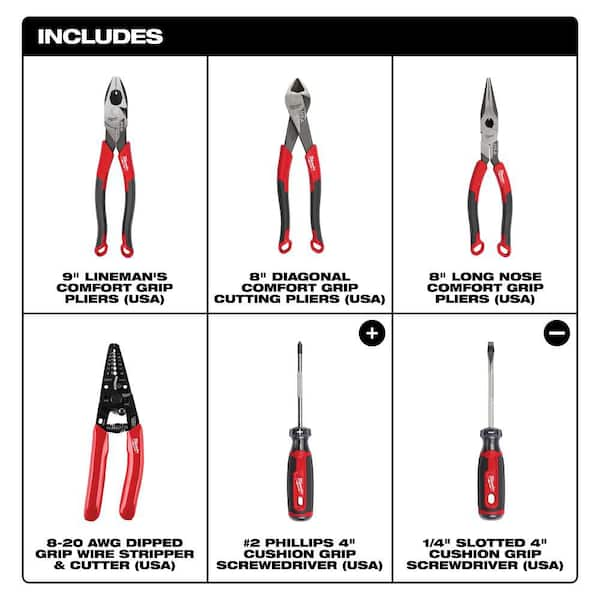
Basic Household Tools
You don’t need a full toolkit—just a few items you likely already own:
• Flathead screwdriver – for prying out stuck casters
• Needle-nose pliers – to grip and pull tight-fitting wheels
• Rubber mallet – for tapping new casters into place (never use metal)
• Damp cloth – for cleaning sockets and stems
• Lubricant (e.g., WD-40) – optional, to ease installation
Safety Tips When Using Tools
• Never use a metal hammer on plastic casters—this can crack the stem or chair base
• Apply gradual pressure—forcing parts can break plastic sockets
• Work on a flat, stable surface to prevent tipping when the chair is upside down
Choose the Right Replacement Casters

Match the Stem Type: 7/16″ Grip Ring
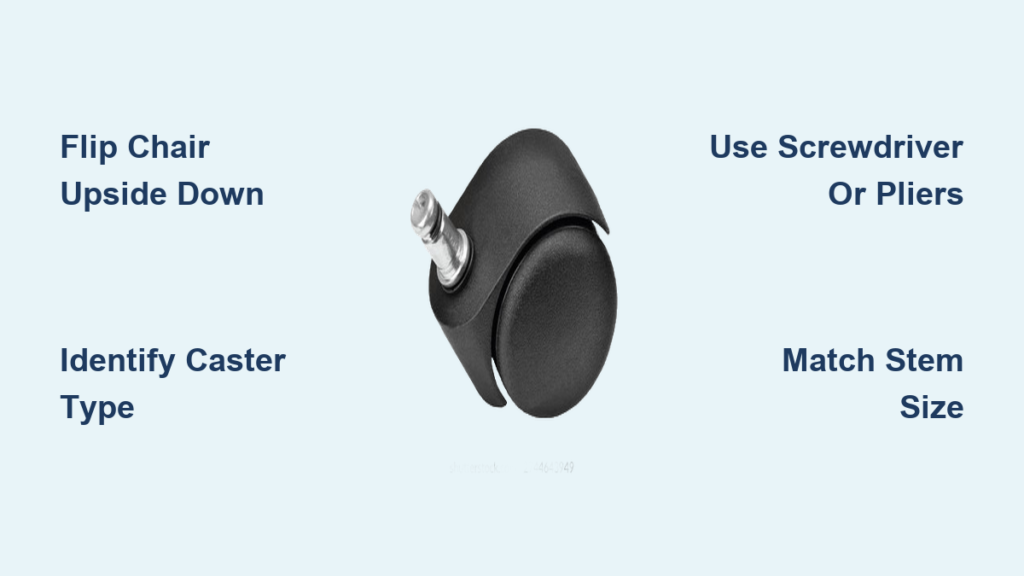
Most office chairs use a 7/16″ grip ring stem. This spring-loaded ring expands inside the chair leg to lock the caster in place. Confirm your chair uses this standard before purchasing replacements.
Check Stem Length and Strut Width
• Stem length: Typically 7/8″ to 1″
• Cylinder strut width: Must match your chair’s socket exactly
A mismatched width is a leading cause of wobbling or falling-out wheels.
Pick the Right Wheel Material for Your Floor
| Floor Type | Recommended Wheel |
|---|---|
| Hardwood, Tile, Laminate | Soft rubber or TPR (non-marking) |
| Carpet | Hard plastic or dual-wheel casters |
| Mixed Surfaces | All-surface or hybrid casters |
Soft rubber wheels protect floors and reduce noise. Hard plastic lasts longer on carpet but can scratch hard floors.
Upgrade to Premium Casters for Better Performance
Consider high-quality wheels with:
• Sealed bearings – resist dust and debris
• Thread guards – prevent hair buildup
• Heat-treated raceways – handle heavier loads and last longer
• Chrome-plated stems – resist corrosion and improve grip
These upgrades enhance durability, rolling smoothness, and floor protection.
Remove Old Chair Wheels
Flip the Chair Upside Down
Position the chair on a flat surface with the base facing up. This gives full access to the casters. If the chair is heavy, lay it on its side instead.
Method 1: Pull Out by Hand
Grasp the wheel firmly and pull straight down with steady pressure. Wiggle slightly side to side if stuck. Most casters come out easily this way.
Method 2: Use a Flathead Screwdriver
If the caster won’t budge:
1. Insert the screwdriver between the caster top and chair base
2. Gently pry upward to create leverage
3. Apply steady pressure until the grip ring releases
Work slowly—plastic sockets can crack if forced.
Method 3: Needle-Nose Pliers for Stubborn Wheels
For tight fits:
1. Grip the base of the caster stem with pliers
2. Push against the chair leg to lever the caster out
3. Pull straight down while applying pressure
Avoid squeezing too hard—this can crush the plastic stem.
Troubleshooting Stuck Casters
• Debris buildup: Clean the socket with a screwdriver first
• Corrosion or dried residue: Spray a little WD-40 around the stem to loosen
• Worn locking ring: If damaged, the caster may be fused—use extra leverage
Prepare the Socket for New Wheels
Clean the Mounting Hole
After removal, inspect the socket. Use a damp cloth and screwdriver to remove dust, hair, or old lubricant. A clean socket ensures a secure fit for the new caster.
Lubricate for Easier Installation
Apply a small amount of WD-40 or silicone spray inside the socket. New grip rings are fully expanded and tighter than used ones—lubrication helps them slide in.
Don’t over-lubricate—excess oil attracts dirt and causes future buildup.
Install New Office Chair Wheels
Align the Caster Correctly
Hold the new wheel so the tread faces the correct direction (usually perpendicular to the leg). Ensure the cylinder width matches the original—this prevents wobbling or falling out.
Push In by Hand First
Insert the stem straight into the socket. Apply even pressure until you feel the grip ring snap into place. You may hear a slight click when fully seated.
Tap Gently with a Rubber Mallet
If resistance is high:
• Use a rubber mallet to tap the back of the raceway
• Tap evenly until the caster is flush with the base
• Never strike the plastic stem directly
The grip ring compresses as it enters, then expands to lock in place.
Avoid Common Installation Mistakes
• Forcing with metal tools – can crack the base
• Using mismatched casters – leads to instability
• Incomplete seating – caster may fall out later
Test the Chair After Installation
Check for Flush Seating
Inspect each caster. All should sit level and flush with the chair base. If one sticks out, tap it gently until fully seated.
Test Rolling and Swivel Motion
Flip the chair upright and:
• Spin the base to check smooth swivel action
• Push the chair in all directions
• Listen for grinding, clicking, or resistance
All wheels should roll freely and quietly.
Confirm Stability Under Weight
Sit in the chair and shift your weight. The chair should move smoothly without wobbling. If it feels uneven, recheck that all casters are properly installed and identical.
Pro Tips for Long-Lasting Caster Performance
Replace All Wheels at Once
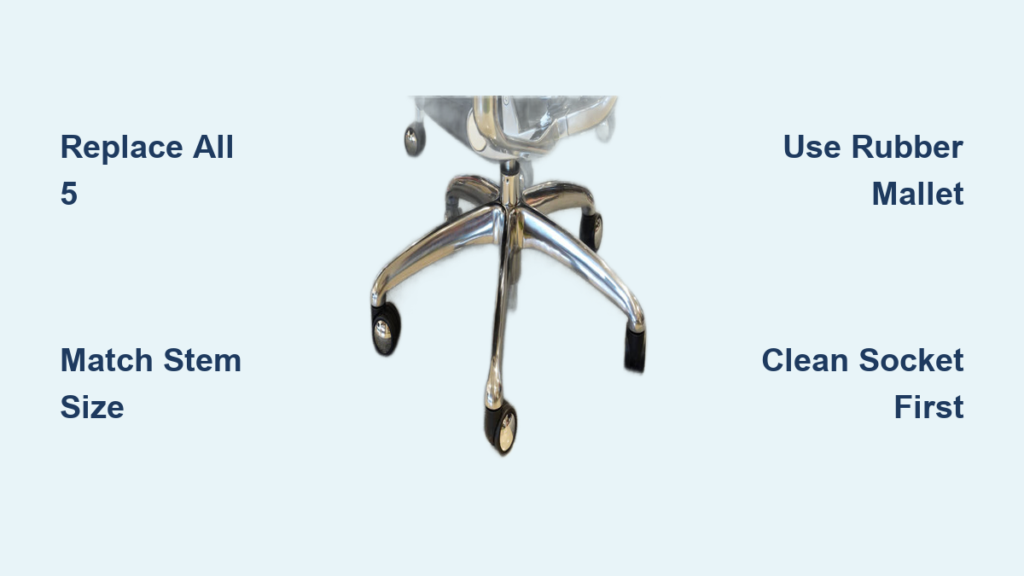
Even if only one is bad, replace all five. Mixing old and new casters causes uneven wear, poor rolling, and premature failure.
Keep Spare Casters On Hand
Buy an extra set and store them in your desk drawer. When a wheel fails, you can replace it in under 2 minutes—no downtime.
Choose Floor-Friendly Wheels
For hardwood, tile, or laminate, use TPR or soft rubber casters. They’re non-marking, quiet, and protect your floors.
Clean Casters Regularly
Every 3–6 months:
• Remove wheels and cut away hair buildup
• Wipe stems and sockets with a damp cloth
• Reinstall and test
Regular maintenance prevents stiffness and extends caster life.
Troubleshoot Common Caster Issues
Caster Won’t Come Out
• Cause: Debris or corrosion
• Fix: Use screwdriver leverage + pliers
• Pro tip: Spray WD-40 and wait 5 minutes before retrying
New Caster Won’t Seat
• Cause: Dry or tight socket
• Fix: Lightly lubricate the hole
• Fix: Tap gently with rubber mallet—don’t force it
Wheel Falls Out
• Cause: Mismatched strut width
• Fix: Double-check replacement specs
• Fix: Ensure locking ring fully engages
Wobbling After Installation
• Cause: Improper seating or mixed caster types
• Fix: Remove and reseat
• Fix: Replace all casters with the same model
Time and Skill Required
Under 10 Minutes for Full Replacement
Replacing all five casters takes less than 10 minutes once you know the steps. First-timers can finish in 15 minutes with basic tools.
No Experience Needed
This is a beginner-friendly DIY task. If you can change a battery, you can replace chair wheels. No special tools or professional help required.
Cost vs. Value of Replacing Chair Wheels
Save Money and Extend Chair Life
A full set of replacement casters costs $10–$20—a fraction of the price of a new $200+ office chair. Replacing wheels can double your chair’s lifespan.
Upgrade for Better Performance
Premium casters ($15–$25/set) offer:
• Longer durability
• Quieter operation
• Better floor protection
• Less maintenance
Worth the small investment for daily users.
Frequently Asked Questions About Replacing Office Chair Wheels
How do I know what size caster to buy?
Most office chairs use a 7/16″ grip ring stem with a length of 7/8″ to 1″. Remove one old caster and measure the cylinder width and stem length to match exactly. Check the manufacturer’s specs if available.
Can I replace chair wheels without tools?
Yes, many casters can be pulled out and pushed in by hand. If stuck, a flathead screwdriver or pliers can help. A rubber mallet makes installation easier but isn’t always necessary.
Why do my new casters keep falling out?
This usually means the cylinder strut width doesn’t match your chair’s socket. Double-check the specs before buying. Also, ensure the caster is fully seated—the grip ring must snap into place.
Are soft wheels better than hard ones?
It depends on your floor. Soft rubber or TPR wheels protect hardwood, tile, and laminate. Hard plastic lasts longer on carpet but can scratch hard floors. Choose based on your flooring type.
Should I replace all casters at once?
Yes. Replacing only one or two leads to uneven rolling and wobbling. Replace all five for balanced support, consistent movement, and longer-lasting performance.
How often should I replace office chair wheels?
Every 1–3 years, depending on use. High-traffic chairs may need replacement sooner. If you notice stiffness, noise, or floor marks, inspect and replace as needed.
Key Takeaways for Replacing Office Chair Wheels
• Replace worn casters to restore smooth rolling, protect floors, and improve comfort
• Clean wheels first—you might not need to replace them
• Use a flathead screwdriver or pliers to remove stuck casters safely
• Match the stem size and width exactly to avoid wobbling or falling out
• Install with a rubber mallet if needed, never a metal hammer
• Replace all five wheels at once for even performance
• Choose soft, non-marking wheels for hardwood or tile floors
Take action today—your chair (and your back) will thank you. With the right casters and a few minutes of effort, you can enjoy smooth, quiet, scratch-free mobility for years to come.